Garena Free Fire PC
Play Garena Free Fire on PC for smooth controls, HD graphics, and epic battle royale action. Survive, strategize, and be the last one standing!
Few games in recent years have captured the pulse of the gaming world quite like Garena Free Fire, one of the most exciting battle royale titles ever developed. Created by 111 Dots Studio and published by Garena International, this high-octane shooter has dominated global mobile gaming charts. With millions of downloads and an ever-growing esports community, Free Fire’s fast-paced matches and thrilling survival gameplay have earned it a top spot among gamers of all ages.
As the game’s popularity skyrockets, players have begun to crave an even more immersive experience—enter Garena Free Fire PC. Playing on a computer brings the chaos and excitement of Free Fire to a whole new level. Whether you’re in it for the precision shooting, the tactical play, or the thrill of the final circle, running Garena Free Fire on PC offers a perfect blend of smooth performance, crisp graphics, and lightning-fast reactions.
Imagine playing your favorite mobile battle royale on a larger screen, using keyboard and mouse controls for maximum accuracy, and never worrying about battery drain or overheating. That’s the power of the Garena Free Fire PC version—a seamless, optimized way to enjoy one of the most played games in the world. If you’re ready to level up your gameplay, scroll down to download Garena Free Fire for PC safely and start playing like a pro!
Gameplay Overview
Garena Free Fire drops 50 players onto a remote island where they must scavenge for weapons, vehicles, and supplies to survive. The last one standing earns the ultimate victory—the Booyah! Each match lasts about 10 minutes, ensuring an intense, fast-paced gaming experience that keeps you coming back for more.
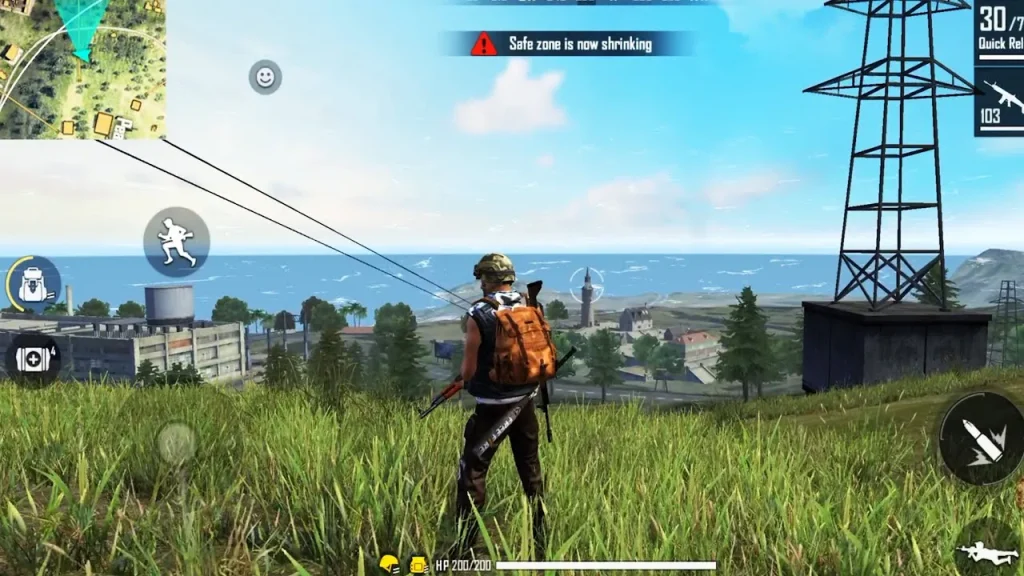
Players can choose landing spots, strategize with their squads, and adapt to shrinking safe zones that push everyone closer together. Whether you prefer stealthy sniping or close-range combat, Free Fire’s fluid mechanics and quick matches make every game unique.
On Garena Free Fire PC, the gameplay is even smoother. The larger display and responsive controls help you track enemies better, build strategies faster, and enjoy stunning visuals that amplify every gunfight.
Key Features
1. Dynamic Battle Royale Matches
Each match accommodates up to 50 players, competing in real time to be the last survivor. The small map size and rapid shrinking zone make every match thrilling and action-packed.
2. Diverse Character System
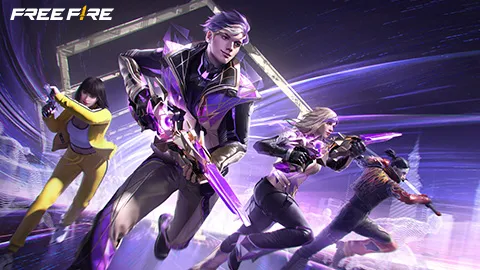
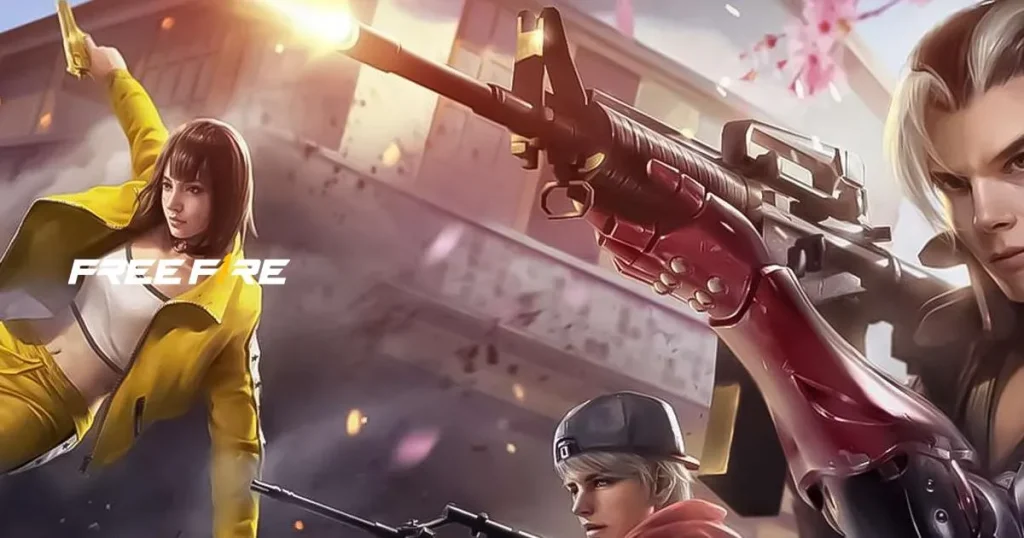
Garena Free Fire features dozens of unique characters, each with special abilities. Players can choose from iconic names like Kelly, Chrono, and Alok, each offering distinct gameplay advantages.
3. Weapon Variety and Customization
The game boasts an impressive arsenal of weapons—from assault rifles to sniper rifles and grenades. Weapon attachments like scopes and silencers can enhance your strategy for maximum effectiveness.
4. Team Modes and Communication
Players can form squads of up to four members, using in-game voice chat to coordinate attacks, share loot, and plan survival strategies. Team play adds depth and social fun to every battle.
5. Stunning Graphics and Smooth Performance
Free Fire’s visuals are optimized for all devices, but on PC, the high-resolution graphics and steady frame rate make the experience incredibly immersive. Explosions, terrain, and character details all come to life vividly.
6. Regular Events and Esports Tournaments
Garena continuously updates the game with new themes, seasonal events, and global tournaments. Whether you’re a casual player or aspiring pro, the competitive scene keeps things fresh and rewarding.
7. Customizable Controls and Interface
Playing Garena Free Fire on PC allows complete control mapping. You can assign keys for shooting, jumping, and navigating, creating a personalized setup that boosts your performance.
Why Play Garena Free Fire on PC?
Playing Garena Free Fire on PC transforms the mobile gaming experience into something truly next-level. One of the biggest advantages is the larger display, which allows players to spot enemies from greater distances and enjoy the game’s detailed graphics in full clarity. The keyboard and mouse controls offer superior precision and faster reaction times compared to touch controls—perfect for those critical headshots or quick building maneuvers during intense firefights.
Another major benefit is the smooth, lag-free performance that PC hardware provides. You no longer have to worry about overheating, battery drain, or interruptions from notifications. The Garena Free Fire PC version also supports cross-platform syncing, allowing players to continue their progress from mobile devices seamlessly. Whether you’re a casual gamer or a competitive player, enjoying Garena Free Fire on your computer ensures maximum comfort, better visuals, and a truly immersive battle royale experience that mobile devices simply can’t match.
How to Download Garena Free Fire on PC
Here is a step by step guide to download Garena Free Fire’ on PC;
- Find the button: Scroll to the “Download Garena Free Fire for PC” button on this page.
- Start the safe download: Click the button to begin the safe download from this page. When prompted, choose Save (not Open) and pick a familiar folder (e.g., Downloads).
- Locate the file: When the download finishes, open your Downloads folder and find the .zip (or .rar) archive.
- Extract the game: Right-click the archive → Extract All… (or use 7-Zip/WinRAR) → choose a destination folder.
- Open the folder: Go to the extracted folder and look for Garena Free Fire.exe.
- Launch the game: Double-click the .exe to start. If Windows SmartScreen appears, select More info → Run anyway (only if you downloaded from the button on this page).
- Set up controls & video: In the Options/Settings menu, choose your resolution/fullscreen, adjust audio latency, and confirm keyboard bindings (← → ↑ ↓).
- Create a shortcut (optional): Right-click Garena Free Fire.exe → Send to → Desktop (create shortcut) for quick access.
- Play & enjoy: Start Story Mode or Free Play, and you’re good to go!
How to Play Garena Free Fire on PC
Once you’ve successfully installed the Garena Free Fire PC version, it’s time to jump into the battleground and start playing. Launch your preferred emulator—such as BlueStacks, LDPlayer, or NoxPlayer—and open the Free Fire app. The interface will look identical to the mobile version, but the experience will feel entirely new. Using a keyboard and mouse gives you enhanced control over movement, aiming, and shooting, making every fight more responsive and precise.
To move your character, use the W, A, S, D keys; aim and shoot with your mouse; and use shortcuts for quick actions like reloading, crouching, or switching weapons. Most emulators come with preset key mappings, but you can customize them according to your preferences. Take a few minutes to adjust sensitivity and layout for optimal gameplay. With smoother performance, no lag, and a wider view of the map, playing Garena Free Fire on PC allows you to strategize, react, and win like a pro—bringing you one step closer to that ultimate Booyah!
System Requirements
Minimum Requirements
- OS: Windows 7 or higher
- Processor: Intel or AMD Dual-Core CPU
- RAM: 4 GB
- Graphics: Intel HD Graphics 4000
- Storage: 5 GB of free space
Recommended Requirements
- OS: Windows 10 or 11 (64-bit)
- Processor: Intel Core i5 or higher
- RAM: 8 GB or more
- Graphics: NVIDIA GeForce GTX 1050 / AMD Radeon RX 550
- Storage: 10 GB of free space
FAQs
Is Garena Free Fire free to play on PC?
Yes, Garena Free Fire PC is completely free to play. You don’t need to purchase the game—just install an Android emulator like BlueStacks or LDPlayer, download Free Fire from the Google Play Store within the emulator, and start playing without any cost. The only optional purchases are for skins, bundles, and other in-game cosmetic items.
How can I download Garena Free Fire for PC safely?
You can safely download Garena Free Fire for PC by clicking the official download button on this page or through a trusted Android emulator. Avoid third-party sites that offer modded APKs or cracked versions, as these can contain malware or violate Garena’s policies. Always install the game from legitimate sources such as Google Play Store within your emulator.
Can I play Garena Free Fire on PC without an emulator?
Currently, there is no official standalone PC version of Garena Free Fire. However, you can enjoy the full experience through popular Android emulators like BlueStacks, NoxPlayer, or LDPlayer, which allow you to run mobile games on a computer seamlessly. These emulators optimize gameplay for PC controls and provide smoother performance.
Which emulator is best for playing Garena Free Fire on PC?
The most popular and reliable emulators for Garena Free Fire PC are BlueStacks and LDPlayer. Both offer advanced keymapping, high frame rates, and compatibility with most Windows systems. BlueStacks is known for its stability and multi-instance feature, while LDPlayer provides excellent gaming performance for low-end PCs.
Can I use my existing Free Fire account on PC?
Yes, you can use your existing Free Fire account on PC by logging in with the same credentials—whether via Google, Facebook, or VK. All your skins, achievements, characters, and rank progress will sync automatically across devices, allowing for seamless cross-platform gameplay.
What are the benefits of playing Garena Free Fire on a computer?
Playing Garena Free Fire on a computer provides several benefits, including enhanced graphics, faster performance, and precise keyboard and mouse controls. You’ll also enjoy a lag-free experience with no battery issues, allowing for longer, more competitive gaming sessions. Additionally, multitasking becomes easier on PC for streamers and content creators.
Is Garena Free Fire PC version safe and legal to play?
Yes, playing Garena Free Fire PC version using an official emulator is both safe and legal. Garena has never prohibited the use of Android emulators, as long as players don’t use third-party cheats or unauthorized software. Just make sure you download the emulator from its official website to avoid security risks.
Alternatives to Garena Free Fire on PC
If you love Free Fire, here are five similar games worth exploring:
- PUBG: Battlegrounds – The original battle royale classic with realistic graphics and massive maps.
- Call of Duty: Mobile – Offers multiple modes including battle royale, with fluid gameplay and iconic weapons.
- Fortnite – A colorful survival shooter with building mechanics and a global esports scene.
- Rules of Survival – Another fast-paced survival game featuring large-scale maps and vehicle combat.
- Apex Legends – A squad-based battle royale with unique hero abilities and advanced shooting dynamics.
Conclusion
Garena Free Fire PC brings a new dimension to one of the world’s most popular battle royale games. With its fast-paced action, vivid graphics, and tactical gameplay, it’s no surprise that millions of players are choosing to experience it on a bigger screen. The PC version of Garena Free Fire delivers smoother controls, higher performance, and unmatched immersion, making every match more thrilling than ever. Whether you’re a seasoned veteran or a newcomer to the Free Fire universe, now is the perfect time to download Garena Free Fire for PC, sharpen your survival skills, and battle your way to the ultimate Booyah!