Plants Vs. Zombies PC
Defend your garden in Plants Vs. Zombies PC. Strategically plant defenses, battle hilarious zombies, and enjoy fun, addictive gameplay in this classic tower defense adventure.
When it comes to casual strategy games, few titles have made an impact as massive as Plants Vs. Zombies. Developed by PopCap Games and later published by Electronic Arts, this tower defense masterpiece first launched in 2009 and quickly became a worldwide sensation. Its perfect mix of humor, charm, and tactical gameplay made it a must-play for millions of players across all ages. From its quirky animations to its addictive level progression, the game carved out a permanent spot in gaming history.
What sets Plants Vs. Zombies apart is its unique concept: using a variety of plants, each with special abilities, to fend off waves of increasingly tricky zombies. The memorable cast of characters — from the smiling Sunflower to the eccentric Crazy Dave — adds personality and humor to every level. Its easy-to-learn mechanics combined with surprising strategic depth keep players hooked, making it just as fun today as it was at launch.
While many enjoy the mobile version, the Plants Vs. Zombies PC version offers the ultimate way to experience the game. Playing on a computer means sharper visuals, precise mouse controls, and hours of uninterrupted lawn defense without worrying about phone calls or drained batteries. Whether you’re new to the game or a returning fan, the PC edition is the perfect way to rediscover why this classic remains one of the most beloved tower defense titles ever created. Now is the best time to download Plants Vs. Zombies for PC and join the battle!

Gameplay Overview
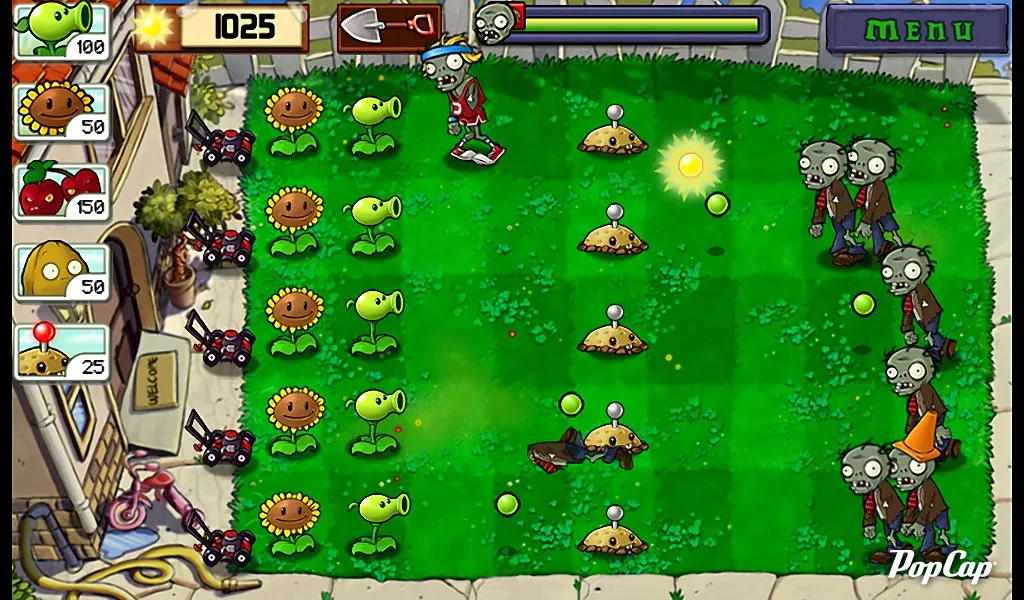
Plants Vs. Zombies PC is a tower defense game where your backyard becomes the ultimate battlefield. The goal is simple yet addictive: protect your home from waves of quirky, brain-hungry zombies by planting an arsenal of defensive and offensive plants. Each plant serves a unique role — Peashooters fire projectiles, Sunflowers generate the sunlight currency needed to plant more defenses, while Wall-Nuts slow down zombies and buy you precious time. As the waves grow stronger, players must balance resource management with strategic placement to survive.
The game keeps things fresh by introducing new plants, zombies, and challenges as you progress through its modes. Adventure Mode gradually ramps up difficulty while teaching new mechanics, Survival Mode tests your endurance with endless zombie waves, and Mini-Games add lighthearted variety to the mix. Combined with its humor, catchy soundtrack, and rewarding unlock system, the Plants Vs. Zombies PC version delivers gameplay that is both accessible to newcomers and deep enough to engage strategy lovers. No two matches feel the same, making every session exciting and unpredictable.
Key Features
1. Addictive Tower Defense Gameplay
The core of Plants Vs. Zombies PC lies in its simple yet engaging tower defense mechanics. Players must strategically place plants across the lawn to block, slow, and eliminate zombies before they reach the house. This balance between resource collection and tactical placement ensures that every round feels challenging and rewarding.
2. Unique and Diverse Plant Arsenal
The game features dozens of plants, each with its own abilities. Peashooters deliver basic attacks, Cherry Bombs clear groups of zombies, and Snow Peas slow enemies with icy projectiles. Experimenting with different combinations allows players to craft unique strategies suited for each wave of zombies.
3. Wide Variety of Zombies
The zombie army is anything but ordinary. From Conehead Zombies that can take more damage to Pole Vaulting Zombies that leap over obstacles, each type requires a specific counter-strategy. This variety keeps players on their toes and ensures the gameplay never feels repetitive.
4. Multiple Game Modes for Replay Value
Beyond the main Adventure Mode, the PC version offers Survival Mode for those who crave endless challenges, and Mini-Games for lighter, more creative fun. Each mode brings a fresh experience, giving players reasons to return to the game again and again.
5. Smooth PC Experience
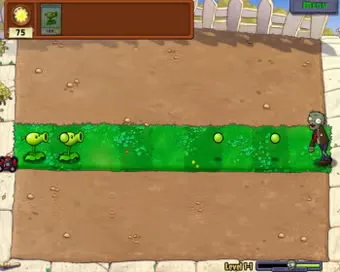
Unlike mobile play, the Plants Vs. Zombies PC version benefits from sharper visuals and smoother performance. Mouse controls provide precision when planting defenses, while the larger screen enhances immersion in the colorful, cartoonish world of plants and zombies.
6. Progression and Unlock System
As players advance, they gradually unlock new plants, tougher zombies, and exciting upgrades. Crazy Dave, the eccentric guide, also introduces new challenges and items through his shop, adding humor and variety to the progression. This steady flow of rewards keeps players motivated.
7. Family-Friendly Appeal
One of the reasons for the game’s lasting success is its universal appeal. With its cartoon-style graphics, lighthearted humor, and easy-to-understand mechanics, Plants Vs. Zombies PC is enjoyable for kids, teens, and adults alike. It’s a game that brings fun to the entire family while still offering depth for strategy fans.
Why Play Plants Vs. Zombies on PC?
Playing Plants Vs. Zombies PC takes the classic tower defense experience to the next level. The larger screen not only highlights the colorful animations and humorous zombie designs but also makes it easier to track multiple waves at once. With smooth performance and higher resolution graphics, every plant placement and zombie takedown feels more immersive. The precision of mouse controls also gives players an advantage, allowing for faster, more accurate gameplay compared to touchscreen tapping.
Another major benefit is uninterrupted gaming. On PC, you don’t need to worry about battery drain, storage limitations, or constant phone notifications. Instead, you can enjoy hours of seamless play without distractions. For those who want to dive deep into strategy or simply relax with casual fun, the Plants Vs. Zombies PC version offers the most complete and comfortable way to enjoy this timeless classic.
How to Download Plants Vs. Zombies on PC
Here is a step by step guide to download Plants Vs. Zombies on PC;
- Find the button: Scroll to the “Download Plants Vs. Zombies for PC” button on this page.
- Start the safe download: Click the button to begin the safe download from this page. When prompted, choose Save (not Open) and pick a familiar folder (e.g., Downloads).
- Locate the file: When the download finishes, open your Downloads folder and find the .zip (or .rar) archive.
- Extract the game: Right-click the archive → Extract All… (or use 7-Zip/WinRAR) → choose a destination folder.
- Open the folder: Go to the extracted folder and look for Plants Vs. Zombies.exe.
- Launch the game: Double-click the .exe to start. If Windows SmartScreen appears, select More info → Run anyway (only if you downloaded from the button on this page).
- Set up controls & video: In the Options/Settings menu, choose your resolution/fullscreen, adjust audio latency, and confirm keyboard bindings (← → ↑ ↓).
- Create a shortcut (optional): Right-click Plants Vs. Zombies.exe → Send to → Desktop (create shortcut) for quick access.
- Play & enjoy: Start Story Mode or Free Play, and you’re good to go!
How to Play Plants Vs. Zombies on PC
Starting out in Plants Vs. Zombies PC is easy, but mastering it requires strategy. Once you launch the game, begin with Adventure Mode — it’s designed to introduce you to the basics step by step. Early levels teach you how to collect sunlight, the core resource that powers your defenses, and how to place plants like Sunflowers for energy and Peashooters for offense. As you progress, the zombies grow tougher, so you’ll need to balance your resources wisely while expanding your plant lineup.
To play effectively, focus on building a strong economy first by planting enough Sunflowers. Then, set up rows of shooters, supported by defensive plants like Wall-Nuts or explosive plants like Cherry Bombs for emergencies. Use the mouse to quickly place or remove plants, giving you more precision than mobile play. Each level introduces new zombies and conditions, so experiment with plant combinations to discover the best defenses. On PC, faster placement and smoother gameplay make it easier to respond to challenges, letting you enjoy a more strategic and enjoyable lawn defense experience.
System Requirements
Minimum Requirements
- OS: Windows XP/Vista/7/8/10
- Processor: 1.2 GHz or faster
- RAM: 512 MB
- Graphics: DirectX 8.0 compatible
- Storage: 65 MB free space
Recommended Requirements
- OS: Windows 10/11
- Processor: 2.0 GHz Dual Core
- RAM: 2 GB
- Graphics: DirectX 9.0c compatible with 256 MB VRAM
- Storage: 100 MB free space
FAQs
Is Plants Vs. Zombies free to play on PC?
No, the official Plants Vs. Zombies PC version is a paid game, but it’s very affordable. Some editions may come with a free trial or demo, letting you experience the gameplay before purchasing. Always download from trusted sources to avoid unsafe files.
Can I play Plants Vs. Zombies on Windows 10 or Windows 11?
Yes. The PC version runs smoothly on modern Windows operating systems, including Windows 10 and Windows 11. Even older versions like Windows 7 or 8 support the game, thanks to its lightweight design.
Do I need an internet connection to play?
No, once you install the game, you can enjoy it completely offline. This makes it perfect for casual gaming sessions when you don’t have stable internet access.
How many levels does the PC version include?
The Adventure Mode offers 50 exciting levels, but that’s not all. The PC edition also includes Survival Mode and Mini-Games, giving you endless replay value beyond the main campaign.
Are there cheat codes in Plants Vs. Zombies PC?
Yes! The PC version includes fun cheat codes like “Mustache Mode” and “Future Mode.” These don’t break the game but add a humorous twist to your lawn defense battles.
Can I transfer progress from mobile to the PC version?
No, the game doesn’t officially support cross-platform syncing. However, playing on PC offers smoother performance and more precise controls, making it the best way to enjoy the full experience.
Is it safe to download Plants Vs. Zombies for PC?
Absolutely. As long as you use the official download button provided on this page or other trusted platforms, the game is completely safe. Avoid third-party sites that might host pirated or harmful files.
Alternatives to Plants Vs. Zombies on PC
If you love the strategic charm of Plants Vs. Zombies PC but want to try something new, here are five great alternatives that deliver similar fun with unique twists.
1. Bloons TD 6
A staple in the tower defense genre, Bloons TD 6 tasks you with popping waves of colorful balloons using monkey towers and powerful upgrades. It’s visually vibrant, highly strategic, and offers deep progression systems that keep players hooked for hours.
2. Kingdom Rush
Known for its polished fantasy setting, Kingdom Rush blends humor and strategy seamlessly. Players build towers, recruit heroes, and defend against waves of goblins, orcs, and dragons. Its cartoon art style and challenging levels make it a favorite for tower defense fans.
3. Orcs Must Die!
This action-packed series combines third-person combat with tower defense. Players set traps while directly fighting invading orcs, creating a fast-paced hybrid experience. It’s perfect if you enjoy hands-on gameplay alongside tactical planning.
4. Defense Grid: The Awakening
For gamers who want more depth, Defense Grid offers a sci-fi twist on the tower defense formula. With a strong story, futuristic weapons, and varied maps, it’s considered one of the most polished and challenging PC tower defense games available.
5. GemCraft Series
GemCraft adds RPG-like progression to the tower defense genre. Players combine magical gems to create powerful attacks and unique effects, offering endless customization and strategy. Its blend of fantasy and tactics appeals to gamers who enjoy experimenting with builds.
Conclusion
Plants Vs. Zombies PC remains one of the most iconic tower defense games ever created. With its addictive gameplay, humorous design, and endless replay value, it’s a must-play for gamers of all ages. Playing on PC makes the experience even better with improved controls, graphics, and uninterrupted fun. Don’t wait — click the download button on this page and start defending your lawn today!