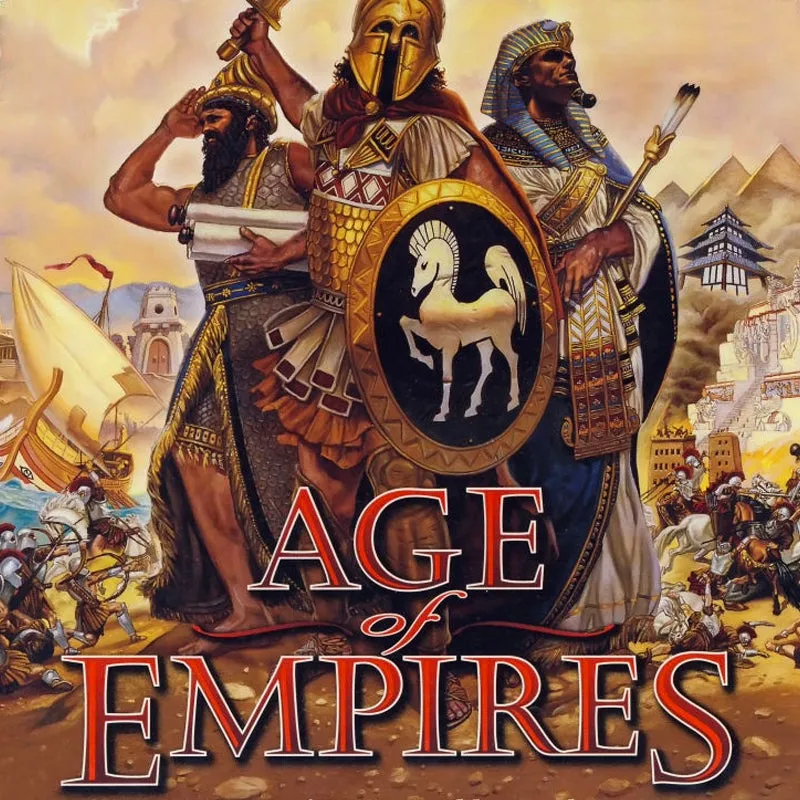
Age of Empires PC
Build, battle, and conquer with Age of Empires PC. Lead civilizations, master strategy, and relive history in this timeless real-time strategy game.
Few games in the history of PC gaming have left a mark as profound as Age of Empires PC. Developed by Ensemble Studios and published by Microsoft, this real-time strategy masterpiece reshaped how gamers experienced history, strategy, and empire building. Since its original release in 1997, it has spawned multiple sequels and remastered versions, making it a franchise beloved by millions worldwide.
The Age of Empires PC version continues to thrive because it captures the perfect balance between historical authenticity and strategic depth. Whether you’re leading the Greeks into battle, building the Roman Empire, or defending against invading forces, every decision shapes your empire’s destiny. For new players, it’s an excellent entry point into strategy gaming; for veterans, it remains a nostalgic yet challenging experience.
Playing Age of Empires PC delivers the ultimate experience. Larger screens, smooth controls, enhanced performance, and modern multiplayer options make it far superior to any other platform. If you’ve ever wanted to relive history while commanding entire civilizations, downloading Age of Empires PC is the first step toward countless hours of immersive fun.
Gameplay Overview
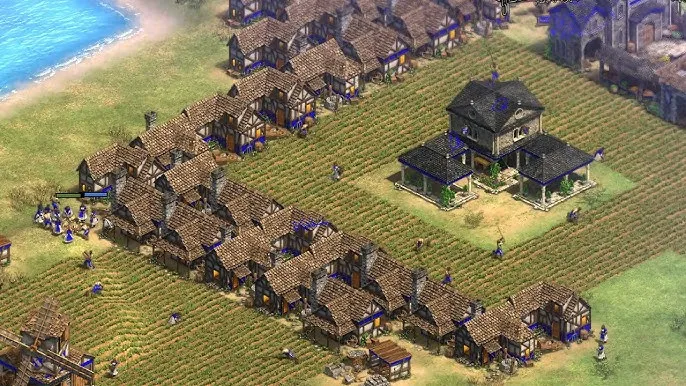
Age of Empires PC is about building, managing, and expanding a civilization through different historical ages. Players begin with a small tribe and gradually advance through stages of development, unlocking new technologies, armies, and architectural styles.
Gameplay involves resource management, exploration, and combat. You’ll gather wood, food, gold, and stone to expand your empire, build armies, and research upgrades. From constructing monumental wonders to orchestrating massive battles against rival civilizations, every choice impacts your empire’s survival. Whether you prefer single-player campaigns or thrilling online multiplayer skirmishes, the game provides endless replay value.
Key Features
1. Diverse Historical Civilizations
One of the most exciting aspects of Age of Empires PC is its wide variety of civilizations. Players can lead ancient powers such as the Greeks, Romans, Egyptians, Persians, and Babylonians. Each civilization has unique strengths, technologies, and military units, encouraging players to experiment with different strategies. This variety ensures no two playthroughs feel the same.
2. Progression Through Ages
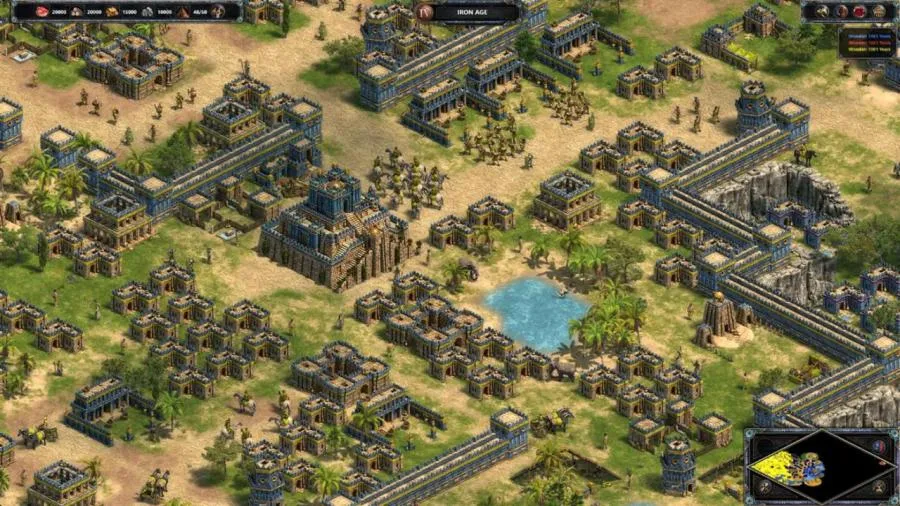
The game is built around advancing through key historical ages, including the Stone Age, Bronze Age, and Iron Age. Each progression unlocks new buildings, weapons, and technologies, allowing your empire to evolve with time. This age-based system gives a true sense of growth and rewards careful planning.
3. Immersive Campaigns
Age of Empires PC features engaging campaigns based on real-world history. Players can relive iconic battles and legendary conquests, from ancient Egypt’s rise to the Roman Empire’s dominance. These campaigns combine strategy with storytelling, making them both fun and educational for history enthusiasts.
4. Deep Resource Management
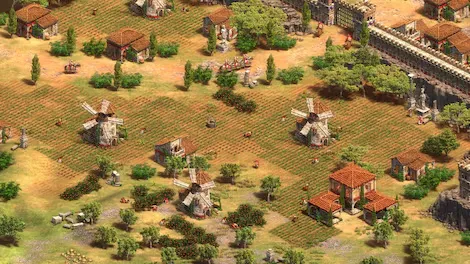
At the heart of the game lies resource management. Players must gather food, wood, gold, and stone to expand their empire. Efficient resource allocation is essential for survival and growth. Balancing between economy and military development teaches players valuable strategic decision-making.
5. Strategic Military Battles
Warfare is central to the game, and players can build armies using infantry, cavalry, archers, siege weapons, and naval fleets. Success depends on adapting strategies to counter enemy forces and positioning units effectively. Battles are not just about brute force but also about smart tactical execution.
6. Multiplayer Skirmishes
In addition to single-player campaigns, Age of Empires PC offers thrilling multiplayer battles. Players can compete or cooperate with friends and global opponents, creating endless strategic possibilities. The unpredictability of human opponents makes each match challenging and exciting.
7. Enhanced Definitive Edition
For modern players, the Definitive Edition offers enhanced 4K visuals, improved animations, and smoother gameplay. It also introduces new campaigns, civilizations, and an upgraded AI that provides tougher challenges. This version ensures the game feels fresh while retaining its nostalgic appeal.
Why Play Age of Empires PC?
Playing on PC gives the definitive experience. With superior graphics, faster processing, and the precision of mouse and keyboard controls, the gameplay is smoother and more immersive.
Additionally, PC gaming ensures no mobile battery drain, the ability to multitask, and cross-platform syncing through services like Steam or Game Pass, making it the best way to enjoy Age of Empires PC.
How to Download Age of Empires PC
Here is a step by step guide to download Age of Empires PC;
- Find the button: Scroll to the “Download Age of Empires PC” button on this page.
- Start the safe download: Click the button to begin the safe download from this page. When prompted, choose Save (not Open) and pick a familiar folder (e.g., Downloads).
- Locate the file: When the download finishes, open your Downloads folder and find the .zip (or .rar) archive.
- Extract the game: Right-click the archive → Extract All… (or use 7-Zip/WinRAR) → choose a destination folder.
- Open the folder: Go to the extracted folder and look for Age of Empires PC.exe.
- Launch the game: Double-click the .exe to start. If Windows SmartScreen appears, select More info → Run anyway (only if you downloaded from the button on this page).
- Set up controls & video: In the Options/Settings menu, choose your resolution/fullscreen, adjust audio latency, and confirm keyboard bindings (← → ↑ ↓).
- Create a shortcut (optional): Right-click Age of Empires PC.exe → Send to → Desktop (create shortcut) for quick access.
- Play & enjoy: Start Story Mode or Free Play, and you’re good to go!
How to Play Age of Empires PC
When you first launch the game, start with the tutorial campaign to understand resource management, building structures, and basic combat. This introduces you to the mechanics step by step.
Once comfortable, explore full campaigns or jump into skirmish mode. Experiment with different civilizations, try new strategies, and challenge both AI and human players online. With practice, you’ll master everything from quick resource gathering to large-scale warfare.
System Requirements
Minimum Specs:
- Storage: 20 GB
- OS: Windows 10 (64-bit)
- Processor: Intel Core i3 or AMD equivalent
- RAM: 4 GB
- Graphics: Intel HD 4000 / AMD Radeon HD 6850
Recommended Specs:
- Storage: 20 GB SSD
- OS: Windows 10/11 (64-bit)
- Processor: Intel Core i5 or AMD Ryzen 5
- RAM: 8 GB
- Graphics: NVIDIA GTX 650 / AMD Radeon HD 7850 or higher
FAQs
Is Age of Empires PC still worth playing today?
Yes, absolutely! Age of Empires PC has stood the test of time due to its deep strategy, engaging campaigns, and replayability. The Definitive Edition updates the game with modern graphics, improved AI, and better multiplayer servers, making it feel fresh while retaining its classic charm.
Can I play Age of Empires PC for free?
Age of Empires PC is not free, but it is often included in subscription services like Xbox Game Pass for PC. You can also purchase it from Steam or the Microsoft Store. Occasionally, free trial weekends or demo versions may be available.
Does Age of Empires PC work on Windows 11?
Yes, Age of Empires PC works smoothly on Windows 10 and Windows 11. The Definitive Edition is fully optimized for modern operating systems, ensuring compatibility and stable performance.
How many civilizations are available in Age of Empires PC?
The original Age of Empires PC offered 12 civilizations, each with unique traits, units, and technologies. The Definitive Edition expands this roster, adding more civilizations and campaigns, giving players even more variety and strategic choices.
Can I play Age of Empires PC offline?
Yes, you can play single-player campaigns and skirmish matches offline without an internet connection. However, online multiplayer and access to updates require you to be connected to the internet.
What are the main differences between Age of Empires PC and Age of Empires II?
Age of Empires PC focuses on the rise of ancient civilizations, covering early human history through the Iron Age. Age of Empires II shifts to the medieval era with knights, castles, and siege warfare. Both are excellent, but Age of Empires PC is the origin of the franchise and a must-play for historical strategy fans.
Can I run Age of Empires PC on a low-end computer?
Yes, the game is well-optimized and can run on lower-end PCs, especially the classic version. However, for the Definitive Edition with 4K visuals and enhanced content, a mid-range system with at least 8GB RAM and a dedicated graphics card is recommended for the best experience.
Alternatives to Age of Empires PC
- Rise of Nations – A blend of RTS with nation-scale progression across eras.
- Civilization VI – A turn-based alternative for strategy lovers who enjoy empire building at a slower pace.
- StarCraft II – A sci-fi RTS offering deep strategy and competitive online play.
- Stronghold Crusader – Focuses on medieval warfare, castle sieges, and economic management.
- Empire Earth – A classic RTS that covers more eras, from prehistoric to futuristic.
Conclusion
Age of Empires PC is more than just a strategy game—it’s a legendary experience that blends history, empire-building, and tactical warfare into one timeless package. With engaging campaigns, diverse civilizations, and thrilling multiplayer options, it continues to be a must-play for both newcomers and veteran gamers. Playing on PC enhances the experience with sharper graphics, smooth controls, and seamless performance. Whether you want to relive the classic or explore the Definitive Edition, now is the perfect time to join the battle. Click the Download Button below and start building your empire today!