
Far Cry 4 PC
Explore the Himalayas in Far Cry 4 PC. Fight ruthless enemies, tame wildlife, complete daring missions, and shape your destiny in this thrilling open-world action adventure.
Far Cry 4 PC stands tall as one of Ubisoft’s most iconic first-person shooters, delivering a thrilling mix of action, strategy, and exploration. Developed by Ubisoft Montreal, this installment takes players on a breathtaking journey through Kyrat, a fictional Himalayan nation torn apart by civil war. Its rich open world, unpredictable encounters, and captivating storyline quickly made it a favorite among shooter fans when it was released.
At the heart of the adventure is Ajay Ghale, a young man returning to Kyrat to fulfill his mother’s last wish, only to be caught in a violent struggle against the flamboyant dictator Pagan Min. The game balances narrative depth with freedom of choice, allowing players to carve their own path through missions, side quests, and dynamic encounters. Whether you prefer stealthy takedowns or explosive combat, Far Cry 4 offers endless possibilities in a world that feels alive with danger and opportunity.
For gamers who crave the ultimate experience, the Far Cry 4 PC version is the way to go. Playing on computer means sharper visuals, smoother gameplay, and precise control with a keyboard and mouse. On a larger screen, Kyrat’s lush jungles and snow-covered peaks look more immersive than ever. Add to that the benefit of multitasking, mods, and stable performance without the limits of consoles, and it’s easy to see why players worldwide choose to download Far Cry 4 for PC. If you’re ready for an unforgettable journey filled with action, survival, and exploration, Far Cry 4 PC should be at the top of your list.
Gameplay Overview
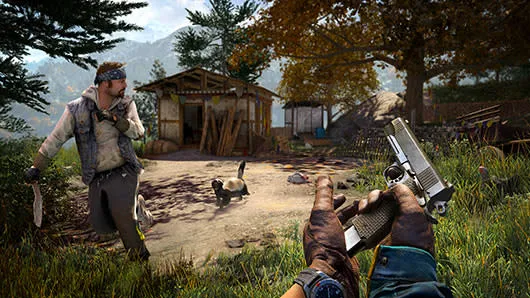
Far Cry 4 on PC offers players a true open-world experience set in the stunning yet hostile environment of Kyrat. The game blends fast-paced shooting mechanics with stealth, exploration, and survival elements, ensuring that every moment feels unpredictable. Players can freely explore villages, dense forests, mountain trails, and rivers while taking on missions, hunting wildlife, or liberating enemy outposts. The dynamic world reacts to your actions, making every encounter unique—one moment you may be sneaking past patrols, and the next, a wild tiger could disrupt the fight entirely.
The Far Cry 4 PC version also allows players to approach objectives however they choose. Missions can be tackled with stealth using bows and silenced weapons, or with heavy firepower and explosive chaos. Vehicles such as jeeps, gyrocopters, and even elephants add to the variety of combat and exploration. Alongside the engaging single-player campaign, co-op mode lets you team up with friends to take on challenges together, expanding the fun and replayability. With freedom of choice, unpredictable encounters, and a living ecosystem, playing Far Cry 4 on computer is an adrenaline-fueled adventure from start to finish.
Key Features
1. Expansive Open World of Kyrat
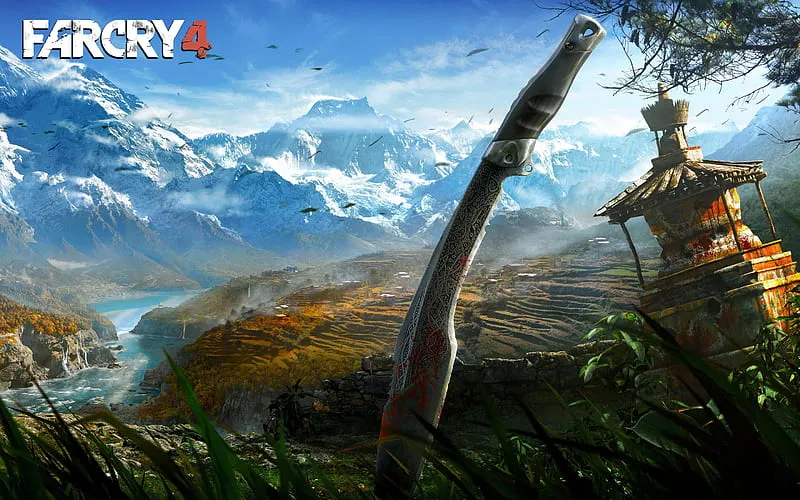
Far Cry 4 PC transports players to Kyrat, a visually stunning region inspired by the Himalayas. From snowy mountain peaks to dense jungles and rural villages, the game world feels alive and unpredictable. This open-world design encourages exploration, ensuring players discover new challenges, hidden treasures, and dynamic events around every corner.
2. A Gripping Storyline with Memorable Characters
The narrative centers on Ajay Ghale, who becomes entangled in a rebellion against the ruthless tyrant Pagan Min. The story blends emotional depth, political conflict, and unexpected twists. Each decision you make influences how the rebellion unfolds, adding replayability and personal connection to the journey.
3. Versatile Combat and Playstyles
Far Cry 4 allows players to choose their approach—whether stealthy infiltration or all-out chaos. With bows, silenced pistols, assault rifles, explosives, and more, every weapon offers unique strategies. The freedom to switch between tactics keeps gameplay fresh and engaging throughout the campaign.
4. Wildlife and Hunting Mechanics
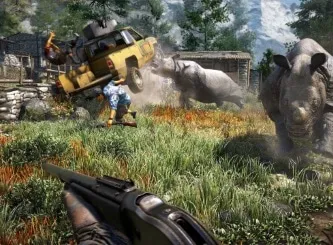
Kyrat’s ecosystem is filled with wildlife, from predators like tigers and leopards to prey such as deer and goats. Animals can attack enemies, provide crafting materials, or create unexpected combat situations. Hunting is not just a side activity—it’s essential for upgrading gear and survival.
5. Co-Op Multiplayer Adventures
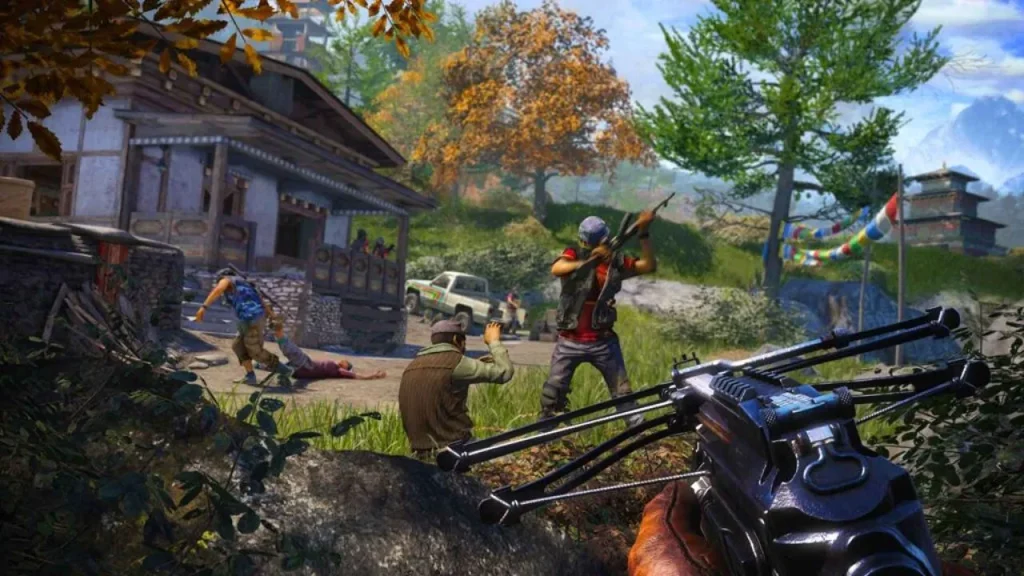
One of the standout features of Far Cry 4 is the ability to play co-op with a friend. The vast world and missions become even more exciting when shared, allowing for creative strategies and chaotic fun. Whether liberating outposts or exploring hidden areas, teamwork adds another layer of enjoyment.
6. Vehicles and Unique Exploration Options
Exploration in Far Cry 4 PC is far from ordinary. Players can drive jeeps, ride elephants into battle, or take to the skies with a gyrocopter. These options not only make travel faster but also enhance combat, offering dynamic ways to engage with the world.
7. Enhanced PC Gaming Experience
The Far Cry 4 PC version takes advantage of advanced hardware capabilities. Expect higher-resolution textures, smoother frame rates, and customizable settings to optimize performance. With sharper visuals and precise mouse-and-keyboard controls, the PC edition provides the most immersive way to experience Kyrat
Why Play Far Cry 4 on PC?
Choosing the Far Cry 4 PC version means experiencing the game in its best possible form. The enhanced graphics, sharper textures, and higher frame rates make Kyrat look more realistic and immersive compared to console gameplay. PC players also benefit from customizable settings, allowing them to tweak visuals, controls, and performance according to their system’s capabilities. This flexibility ensures smoother gameplay, whether you’re exploring dense jungles, battling enemies, or flying across the mountains in a gyrocopter.
Another major advantage is the precision of keyboard and mouse controls, which greatly improves aiming and responsiveness during combat. Playing on PC also eliminates common console issues like battery drain, giving players uninterrupted gaming sessions. On top of that, PC gamers can enjoy mods, cross-platform progress syncing, and multitasking options such as streaming or recording gameplay. All of this makes playing Far Cry 4 on computer the definitive choice for serious gamers.
How to Download Far Cry 4 on PC
Here is a step by step guide to download Far Cry 4 on PC;
- Find the button: Scroll to the “Download Far Cry 4 for PC” button on this page.
- Start the safe download: Click the button to begin the safe download from this page. When prompted, choose Save (not Open) and pick a familiar folder (e.g., Downloads).
- Locate the file: When the download finishes, open your Downloads folder and find the .zip (or .rar) archive.
- Extract the game: Right-click the archive → Extract All… (or use 7-Zip/WinRAR) → choose a destination folder.
- Open the folder: Go to the extracted folder and look for Far Cry 4.exe.
- Launch the game: Double-click the .exe to start. If Windows SmartScreen appears, select More info → Run anyway (only if you downloaded from the button on this page).
- Set up controls & video: In the Options/Settings menu, choose your resolution/fullscreen, adjust audio latency, and confirm keyboard bindings (← → ↑ ↓).
- Create a shortcut (optional): Right-click Far Cry 4.exe → Send to → Desktop (create shortcut) for quick access.
- Play & enjoy: Start Story Mode or Free Play, and you’re good to go!
How to Play Far Cry 4 on PC
Once you download Far Cry 4 for PC and complete installation, the first step is to configure your settings for the smoothest experience. Head into the options menu to adjust graphics, resolution, and frame rate based on your system’s capabilities. Lower settings improve performance on mid-range PCs, while high-end rigs can unlock ultra settings for breathtaking visuals. The PC version also allows you to remap controls, so you can fine-tune your keyboard and mouse layout or connect a controller if you prefer. Taking a few minutes to optimize your setup ensures the game runs fluidly and feels comfortable to play.
When starting your adventure in Kyrat, begin with the story missions to get familiar with the mechanics. As Ajay Ghale, you’ll balance main quests with optional side missions like liberating outposts, hunting wildlife, and gathering resources. Use stealth to your advantage when infiltrating enemy camps, or go loud with explosives for maximum chaos—the choice is yours. Experiment with vehicles, weapons, and co-op gameplay to fully enjoy what the Far Cry 4 PC version offers. The combination of freedom, dynamic encounters, and immersive controls makes playing Far Cry 4 on computer an unforgettable experience.
System Requirements
Minimum Requirements
- OS: Windows 7/8/10 (64-bit)
- Processor: Intel Core i5-750 / AMD Phenom II X4 955
- RAM: 4 GB
- Graphics: NVIDIA GeForce GTX 460 / AMD Radeon HD 5850 (1 GB VRAM)
- Storage: 30 GB available space
Recommended Requirements
- OS: Windows 10 (64-bit)
- Processor: Intel Core i5-2400S / AMD FX-8350
- RAM: 8 GB
- Graphics: NVIDIA GeForce GTX 680 / AMD Radeon R9 290X (2 GB VRAM)
- Storage: 30 GB available space
FAQs
Can I run Far Cry 4 PC on a low-end computer?
Yes, Far Cry 4 can run on low-spec systems if you lower the graphics and resolution settings. However, for the best experience, meeting the recommended system requirements is advised.
Does Far Cry 4 PC support co-op gameplay?
Absolutely. The game offers a two-player co-op mode where you and a friend can explore Kyrat, complete missions, and liberate outposts together.
Where can I download Far Cry 4 for PC?
You can safely download Far Cry 4 for PC from trusted platforms such as Steam or Ubisoft Connect. There’s also a secure download button available on this page.
How large is the Far Cry 4 PC version download size?
The download size is around 30 GB, so make sure you have enough storage space and a stable internet connection before installing.
Can I play Far Cry 4 on computer with a controller?
Yes. While many players prefer mouse and keyboard for precision, the Far Cry 4 PC version fully supports controllers for those who prefer a console-style experience.
Is the Far Cry 4 storyline connected to the previous games?
Not directly. Each Far Cry game has a unique storyline, but they share themes of survival, rebellion, and open-world exploration.
Are mods available for Far Cry 4 PC?
Yes, the PC community offers a variety of mods ranging from graphics improvements to gameplay tweaks, adding even more replay value to the game.
Alternatives to Far Cry 4 on PC
If you enjoyed playing Far Cry 4 PC and want to try similar experiences, here are some excellent alternatives:
1. Far Cry 5
Set in rural Montana, Far Cry 5 takes the open-world chaos to a new level with a gripping story about a doomsday cult. The improved mechanics, expanded co-op play, and larger map make it a natural step up from Far Cry 4.
2. Far Cry Primal
Travel back to the Stone Age, where survival depends on crafting, hunting, and taming wild beasts. Instead of guns, you’ll wield spears and bows while exploring a prehistoric world full of danger.
3. Just Cause 3
If you love explosive action, Just Cause 3 is a perfect pick. With its grappling hook, wingsuit, and destructible environments, it delivers over-the-top fun in a massive open world.
4. Assassin’s Creed Odyssey
Another Ubisoft hit, Odyssey trades guns for swords and bows, taking you to ancient Greece. Its massive world, branching storylines, and RPG-style progression offer endless hours of adventure.
5. Metro Exodus
For players who want a darker and more story-driven alternative, Metro Exodus combines survival horror with first-person shooting. Set in a post-apocalyptic Russia, it balances exploration, tension, and emotional storytelling.
Conclusion
Far Cry 4 PC delivers one of the most thrilling open-world shooter experiences, combining stunning visuals, intense combat, and a gripping storyline set in the Himalayas. From stealth missions to explosive encounters, every moment in Kyrat feels alive and unpredictable. Playing on PC enhances the adventure with sharper graphics, smoother performance, and precise controls, making it the definitive way to enjoy the game. Whether you’re exploring solo or teaming up with friends in co-op mode, Far Cry 4 guarantees hours of action and excitement. Click the Download button now and begin your unforgettable journey through Kyrat today!