Punishing: Gray Raven PC
Play Punishing: Gray Raven PC for free! Enjoy fast-paced cyberpunk action, stunning anime visuals, and precise keyboard/mouse or controller controls.
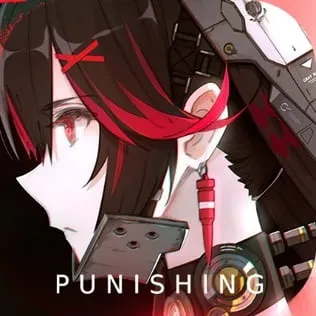
Punishing: Gray Raven PC is a fast-paced, anime-styled action role-playing game (ARPG) developed by Kuro Game, and it has quickly risen to the top of the global mobile gaming scene. With more than 50 million downloads worldwide, it has earned a reputation for its masterfully animated hack-and-slash combat, emotional storytelling, and breathtaking cyberpunk world. Set in a post-apocalyptic future where humanity fights against a biomechanical virus known as “The Punishing,” the game pulls players into a world full of sleek android warriors called Constructs, stunning boss battles, and dynamic combo-based combat. What truly sets Punishing: Gray Raven apart from other gacha titles is its premium production value fully voiced characters, console-quality graphics, and an action system so responsive that many players compare it to Devil May Cry or NieR: Automata. Even though it is a free-to-play game, it offers the kind of depth, polish, and replay value usually found only in paid AAA titles.
Despite being designed for Android and iOS, a growing number of players prefer experiencing Punishing: Gray Raven PC instead of on a small mobile screen. The reasons are obvious PC gaming gives you higher frame rates, ultra-smooth visuals, and precise control with keyboard, mouse, or gamepad. Boss fights become easier when you can dodge and counter with fast reaction time, and the game’s beautifully animated cutscenes look far more impressive in full HD or even 2K or 4K resolution. On mobile devices, players often deal with overheating, lag, limited storage, and drained batteries during long grinding sessions. On PC, those problems disappear completely. You can enjoy long play sessions, multitask in the background, listen to music, or watch guides without interruption. For competitive players aiming for high scores in War Zone or Pain Cage, the Punishing: Gray Raven PC version gives a clear advantage in accuracy and control.
Another big reason players want to download Punishing: Gray Raven PC is the cross-platform sync. You can log in with your existing account and continue your progress seamlessly no restarting, no data loss. Whether you’re a new Commandant exploring your first Constructs or a veteran grinding for S-rank characters like Lucia: Crimson Abyss or Bianca: Stigmata, the PC version gives you the freedom to play the way you want. And since the game is completely free-to-play, switching to PC doesn’t cost anything. You simply download, install, and jump straight into the battlefield. If you’re looking for a smoother, sharper, and more immersive experience, playing Punishing: Gray Raven on computer is the ultimate way to enjoy this futuristic cyber-action masterpiece. In this article, you’ll learn exactly how to download and install the game safely, what PC specs you need, how to set up controls, and why so many players are making the move from mobile to desktop. Just click the download button on this page, and you’re one step away from commanding your Constructs in full power.
Gameplay Overview
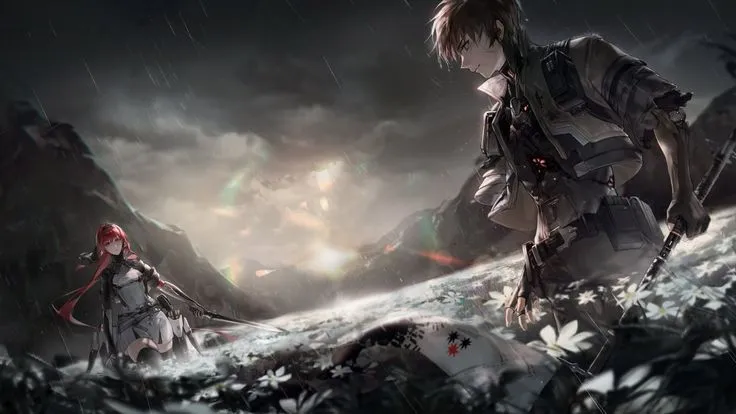
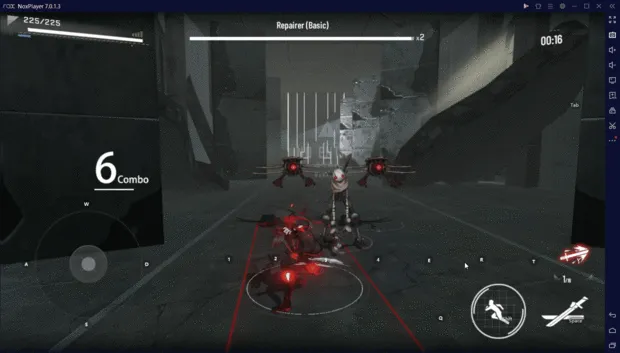
Punishing: Gray Raven PC delivers a fast-paced, combo-driven hack-and-slash experience where precision, timing, and quick reactions matter far more than just raw power. As the Commandant of the surviving elite squad, players control a team of cyber-enhanced warriors known as Constructs, each with unique weapon styles, elemental abilities, and class roles. The game’s iconic “three-orb” combat system allows players to trigger different skills by chaining color-coded orbs in real time resulting in fluid, high-speed attacks that feel both stylish and responsive. Every dodge, parry, and ultimate skill is animated with cinematic detail, and the slow-motion “Matrix” effect triggered by a perfect dodge gives the game its signature adrenaline rush. Whether you’re slashing through corrupted enemies with Lucia’s katana, firing electromagnetic arrows with Bianca, or crushing armored units with Liv’s gravity spheres, the combat always feels smooth, weighty, and satisfying.
Beyond the main story mode, Punishing: Gray Raven PC offers a variety of gameplay modes designed to keep players constantly engaged. These include weekly boss challenges like Pain Cage, ranked War Zone stages for competitive scoring, roguelike exploration in the Ascension tests, special co-op missions, and time-limited event zones that introduce new characters, mini-stories, and exclusive rewards. The game also features a deep progression system where players upgrade weapons, level up memories, unlock support skills, and build synergy-based teams. While the game uses a gacha system to obtain new S-rank and A-rank Constructs, it is known for being generous with in-game rewards, allowing free players to build strong squads over time. All of these elements wrapped in a polished cyberpunk atmosphere make Punishing: Gray Raven PC one of the most refined ARPG experiences you can enjoy especially when played on PC, where smoother frame rates and precise controls elevate the combat even further.
Key Features
1. Fast-Paced Hack-and-Slash Combat System
Punishing: Gray Raven PC is built around a high-speed, real-time combat system that rewards reaction time and combo execution. Unlike traditional RPGs with auto-battle mechanics, every move here is controlled manually—dodge at the right second, chain color-coded skill orbs, and unleash spectacular ultimate attacks. The combat feels fluid, visually stunning, and deeply satisfying, making every battle a test of both skill and strategy.
2. Unique Construct Characters with Distinct Playstyles
Players control a team of Constructs cybernetic warriors who each specialize in different weapon types such as swords, rifles, lances, scythes, and cannons. Every Construct has its own class (Attack, Tank, Support), elemental affinity, and signature combat animations. This variety lets players build teams that fit their preferred playstyle, whether they enjoy fast katana slashes, aerial combos, or long-range firepower.
3. Deep Progression and Customization System
Each character can be upgraded through multiple layers of progression, including leveling, weapon enhancement, skill upgrades, and “Memory” implants that boost stats and unlock passive bonuses. Players can experiment with builds, min-max damage output, and create synergy between different elemental teams. The game may be free-to-play, but it offers the kind of depth found in premium RPGs.
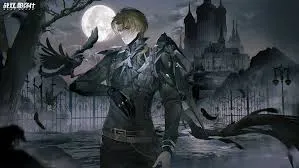
4. Cinematic Storytelling in a Dark Cyberpunk World
The game’s narrative takes place in a post-apocalyptic future where Earth has been overtaken by a biomechanical virus known as “The Punishing.” Story chapters are presented through animated cutscenes, voiced dialogue, and high-quality illustrations, giving the game the feel of a sci-fi anime series. The emotional bond between the Commandant and the Constructs adds depth rarely seen in gacha games.
5. Multiple Game Modes for Endless Replayability
Beyond the main campaign, players can enter Pain Cage (boss rush mode), War Zone (competitive scoring), Co-op Raid missions, rogue-like simulation zones, dorm customization, and time-limited themed events. Each mode rewards resources, character fragments, cosmetics, and premium currency. This variety ensures there’s always something to do, whether you’re a casual player or daily grinder.
6. Fair Free-to-Play System with Generous Rewards
Punishing: Gray Raven PC offers a gacha system to unlock rare S-rank Constructs and weapons, but it is praised for being more generous than many other mobile RPGs. Frequent login bonuses, event rewards, and free pulls help players build strong squads without spending real money. Even non-paying players can collect top-tier characters with patience and smart resource management.
7. Enhanced PC Support with Controller & Key Mapping
The game is fully compatible with PC, allowing players to map skills to keyboard buttons or use a controller for console-like gameplay. When played on computer, the game runs at higher frame rates, supports HD or 2K resolution, and delivers smoother animations which is especially important for players who rely on perfect dodges, fast combos, and competitive speedruns.
Why Play Punishing: Gray Raven on PC?
Playing Punishing: Gray Raven on PC offers a level of control, performance, and visual quality that simply isn’t possible on mobile devices. The game’s high-speed hack-and-slash combat demands precision timing, and executing perfect dodges, color-orb combos, and ultimate attacks is far easier with a keyboard, mouse, or controller. On PC, players can enjoy the game at a stable 60 FPS or higher without experiencing overheating issues, frame drops, or input delays. The larger display also enhances the experience dramatically cutscenes look more cinematic, enemy animations are clearer to read, and every particle effect from Lucia’s katana slashes to Liv’s energy bursts becomes sharper and more detailed. Whether you’re grinding daily missions, fighting in Pain Cage, or ranking in War Zone, the smoothness and responsiveness of the Punishing: Gray Raven PC version give a competitive edge.
Another major advantage is the freedom and convenience that comes with PC gaming. There’s no battery drain, no constant notifications interrupting gameplay, and no storage limitations from giant update files. You can multitask while playing—open Discord, browse build guides, watch YouTube, or stream directly without worrying about performance drops. Progress also syncs across platforms, meaning you can log in with your existing account and continue where you left off on mobile. PC users also benefit from cleaner key mapping, controller support, and the ability to play for long hours without discomfort or overheating. For players who want the most optimized, immersive, and fatigue-free experience, switching to PC isn’t just an upgrade—it’s the ideal way to enjoy the game long-term. If you’re ready to command your Constructs with full power, smoother reaction time, and elite-level precision, downloading Punishing: Gray Raven PC is the smartest move you can make.

How to Download Punishing: Gray Raven on PC
Here is a step by step guide to download Punishing: Gray Raven PC;
- Find the button: Scroll to the “Download Punishing: Gray Raven PC” button on this page.
- Start the safe download: Click the button to begin the safe download from this page. When prompted, choose Save (not Open) and pick a familiar folder (e.g., Downloads).
- Locate the file: When the download finishes, open your Downloads folder and find the .zip (or .rar) archive.
- Extract the game: Right-click the archive → Extract All… (or use 7-Zip/WinRAR) → choose a destination folder
- Open the folder: Go to the extracted folder and look for Punishing: Gray Raven .exe
- Launch the game: Double-click the .exe to start. If Windows SmartScreen appears, select More info → Run anyway (only if you downloaded from the button on this page).
- Set up controls & video: In the Options/Settings menu, choose your resolution/fullscreen, adjust audio latency, and confirm keyboard bindings (← → ↑ ↓).
- Create a shortcut (optional): Right-click Punishing: Gray Raven.exe → Send to → Desktop (create shortcut) for quick access.
- Play & enjoy: Start Story Mode or Free Play, and you’re good to go!
How to Play Punishing: Gray Raven on PC
Once you have the game installed, learning how to play Punishing: Gray Raven on PC is all about getting comfortable with the controls, user interface, and combat mechanics. Unlike mobile, where you rely on touchscreen buttons, the PC version allows you to fully customize key mappings or use a game controller for maximum precision. Most players prefer using the keyboard and mouse setup, where movement keys (WASD), dodge keys, and skill orbs can be assigned to specific buttons that feel natural. This makes complex combos easier to perform and gives you faster reaction time during boss fights where every frame matters. One of the best parts of playing on PC is how smooth everything feels dashing across the battlefield, lining up orb combos, and switching between characters happens with zero input delay. For first-time players, it’s recommended to start with the Story Mode to unlock characters, rewards, and core game features before jumping into competitive modes like War Zone or Pain Cage.
As you progress, gameplay becomes more strategic than just slashing enemies. You’ll start experimenting with team composition, element synergy, and weapon builds to deal maximum damage. Each Construct has a unique role Attack, Tank, or Support so learning when to switch characters, when to dodge, and when to trigger ultimate skills becomes the key to victory. PC players also have the advantage of better visual clarity, making it easier to read enemy animations, telegraphed attacks, and weak points. If you’re planning to climb rankings, mastering perfect dodges to trigger the “Matrix” slow-time effect is essential, and on PC this mechanic is far easier to execute. The more you play, the more natural the combat flow feels eventually letting you chain skills instinctively like a true Commandant. Whether you’re a casual explorer or an elite score chaser, playing Punishing: Gray Raven on computer allows you to experience everything the game offers with precision, comfort, and high-speed performance.
System Requirements
Minimum Requirements
- OS: Windows 7 / 8 / 10 (64-bit)
- Processor (CPU): Intel Core i3 or equivalent
- RAM: 4 GB
- Graphics (GPU): Intel HD Graphics / NVIDIA GeForce GTX 750 / equivalent
- DirectX: Version 11
- Storage: At least 10 GB of free space
- Internet: Stable connection required for login & online modes
Recommended Requirements
- OS: Windows 10 / 11 (64-bit)
- Processor (CPU): Intel Core i5 / AMD Ryzen 5 or higher
- RAM: 8 GB or more
- Graphics (GPU): NVIDIA GeForce GTX 1050 / AMD RX 560 or better
- DirectX: Version 12
- Storage: 15 GB+ SSD for faster loading
- Display: 1080p or higher screen resolution
FAQs
Can I play Punishing: Gray Raven on PC for free?
Yes! Punishing: Gray Raven is a free-to-play action RPG, and the PC version allows you to enjoy all features without spending money. While the game includes a gacha system to obtain rare S-rank Constructs, free players can still unlock top-tier characters through events, daily rewards, and story progression. Downloading and installing the game on PC costs nothing, and you can log in using your existing mobile account to continue your progress.
How do I download Punishing: Gray Raven on PC safely?
You can download the game directly from the official page or trusted emulators that support Android games on Windows. On this page, there’s a download button that lets you safely get the game installer. Once downloaded, run the installer, follow the setup instructions, and launch the game. Make sure your PC meets the minimum system requirements for smooth gameplay.
Do I need a mobile device to play on PC?
No. You do not need a mobile device to play Punishing: Gray Raven on PC. The PC version runs independently, and you can log in using a new account or sync your existing mobile account to continue progress. However, using a mobile account allows cross-platform synchronization for seamless gameplay between devices.
Can I use a keyboard, mouse, or controller on PC?
Absolutely! Playing on PC gives you full flexibility to use a keyboard and mouse setup or a game controller. Key mapping is customizable, allowing you to assign skills, dodges, and ultimate attacks to the buttons that feel most comfortable. Controller support provides a console-like experience for those who prefer traditional gamepads.
Will my progress sync if I switch between mobile and PC?
Yes. Punishing: Gray Raven supports cross-platform progress syncing. Logging in with the same account on mobile and PC ensures all characters, resources, and achievements carry over, so you can switch between devices without losing any progress. This is particularly useful for players who want to play on the go or enjoy full performance on PC at home.
Is the PC version better than the mobile version?
Many players find the PC version superior due to higher frame rates, larger screen size, and precise controls. Battles feel smoother, animations are sharper, and perfect dodges and combo execution are easier with a keyboard, mouse, or controller. Long play sessions are also more comfortable since there’s no battery drain or device overheating.
What are the recommended PC specs for the best experience?
For optimal performance, your PC should have at least an Intel Core i5 or AMD Ryzen 5 CPU, 8 GB RAM, and a NVIDIA GTX 1050 or AMD RX 560 GPU. DirectX 12 and SSD storage are recommended for fast loading and smooth gameplay. A stable internet connection is also necessary for online modes, events, and cross-platform synchronization.
Alternatives to Punishing: Gray Raven on PC
1. Honkai Impact 3rd
Developed by miHoYo, Honkai Impact 3rd is a fast-paced action RPG featuring anime-style characters and intense combat. Like Punishing: Gray Raven, it offers fluid hack-and-slash gameplay, a gacha system for obtaining heroes, and an engaging story set in a futuristic world. Players can switch between characters mid-combo, use ultimate abilities strategically, and enjoy cinematic cutscenes with high-quality graphics.
2. Tower of Fantasy
Tower of Fantasy is an open-world action RPG that combines exploration with fast-paced combat mechanics. Players can control multiple characters, upgrade weapons, and complete co-op missions. The game features a sci-fi setting, elemental skills, and character progression systems similar to Punishing: Gray Raven, making it a great alternative for fans who enjoy both combat and story-driven experiences.
3. Taimanin RPG (Action Taimanin)
Action Taimanin offers fast, stylish combat with a focus on skill combos and character customization. Players collect multiple heroines, each with unique abilities, and battle through challenging levels. The game emphasizes precise timing and strategic team composition, providing a gameplay experience that closely mirrors the depth and excitement of Punishing: Gray Raven.
4. Arknights
While Arknights is more of a strategy RPG than an action RPG, it shares a similar anime aesthetic and futuristic setting. Players build squads of specialized operators to tackle tactical combat stages, and character progression, gacha mechanics, and story depth make it a strong alternative for players who enjoy collecting characters and developing strategies to clear challenging content.
5. Genshin Impact
Genshin Impact is a free-to-play open-world action RPG with gacha mechanics and elemental combat. Players explore a vast world, unlock new characters, and chain elemental abilities for devastating combos. While the combat style is less fast-paced than Punishing: Gray Raven, its anime visuals, character progression, and cross-platform gameplay make it a viable alternative for players seeking an immersive ARPG experience on PC.
Conclusion
Punishing: Gray Raven PC delivers a thrilling cyberpunk action RPG experience with fast-paced hack-and-slash combat, stunning anime-style graphics, and an engaging post-apocalyptic storyline. Playing on PC enhances every aspect of the game higher frame rates, precise keyboard and mouse or controller controls, larger screen for immersive visuals, and no battery or overheating concerns. With its deep character progression, strategic team compositions, and multiple game modes like Story, Pain Cage, War Zone, and Co-op raids, there’s endless content to explore for both casual and competitive players. The free-to-play system is generous, allowing new players to unlock top-tier Constructs without spending money. For those seeking a smoother, more responsive, and visually impressive gameplay experience, the Punishing: Gray Raven PC version is the ideal choice. Don’t wait click the download button on this page now, install the game, and start commanding your Constructs to reclaim a world overrun by The Punishing!