Overwatch PC
Overwatch PC brings fast-paced multiplayer action with unique heroes, competitive modes, and smooth controls for an exciting team-based shooter experience.
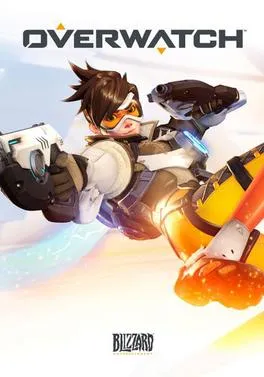
Overwatch PC is one of the most influential multiplayer first-person shooter games ever released, redefining the hero shooter genre with its fast-paced combat, colorful characters, and team-focused gameplay. Developed and published by Blizzard Entertainment, the game quickly gained massive popularity worldwide after launch and continues to thrive today through its evolving ecosystem. With millions of active players and a strong esports presence, Overwatch has become more than just a game it’s a competitive platform and a global community.
One of the biggest reasons players choose to experience Overwatch on PC is the superior control and performance it offers. Playing on a computer allows gamers to enjoy precise keyboard and mouse aiming, higher frame rates, customizable graphics settings, and seamless multitasking. Whether you are a casual player enjoying quick matches or a competitive gamer climbing ranked ladders, the PC platform delivers smoother gameplay and faster response times compared to other devices.
Another exciting factor is accessibility. The Overwatch PC version is easy to download and optimized for a wide range of systems, making it suitable for both high-end gaming rigs and mid-range setups. With constant updates, seasonal events, new heroes, and balance improvements, the game stays fresh and engaging. If you’re looking for a polished multiplayer FPS with strategy, teamwork, and endless replay value, downloading Overwatch on PC is a decision you won’t regret.
Gameplay Overview
Overwatch PC is a fast-paced, team-based multiplayer first-person shooter that focuses on objectives rather than simple eliminations. Players are divided into two teams and must work together to complete goals such as capturing control points, escorting payloads, or defending strategic locations. Each match is built around short, intense rounds that reward coordination, positioning, and smart hero selection. Instead of relying on a single playstyle, success comes from adapting to the situation by switching heroes mid-match, countering enemy strategies, and supporting teammates at the right moment. This dynamic design keeps every match fresh and unpredictable, even after hundreds of hours of play.
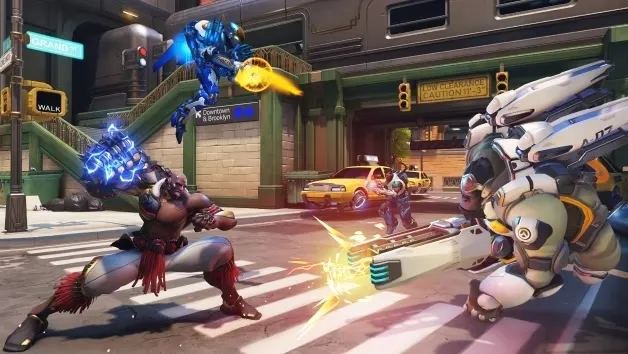
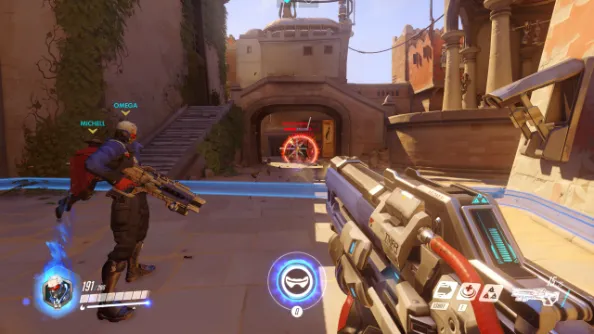
What truly defines Overwatch PC gameplay is its hero-based system. Every hero belongs to a specific role Damage, Tank, or Support and comes with unique weapons, abilities, and ultimate powers. Damage heroes focus on eliminating enemies, tanks create space and absorb damage, while support heroes heal and enhance the team. Team synergy is critical, as well-timed ultimates and coordinated pushes can completely turn the tide of a match. On PC, precise keyboard and mouse controls make aiming, movement, and ability usage more responsive, giving players better control during high-pressure moments. Whether you enjoy aggressive combat, defensive play, or strategic support, Overwatch PC offers a balanced and highly engaging gameplay experience that rewards both mechanical skill and teamwork.
Key Features
1. Hero-Based Gameplay with Unique Abilities
One of the most important features of Overwatch PC is its hero-based design. Instead of using generic soldiers, players choose from a wide roster of heroes, each with unique weapons, abilities, and ultimate skills. Every hero plays differently, meaning no two matches feel the same. Some heroes focus on fast movement and close-range combat, while others specialize in long-range attacks or defensive play. This system allows new players to experiment with multiple heroes and find a playstyle that suits them best without being locked into a single role.
2. Team-Focused Objective Gameplay
Overwatch PC is built around teamwork and objectives rather than individual kill counts. Matches revolve around capturing points, escorting payloads, or controlling specific areas of the map. To win, players must communicate, support each other, and coordinate attacks and defenses. This encourages strategic thinking and cooperation, making the game welcoming for players who enjoy working as part of a team rather than playing solo-focused shooters.
3. Clearly Defined Roles: Tank, Damage, and Support
The game uses a role-based system that helps new players understand their responsibilities during a match. Tank heroes absorb damage and create space for the team, damage heroes focus on eliminating enemies, and support heroes heal and enhance teammates. This structure makes matches more organized and balanced. For beginners, it also provides a clear learning path, allowing them to master one role at a time before exploring others.
4. Fast-Paced and Accessible Combat
Overwatch PC offers fast, responsive combat that is easy to pick up but challenging to master. Controls are smooth, abilities are intuitive, and matches are designed to keep players engaged without long downtime. Even if a player is eliminated, quick respawns allow them to return to action almost immediately. This keeps the gameplay exciting and reduces frustration, especially for new players still learning mechanics.
5. Wide Variety of Maps and Game Modes
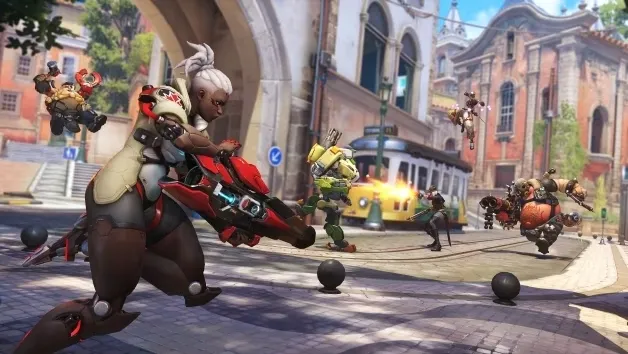
The game features multiple map types and modes, each offering a different style of play. From urban cityscapes to futuristic battlefields, every map is designed with clear objectives and strategic pathways. Different modes encourage players to adapt their hero choices and tactics, helping new players understand how positioning and map awareness affect overall performance.
6. Regular Updates and Seasonal Events
Blizzard consistently supports Overwatch with balance updates, new heroes, maps, and limited-time events. These updates keep the gameplay fresh and ensure that no single strategy dominates for too long. Seasonal events also introduce special modes and cosmetic rewards, giving players extra motivation to keep playing and improving over time.
7. Strong Competitive and Casual Experience
Overwatch PC caters to both casual players and competitive gamers. Casual modes are perfect for learning heroes and enjoying relaxed matches, while ranked play offers structured competition with skill-based matchmaking. This balance allows new players to grow at their own pace while still having a clear path toward more competitive gameplay when they feel ready.
Why Play Overwatch on PC?
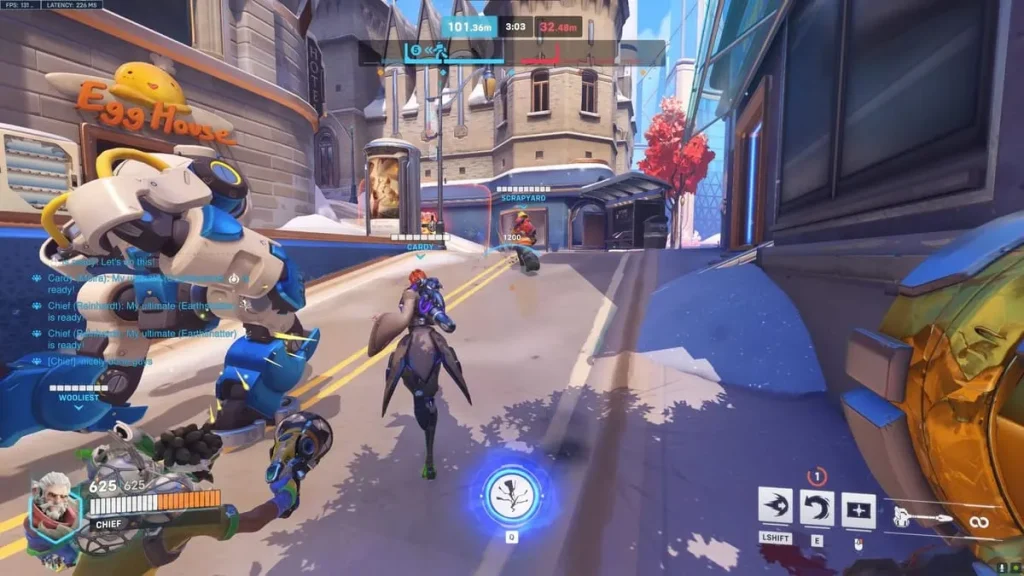
Playing Overwatch on PC offers a noticeably smoother and more competitive experience compared to other platforms. One of the biggest advantages is precision control. Keyboard and mouse input allows for faster aiming, better tracking, and more accurate ability usage, which is especially important in a fast-paced hero shooter where reaction time matters. PC players also benefit from higher frame rates, adjustable graphics settings, and better overall performance, making combat feel more responsive and visually clear during intense team fights. The larger screen experience further improves visibility, helping players track enemies, teammates, and objectives more effectively.
Another key reason to choose PC is flexibility and long-term comfort. There is no battery drain, no controller limitations, and no restrictions on customization. Players can fine-tune sensitivity, key bindings, resolution, and performance settings to match their playstyle and hardware. PC also supports cross-platform progress syncing, so cosmetics, unlocks, and achievements remain consistent across devices. Whether you’re a casual gamer or aiming for competitive ranks, playing Overwatch on PC provides the most complete, stable, and customizable way to enjoy the game.
How to Download Overwatch on PC
Here is a step by step guide to download Overwatch on PC;
- Find the button: Scroll to the “Download Overwatch for PC” button on this page.
- Start the safe download: Click the button to begin the safe download from this page. When prompted, choose Save (not Open) and pick a familiar folder (e.g., Downloads).
- Locate the file: When the download finishes, open your Downloads folder and find the .zip (or .rar) archive.
- Extract the game: Right-click the archive → Extract All… (or use 7-Zip/WinRAR) → choose a destination folder
- Open the folder: Go to the extracted folder and look for Overwatch .exe
- Launch the game: Double-click the .exe to start. If Windows SmartScreen appears, select More info → Run anyway (only if you downloaded from the button on this page).
- Set up controls & video: In the Options/Settings menu, choose your resolution/fullscreen, adjust audio latency, and confirm keyboard bindings (← → ↑ ↓).
- Create a shortcut (optional): Right-click Overwatch.exe → Send to → Desktop (create shortcut) for quick access.
- Play & enjoy: Start Story Mode or Free Play, and you’re good to go!
How to Play Overwatch on PC
To start playing Overwatch on PC, the first step is choosing a hero that matches your playstyle and experience level. New players are usually encouraged to begin with balanced heroes that are easy to understand and forgiving while learning the basics. Spend time in practice or training modes to get familiar with movement, aiming, and hero abilities before entering live matches. Understanding your hero’s role whether it is dealing damage, protecting teammates, or providing healing is essential for contributing effectively to the team. On PC, adjusting mouse sensitivity and key bindings early can greatly improve comfort and control during gameplay.
Once you enter real matches, focus on objectives rather than chasing eliminations. Overwatch is designed around teamwork, so staying with your team, communicating important information, and timing abilities correctly can make a big difference. Learn map layouts, health pack locations, and common enemy strategies to improve awareness. As you gain experience, experiment with different heroes and roles to understand how they counter each other. Playing Overwatch on PC rewards patience, coordination, and adaptability, making each match a learning experience that gradually improves both skill and game sense.
System Requirements
Minimum Requirements
- OS: Windows 10 (64-bit)
- Processor: Intel Core i3 or equivalent
- RAM: 6 GB
- Graphics: NVIDIA GTX 600 series or equivalent
- Storage: 50 GB available space
Recommended Requirements
- OS: Windows 10 / 11 (64-bit)
- Processor: Intel Core i5 or better
- RAM: 8 GB or more
- Graphics: NVIDIA GTX 1060 or higher
- Storage: SSD recommended for faster loading
FAQ
Is Overwatch free to play on PC?
Yes, Overwatch on PC follows a free-to-play model, allowing players to download and start playing without an upfront purchase. New players can access core gameplay modes, heroes, and maps immediately. Optional in-game purchases are available for cosmetic items such as skins, emotes, and battle passes. These purchases do not affect gameplay balance or competitive fairness. This model makes the game accessible to a wide audience. Players can enjoy the full experience without spending money. Competitive modes are also included for free.
Can my PC run Overwatch smoothly?
Overwatch is well-optimized and designed to run on a wide range of PC hardware. Even mid-range or older systems can handle the game with adjusted graphics settings. Players can lower resolution, shadows, and effects to improve performance. For smoother gameplay, meeting the recommended system requirements is ideal. An SSD can also reduce loading times significantly. The game includes built-in performance options for customization. This makes it suitable for most PC gamers.
Is Overwatch suitable for beginners on PC?
Yes, Overwatch is very beginner-friendly on PC thanks to its tutorials and practice modes. New players can learn basic mechanics, hero abilities, and objectives before entering competitive matches. Casual modes provide a low-pressure environment to improve skills. The hero variety allows beginners to choose simpler characters while learning. Clear role definitions help new players understand their responsibilities. Frequent updates also improve balance and accessibility. Overall, it’s welcoming to new FPS players.
Does Overwatch support cross-platform progression?
Overwatch supports cross-platform progression, allowing players to sync cosmetics, unlocks, and achievements. This means progress made on PC can carry over to other platforms. Players only need to link their accounts to enable syncing. This feature is especially helpful for gamers who play on multiple devices. It ensures no progress is lost when switching platforms. Competitive rankings may still vary by platform. However, overall progression remains consistent.
Can I play Overwatch solo or with friends on PC?
Yes, Overwatch can be played solo or with friends on PC. Solo players can join matchmaking and be placed with teammates automatically. Playing with friends allows better coordination and communication during matches. Group play often improves teamwork and overall performance. The game supports party creation and easy invites. Both casual and competitive modes support group play. This flexibility suits different playstyles.
How competitive is Overwatch on PC?
Overwatch on PC is highly competitive, especially in ranked modes. The precision of keyboard and mouse controls raises the overall skill level. Skill-based matchmaking ensures fair competition. Competitive seasons offer ranks, rewards, and progression goals. Players can climb ranks by improving teamwork and mechanical skills. Esports and community tournaments further enhance competitiveness. It’s ideal for players seeking serious FPS challenges.
How often does Overwatch receive updates on PC?
Overwatch receives regular updates on PC, including balance changes, bug fixes, and new content. Developers frequently adjust heroes to maintain fair gameplay. Seasonal events introduce limited-time modes and rewards. Major updates may add heroes, maps, or gameplay improvements. These updates keep the game fresh and engaging. PC players usually receive updates first or simultaneously. Ongoing support ensures long-term playability.
Alternatives to Overwatch on PC
- Valorant – A tactical hero-based FPS focused on precision and strategy.
- Paladins – A fantasy-themed hero shooter with customization options.
- Team Fortress 2 – A classic team-based shooter with unique classes.
- Apex Legends – Fast-paced battle royale with hero abilities.
- Rainbow Six Siege – Tactical FPS emphasizing strategy and teamwork.
Conclusion
Overwatch PC delivers a polished, competitive, and endlessly engaging multiplayer experience for gamers of all skill levels. With its diverse hero roster, strategic gameplay, regular updates, and strong community, it remains one of the top choices in the hero shooter genre. The PC platform enhances every aspect of the game, from performance to control precision. If you’re ready to dive into action-packed team battles, don’t wait use the download button in this article and start playing today.