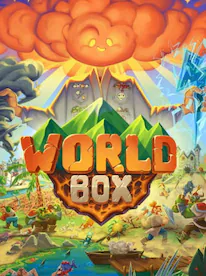
WorldBox – God Simulator PC
Download WorldBox – God Simulator PC and shape your own universe. Create life, unleash disasters, and rule civilizations with ultimate godlike powers.
WorldBox God Simulator is one of the most creative and addictive sandbox simulation games of recent years. Developed by Maxim Karpenko, this unique title gives players the power to become a god and shape their very own worlds. You can create life, spawn civilizations, unleash destructive powers, or simply watch your world evolve naturally. Its pixelated retro design paired with limitless creativity has made it a fan favorite worldwide.
The popularity of WorldBox – God Simulator PC has skyrocketed because of its open-ended gameplay. Unlike traditional simulation titles, it doesn’t bind players with strict rules—you are free to experiment, destroy, nurture, and observe. This freedom has turned it into a must-play for gamers who love both creation and chaos. With its active community and regular updates, the game keeps growing and offers endless replay value.
Playing WorldBox – God Simulator PC version enhances the experience even further. On a larger screen, you get a clear view of your entire world while keyboard and mouse controls provide smoother interactions. No more worrying about mobile battery drain—on PC, you can enjoy endless godlike powers without interruptions. If you’re ready to step into the shoes of a creator, download WorldBox – God Simulator PC today using the download button on this page.
Gameplay Overview
WorldBox – God Simulator PC is a sandbox simulation game where you control every aspect of creation and destruction. Players can spawn humans, elves, dwarves, orcs, and even mythical creatures. These civilizations grow, wage wars, form kingdoms, and leave their mark on the world.
But it’s not just about creation. You also wield destructive powers such as earthquakes, meteors, tornadoes, and even nukes. The AI reacts dynamically, making each playthrough unique. Whether you prefer nurturing civilizations or causing apocalyptic chaos, the game adapts to your style and imagination.

Key Features
1. Unmatched Godlike Powers
WorldBox gives you complete control over creation and destruction. You can spawn humans, elves, orcs, dwarves, and even mythical beings. As the ultimate god, you also have destructive powers like meteors, nukes, or plagues, letting you decide whether your world thrives or collapses.
2. Civilization Simulation
Once civilizations are born, they don’t just sit still. They build villages, expand kingdoms, form armies, and wage wars. Each race has unique strengths and weaknesses, leading to diverse interactions. Watching them evolve without direct interference is like seeing a living story unfold.
3. Dynamic and Evolving AI
Civilizations are powered by intelligent AI that reacts to the environment. They adapt to natural disasters, fight enemies, and upgrade their technology over time. This ensures that no two playthroughs are ever the same, keeping the game fresh and engaging.
4. Creative Sandbox Worldbuilding
Players can freely shape the landscape by adding mountains, oceans, forests, and deserts. Want to create a thriving utopia? Or a dangerous wasteland filled with monsters? The sandbox mechanics encourage endless experimentation, allowing your imagination to run wild.

5. Natural Disasters and Chaos Tools
WorldBox is as much about destruction as it is about creation. You can unleash earthquakes, tornadoes, lightning storms, or volcanoes to test how resilient your civilizations really are. Watching how kingdoms struggle to survive such catastrophes adds thrill and unpredictability to gameplay.
6. Pixel Art Aesthetic with Depth
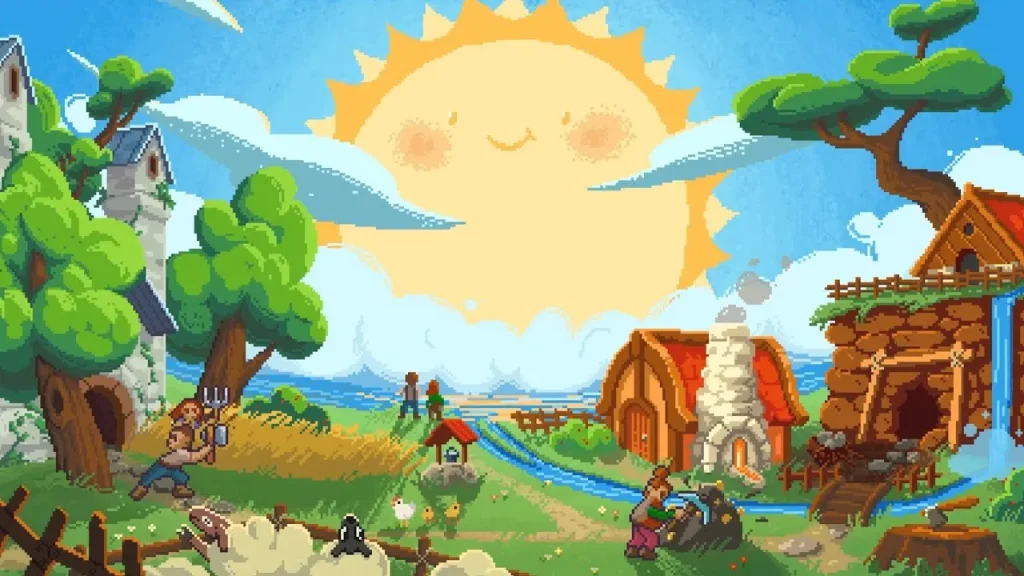
The retro-inspired pixel graphics may look simple, but they carry a lot of charm. Every character, building, and event is easy to recognize, making the chaos you unleash fun to watch. The visual clarity also allows players to manage massive worlds without confusion.
7. Community Mods and Frequent Updates
WorldBox continues to grow with regular updates from the developer and a vibrant community. Players can access mods that add new races, powers, and features. This constant evolution keeps the game alive and ensures long-term replayability for both casual and dedicated fans.
Why Play WorldBox – God Simulator on PC?
Playing WorldBox – God Simulator PC version offers significant advantages over mobile. First, you enjoy enhanced visuals on a larger screen, making it easier to monitor civilizations and disasters. Second, using a keyboard and mouse provides faster navigation and better precision.
Additionally, there’s no battery drain or overheating concerns—your worlds can keep evolving for hours without interruptions. With cross-platform syncing, you can also continue where you left off on your mobile device.

How to Download WorldBox – God Simulator on PC
Here is a step by step guide to download WorldBox – God Simulator PC;
- Find the button: Scroll to the “Download WorldBox – God Simulator PC” button on this page.
- Start the safe download: Click the button to begin the safe download from this page. When prompted, choose Save (not Open) and pick a familiar folder (e.g., Downloads).
- Locate the file: When the download finishes, open your Downloads folder and find the .zip (or .rar) archive.
- Extract the game: Right-click the archive → Extract All… (or use 7-Zip/WinRAR) → choose a destination folder.
- Open the folder: Go to the extracted folder and look for WorldBox – God Simulator.exe.
- Launch the game: Double-click the .exe to start. If Windows SmartScreen appears, select More info → Run anyway (only if you downloaded from the button on this page).
- Set up controls & video: In the Options/Settings menu, choose your resolution/fullscreen, adjust audio latency, and confirm keyboard bindings (← → ↑ ↓).
- Create a shortcut (optional): Right-click WorldBox – God Simulator.exe → Send to → Desktop (create shortcut) for quick access.
- Play & enjoy: Start Story Mode or Free Play, and you’re good to go!
How to Play WorldBox – God Simulator on PC
Once installed, playing is simple yet addictive. Use your mouse to navigate menus, place entities, or unleash disasters. The keyboard shortcuts make switching tools quicker, enhancing your gameplay efficiency.
Start by creating landscapes spawn oceans, forests, or mountains. Then, introduce civilizations like humans or elves and watch them evolve. If you want action, add monsters or trigger natural disasters. The joy lies in experimentation, as your godlike powers shape how the world develops or collapses.
System Requirements
Minimum Requirements:
- OS: Windows 7/8/10 (64-bit)
- Processor: Intel Core i3 or equivalent
- Memory: 2 GB RAM
- Graphics: Integrated graphics
- Storage: 500 MB available space
Recommended Requirements:
- OS: Windows 10/11 (64-bit)
- Processor: Intel Core i5 or better
- Memory: 4 GB RAM
- Graphics: Dedicated GPU (NVIDIA/AMD)
- Storage: 1 GB available space
FAQs
Is WorldBox – God Simulator available on PC?
Yes, WorldBox – God Simulator is officially available for PC. You can download it directly from Steam or from safe download sources provided on this page. The PC version includes all major updates, mods support, and a smoother gameplay experience compared to mobile.
How much does WorldBox – God Simulator cost on PC?
WorldBox is a paid game on PC, typically available for a one-time purchase on Steam. Prices may vary depending on region and discounts. While there are demo versions for testing, the full version unlocks all tools, civilizations, and divine powers for unlimited fun.
Can I play WorldBox – God Simulator PC for free?
While the demo version is free and gives you a taste of the sandbox features, the full PC version must be purchased. The free demo is limited, but it allows you to try world creation and basic god powers before upgrading to the premium version.
What makes the PC version better than mobile?
The PC version offers larger screen views, improved graphics, and the ability to use keyboard and mouse controls for precision. Unlike mobile, you don’t have to worry about battery drain, storage space, or overheating, making it the best way to enjoy WorldBox for long sessions.
Does WorldBox – God Simulator support mods on PC?
Yes, one of the biggest advantages of playing on PC is mod support. The active community creates mods that add new creatures, powers, biomes, and features, extending the replay value of the game. Mods can be easily installed through community platforms like Steam Workshop.
What are the system requirements for WorldBox on PC?
WorldBox has very low system requirements. It can run on as little as 2 GB RAM and integrated graphics, though recommended specs suggest 4 GB RAM and a dedicated GPU for smoother performance. This makes it playable even on budget or older computers.
Can I transfer my WorldBox progress from mobile to PC?
Yes, WorldBox supports cross-platform syncing in certain cases. If you’ve built worlds on your mobile device, you can back up your progress and continue your godlike journey on PC. However, you may need to link accounts or use cloud save options for seamless transfer.
Alternatives to WorldBox – God Simulator PC
- The Universim – A full-fledged god simulator where you guide civilizations through ages, balancing growth and survival.
- Spore – A classic life simulation game where you evolve creatures from microscopic organisms to galactic empires.
- RimWorld – A colony simulation with storytelling AI, focusing on survival and human relationships.
- SimCity – A legendary city-building simulator offering structured yet creative world management.
- Civilization VI – A turn-based strategy game where you lead entire nations to dominate the world.
Conclusion
WorldBox – God Simulator PC is more than just a game it’s a limitless sandbox where creativity and destruction collide. From nurturing civilizations to unleashing apocalyptic disasters, you control every outcome. Playing on PC takes the experience to the next level with smoother controls, bigger visuals, and uninterrupted gameplay. Whether you enjoy experimenting with AI-driven worlds or testing your godlike powers, this game offers endless replayability and fun. Don’t wait any longer click the download button on this page to safely install WorldBox – God Simulator PC and begin shaping worlds exactly as you imagine them!