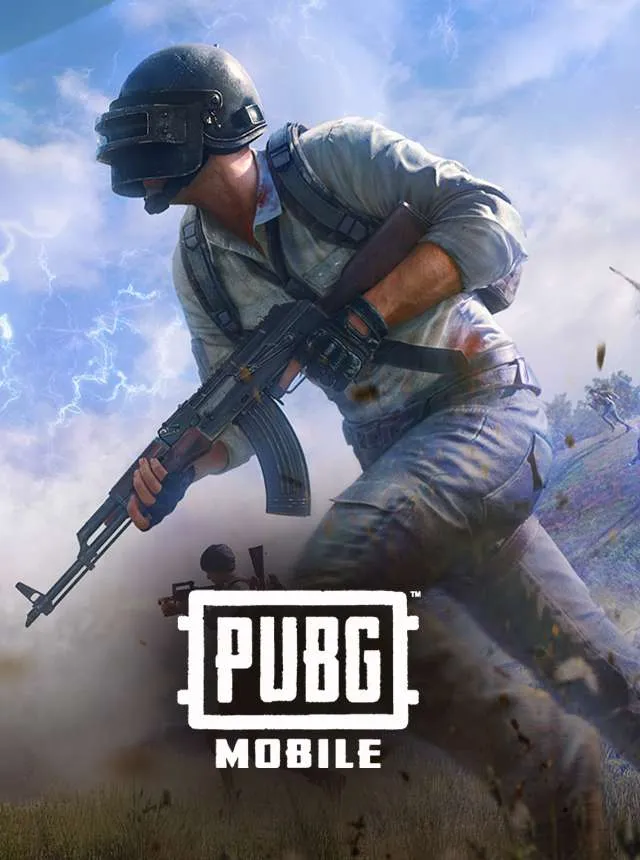
PUBG Mobile PC
Discover how to play PUBG Mobile PC with better graphics and control. Free download guide, gameplay tips, and system requirements included.
PUBG Mobile PC brings the world-famous battle royale experience to a larger screen with enhanced precision, control, and performance. Originally designed for mobile devices, the game can be played on PC using official emulators like Tencent Gaming Buddy (Gameloop), offering the same thrilling gameplay but with smoother graphics and improved responsiveness. Players drop onto a vast island, scavenge for weapons and gear, and fight to be the last person or team standing. The PC setup transforms the mobile experience into a more immersive, competitive, and visually stunning version of the original.
Playing PUBG Mobile on PC provides players with the advantage of keyboard and mouse controls, enabling faster reactions and more accurate aiming. The emulator optimizes gameplay for different hardware configurations, allowing players to enjoy high frame rates and detailed visuals even on mid-range PCs. With larger displays, every encounter feels more intense, whether you’re sniping from a distance or engaging in close-quarters combat. The combination of refined controls and expanded visibility offers a tactical edge, making each match more thrilling and skill-based.
Beyond gameplay, PUBG Mobile PC maintains all the features that made the mobile version a global hit seasonal updates, ranking systems, new maps, weapons, and in-game events. The game also supports voice chat, customizable controls, and social features that let players team up with friends worldwide. Frequent updates and optimizations ensure smooth performance and fresh content, keeping the community active and competitive. Whether you’re a casual player or an aspiring esports competitor, PUBG Mobile on PC offers the perfect balance of accessibility, excitement, and tactical depth.
Gameplay Overview
PUBG Mobile PC delivers the same adrenaline-filled gameplay you love on mobile, only enhanced. You’ll parachute onto an isolated island with up to 100 players, scavenging for weapons, vehicles, and supplies. The goal? Survive to the very end while eliminating everyone else in the ever-shrinking safe zone.
Every match feels unique, thanks to dynamic maps like Erangel, Miramar, Sanhok, and Livik, each with its terrain, weapons, and playstyle. Whether you prefer close-range combat or long-distance sniping, the PUBG Mobile PC version lets you adapt your tactics and enjoy ultra-smooth, lag-free performance.

Key Features
1. Enhanced Graphics and Performance
Playing PUBG Mobile on PC delivers superior visuals and smoother gameplay compared to mobile devices. The emulator optimizes graphics for larger screens, offering higher resolutions, realistic lighting, and smoother animations. Players can adjust frame rates and quality settings for optimal performance on any hardware. These enhancements make the gameplay more immersive, allowing you to spot enemies, navigate terrains, and react quickly in intense firefights.
2. Precise Keyboard and Mouse Controls
One of the biggest advantages of PUBG Mobile on PC is the precision and speed offered by keyboard and mouse input. Aiming, shooting, and movement become more accurate and responsive than on touch controls. Players can customize key bindings and sensitivity settings to match their preferred playstyle. This setup provides a significant tactical edge, especially in competitive matches where quick reflexes and precision are key to survival.
3. Classic Battle Royale Gameplay
The core experience remains the same: up to 100 players parachute onto a massive island, collect weapons and gear, and fight until one player or team remains. The shrinking safe zone adds constant pressure, forcing players into unpredictable encounters. Whether solo, duo, or squad mode, every match delivers unique challenges. The large-scale battles and strategic decision-making make PUBG Mobile PC a test of both skill and survival instincts.
4. Variety of Maps and Game Modes
PUBG Mobile PC includes multiple maps like Erangel, Miramar, Sanhok, and Livik each offering different landscapes and tactical opportunities. In addition to the traditional battle royale mode, players can enjoy Arcade, Team Deathmatch, Payload, and Infection Mode for faster-paced gameplay. These variations keep the experience fresh and exciting while catering to players of all skill levels and playstyles.
5. Customization and Progression System
Players can personalize their characters, outfits, weapon skins, and vehicles using in-game rewards or purchases. The game’s ranking and seasonal systems encourage continuous progression, offering achievements, missions, and tier-based rewards. This sense of progression keeps players motivated while allowing them to express individuality through cosmetic items and custom loadouts.
6. Cross-Platform Play and Social Features
PUBG Mobile PC supports seamless cross-platform play, letting you team up or compete with friends using mobile devices. Built-in voice chat and friend lists make coordination and teamwork easy during matches. The game also features clans, tournaments, and community events that bring players together worldwide. These social elements foster a strong community and enhance the multiplayer experience.
7. Regular Updates and Esports Support
Frequent updates introduce new weapons, maps, vehicles, and limited-time events to keep gameplay exciting. The PC version benefits from emulator optimization and fast patch downloads, ensuring a stable and current experience. PUBG Mobile’s growing esports scene provides opportunities for players to compete in ranked matches and professional tournaments. These ongoing updates and competitive platforms make PUBG Mobile PC a continuously evolving and rewarding experience.

Why Play PUBG Mobile on PC?
Playing PUBG Mobile on PC offers a completely elevated gaming experience compared to mobile devices. The first and most noticeable advantage is the improved graphics and performance the game runs smoother, with higher frame rates, better textures, and a wider field of view on a larger screen. This not only makes the battleground look more realistic but also gives players a tactical advantage in spotting enemies and navigating complex terrains.
Another major benefit is the precision control offered by the keyboard and mouse. Aiming, shooting, and moving become faster and more accurate than using touchscreen controls. Moreover, when playing on a PC, you don’t have to worry about your phone’s battery draining, overheating, or storage limitations. The PC version also supports cross-platform syncing, allowing you to continue your progress, achievements, and skins from mobile seamlessly. Overall, playing PUBG Mobile PC combines convenience, control, and superior performance making it the best way to enjoy the ultimate Battle Royale experience.

How to Download PUBG Mobile on PC
Here is a step by step guide to download PUBG Mobile on PC;
- Find the button: Scroll to the “Download PUBG Mobile for PC” button on this page.
- Start the safe download: Click the button to begin the safe download from this page. When prompted, choose Save (not Open) and pick a familiar folder (e.g., Downloads).
- Locate the file: When the download finishes, open your Downloads folder and find the .zip (or .rar) archive.
- Extract the game: Right-click the archive → Extract All… (or use 7-Zip/WinRAR) → choose a destination folder.
- Open the folder: Go to the extracted folder and look for PUBG Mobile.exe.
- Launch the game: Double-click the .exe to start. If Windows SmartScreen appears, select More info → Run anyway (only if you downloaded from the button on this page).
- Set up controls & video: In the Options/Settings menu, choose your resolution/fullscreen, adjust audio latency, and confirm keyboard bindings (← → ↑ ↓).
- Create a shortcut (optional): Right-click PUBG Mobile.exe → Send to → Desktop (create shortcut) for quick access.
- Play & enjoy: Start Story Mode or Free Play, and you’re good to go!
How to Play PUBG Mobile on PC
Once you have successfully installed the PUBG Mobile PC version, playing the game is simple yet thrilling. Launch the GameLoop emulator and open PUBG Mobile from your library. Before diving into a match, it’s important to configure your keyboard and mouse controls for smooth gameplay. The default setup uses WASD keys for movement and the mouse for aiming and shooting. You can also use Spacebar to jump, C to crouch, Z to go prone, and F to pick up items or enter vehicles. These controls can be customized in the emulator’s key mapping settings, allowing you to create a layout that matches your comfort and reflexes.
Once your controls are set, select a mode Solo, Duo, or Squad and prepare to enter the battleground. You’ll begin each match by parachuting onto one of several diverse maps such as Erangel, Miramar, Sanhok, or Livik. The goal is straightforward yet challenging: survive until the end while eliminating other players. Explore buildings to find weapons, gear, and health supplies, and use vehicles for quick movement across the terrain. Thanks to the PC’s larger screen and precise mouse aiming, spotting enemies and reacting swiftly becomes easier, giving you a significant advantage. Stay within the safe zone, plan your strategies carefully, and coordinate with teammates using voice chat. With practice, sharp reflexes, and smart decision-making, you’ll soon be earning your first “Winner Winner Chicken Dinner!”

System Requirements
Minimum Requirements:
- OS: Windows 7/8/10 (64-bit)
- CPU: Intel Core i3-560 or equivalent
- RAM: 4 GB
- GPU: Intel HD Graphics 4000
- Storage: 4 GB free space
- Internet: Stable broadband connection
Recommended Requirements:
- OS: Windows 10 (64-bit)
- CPU: Intel Core i5 or Ryzen 5
- RAM: 8 GB or more
- GPU: NVIDIA GTX 1050 or higher
- Storage: 8 GB free space
- Internet: High-speed stable connection
FAQs
Is PUBG Mobile PC free to play?
Yes, PUBG Mobile PC is completely free to play when you use the official GameLoop emulator developed by Tencent. You don’t need to pay any fees to download or enjoy the game. Just install the emulator, search for PUBG Mobile, and start playing instantly.
How do I download PUBG Mobile on PC?
You can download PUBG Mobile for PC safely using the GameLoop emulator:
Visit the official GameLoop website or click the Download button on this page.
Install the emulator.
Open GameLoop → search “PUBG Mobile.”
Click Install and launch the game after setup.
This method ensures a secure installation with optimal settings for smooth gameplay.
What’s the difference between PUBG Mobile PC and PUBG PC (Steam)?
PUBG Mobile PC is the mobile version of the game played on PC via an emulator, while PUBG PC (Steam) is the original desktop edition. The Steam version offers higher-end graphics, advanced physics, and costs money, whereas PUBG Mobile PC is free and optimized for casual and competitive players alike.
Can I use my mobile account on the PC version?
Absolutely! You can log in using your Facebook, Google, or Twitter account to sync your progress, outfits, and friends list. This allows you to switch between mobile and PC seamlessly without losing any achievements or rewards.
Can PUBG Mobile PC run on a low-end computer?
Yes, PUBG Mobile PC is designed to be lightweight. You can enable low-spec mode in GameLoop, reduce resolution, and adjust graphics to “Smooth” or “Balanced” settings. Even PCs with 4 GB RAM and integrated graphics can handle the game efficiently.
Is it safe to play PUBG Mobile on PC using an emulator?
Yes, as long as you use the official GameLoop emulator developed by Tencent. It’s the authorized and optimized platform for PUBG Mobile, ensuring security, fair play, and smooth performance. Avoid downloading from third-party or unofficial sources.
How can I improve performance and reduce lag on PUBG Mobile PC?
To enhance performance:
Enable Turbo Mode in GameLoop settings.
Close background apps.
Update your GPU drivers.
Use “Smart Mode” for optimal resolution.
Ensure a stable internet connection.
These steps will boost frame rate and reduce lag for a smoother Battle Royale experience.
Alternatives to PUBG Mobile on PC
1. Call of Duty: Mobile
A perfect rival, offering similar Battle Royale and Multiplayer modes with polished graphics and maps like Nuketown and Firing Range.
2. Free Fire MAX
A lighter, faster-paced Battle Royale game optimized for low-end PCs, featuring shorter matches and easy controls.
3. Apex Legends Mobile
Known for its unique legends and abilities, this title combines fast movement with futuristic weapons and team-based strategy.
4. Fortnite
Epic Games’ colorful Battle Royale mixes shooting with creative building mechanics — perfect for gamers seeking variety and creativity.
5. Rules of Survival
One of the earlier PUBG-inspired games, offering large maps, vehicles, and extensive customization options for PC players.
Conclusion
PUBG Mobile PC is more than just a port it’s the perfect fusion of convenience, power, and performance. Whether you’re playing for casual fun or competing in ranked matches, the PC version brings sharper visuals, smoother gameplay, and the precision of mouse-and-keyboard control that mobile simply can’t match. With its intense Battle Royale action, cross-platform progress sync, and endless updates from Tencent Games, this is the ultimate way to enjoy the thrill of survival and victory. So, if you’re ready to experience the game at its best, click the Download button on this page, install the PUBG Mobile PC version, and drop into the battleground today. Your “Winner Winner Chicken Dinner” awaits!