Minecraft PC
Minecraft PC is a creative sandbox game where players explore, build, survive, and craft limitless adventures in blocky, procedurally generated worlds.
If there’s one sandbox game that never stops surprising players, it’s Minecraft—the block-building phenomenon that lets you mine, craft, survive, and create anything your imagination can sketch. It’s also the best-selling video game of all time, surpassing 300 million copies sold—a staggering milestone Mojang Studios announced during Minecraft Live 2023.
Developed by Mojang Studios (part of Xbox Game Studios/Microsoft), Minecraft continues to thrive thanks to its simple idea—break blocks, build worlds—and endlessly deep systems. On PC, it’s better than ever: richer render distances, higher frame rates, mod support on Java Edition, and smooth performance on Bedrock Edition. With both editions available through the unified Minecraft Launcher, playing on a computer gives you the most flexible, future-proof way to enjoy the game.
Whether you’re booting into Survival for that first wooden pickaxe or loading a massive Creative project with shaders, running Minecraft PC unlocks the top tier of possibilities—ultra-wide screens, precise keyboard/mouse controls, easy world management, and access to bustling multiplayer servers. If you’re ready to explore, build, and fight the Ender Dragon (or wire up bonkers Redstone contraptions), scroll down, hit the Download button on this page, and jump in.
Gameplay Overview
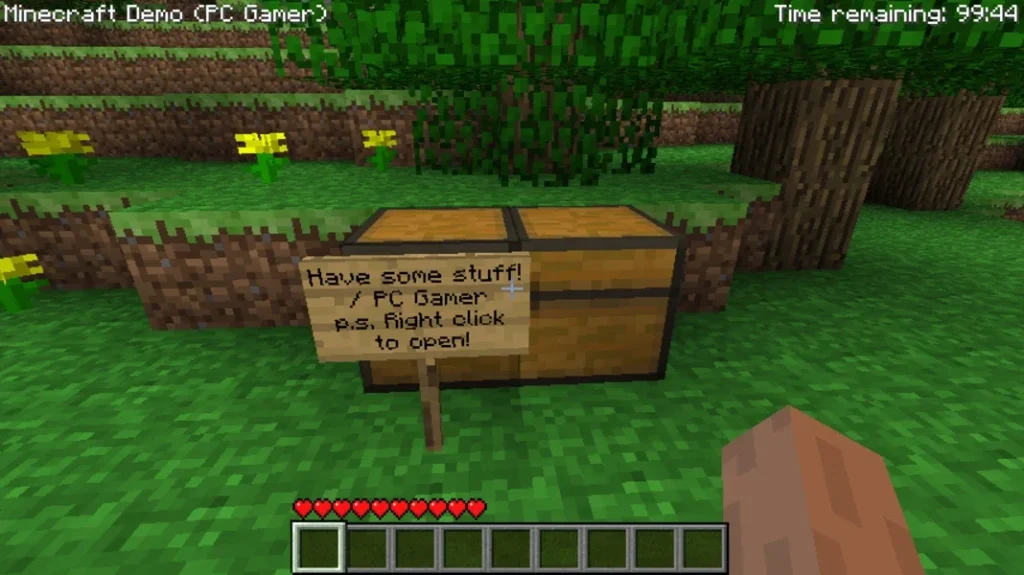
Minecraft PC is about gathering resources and crafting tools to survive and thrive. You’ll start by punching trees for wood, crafting essential tools, then mining deeper for stone, iron, and diamonds. Day cycles into night, bringing hostile mobs like Zombies, Skeletons, and Creepers—so building a shelter becomes your first big milestone. The Crafting Table and Furnace are your early engines of progress, while Enchanting and Potions push you into late-game power.
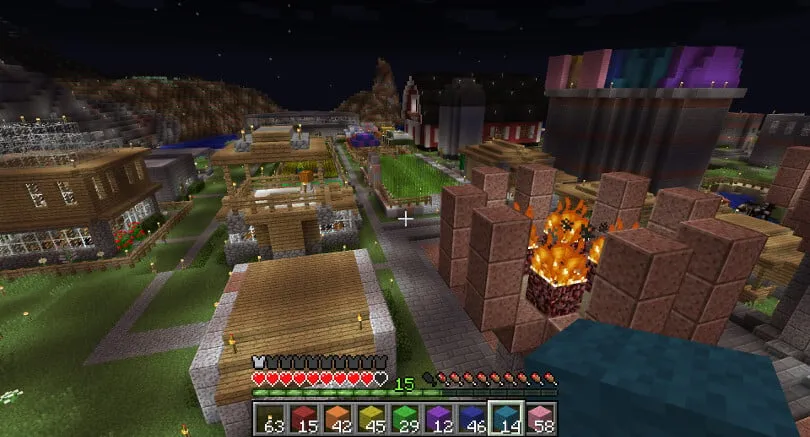
Beyond Survival, Creative Mode removes resource limits, letting you build colossal cities, mega farms, or intricate Redstone machines that act like logic circuits. The world spans diverse biomes—from Jungles and Deserts to Taiga forests—each with unique resources and mobs. Two extra dimensions expand the adventure: the fiery Nether (great for fast travel and rare materials) and The End, home of the Ender Dragon. With PC access to servers, Realms, and (on Java) extensive mods, the game can be as chill or complex as you want.
Key Features
1) Procedurally Generated Worlds & Biomes
Every world is built from a seed, creating endless terrain, caves, and structures. You’ll discover diverse biomes—Jungle, Desert, Taiga, Snowy Peaks—each with unique resources and mobs. Natural landmarks like villages, ruined portals, and strongholds reward exploration. Learning to read coordinates and map the area helps you find home and plan big builds.
2) Game Modes for Every Play Style
Survival challenges you to gather resources, manage hunger, and fend off mobs; Creative removes limits for pure building. Adventure powers custom maps with rules, and Spectator lets you fly through blocks to study contraptions. On Java, Hardcore raises the stakes with one life only—perfect for veterans seeking high tension.
3) Deep Crafting, Enchanting & Progression
Progress starts with wood and stone, moves to iron, diamond, and finally netherite. The Crafting Table, Furnace/Blast Furnace, and Anvil drive upgrades, while Enchanting and Potions add power and utility. Farming (wheat, carrots), animal breeding, and villager trading create reliable supply lines so you can focus on exploration or ambitious projects.
4) Redstone Engineering & Automation
Redstone turns Minecraft into a sandbox for engineers. With dust, repeaters, comparators, hoppers, observers, and pistons, you can automate farms, craft hidden doors, timers, elevators—even simple computers. Understanding signal strength and tick timing unlocks compact, reliable machines that reduce grind and let your survival base run like a factory.
5) The Nether & The End (High-Value Dimensions)
The Nether offers fast travel and rare materials: blaze rods for potions, quartz for XP and redstone, and ancient debris for netherite. The End hosts the Ender Dragon boss and gateways to End Cities, where elytra wings and shulker boxes transform mobility and storage. Mastering both realms is key to late-game power.
6) Multiplayer, Servers & Realms
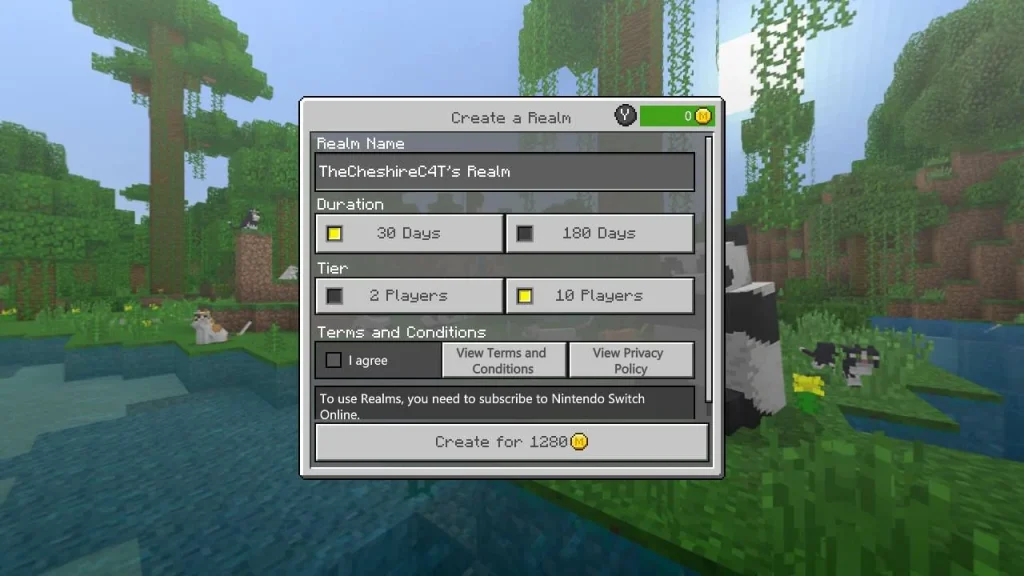
Play locally with friends or join servers for mini-games, survival towns, and competitive PvP. Realms provide always-on private worlds with minimal setup—great for families or small groups. Bedrock supports cross-play across consoles, mobile, and PC; Java boasts massive community servers and customization for PC players who love tinkering.
7) Customization: Mods, Shaders & Marketplace
On Java Edition, mods (Forge/Fabric), data packs, and shaders can overhaul graphics, add biomes, or introduce new tech trees. Resource packs reskin blocks and UI without changing gameplay. On Bedrock, the Marketplace delivers curated worlds, skins, and add-ons—plus optional ray tracing on supported hardware for spectacular lighting and reflections.
Why Play Minecraft on PC?
On PC, you get enhanced graphics—higher resolutions, ultra-wide support, and higher FPS. If you’re on Bedrock with a compatible GPU, you can enable ray tracing for realistic lighting, reflections, and shadows.
You also enjoy precise keyboard/mouse controls, easy key-rebinding, and no battery drain compared to laptops running on battery or handheld devices. Save management is simple, and multiplayer is only a few clicks away. If you want to play with friends on different devices, Bedrock supports cross-play; for moving worlds between Bedrock devices, Realms helps transfer and host your worlds in the cloud. (Java Realms syncs worlds among your PC platforms.)
How to Download Minecraft on PC
- Click the Download button on this page to go to the official Minecraft Launcher for PC.
- Choose Windows and download the installer.
- Run the installer and follow the on-screen steps to set up the Minecraft Launcher.
- Sign in with your Microsoft account (or create one).
- Choose Java Edition or Bedrock Edition (or the combined Java & Bedrock for PC bundle if available).
- Click Install and then Play to start your first world.
How to Play Minecraft on PC
Launch the Minecraft Launcher, pick Java (best for mods/servers) or Bedrock (best for cross-play), and create a new Survival world. Before you start, tweak Video settings: set fullscreen, cap FPS or enable VSync for smoothness, and keep Render Distance moderate (8–12) for performance. Rebind keys if you like, disable Auto-Jump, and set a comfortable mouse sensitivity. In your first daylight minutes, punch trees, craft planks → sticks → Crafting Table, make a wooden pickaxe, then mine stone for durable tools. Smelt charcoal for torches, build a simple shelter, and craft a bed to set your spawn. Learn the basics: WASD to move, Left-click to mine, Right-click to place/use, Shift to sneak, E for inventory, number keys for the hotbar. Turn on Show Coordinates (Bedrock) or use F3 (Java) so you can find home again.
Next, rush iron for a shield, armor, and a bucket; cook food and start a small wheat or potato farm. Explore nearby biomes and villages (trade for emeralds and gear), and light caves with torches following a “right-hand wall” to avoid getting lost. Enchant gear, then craft a Nether portal for blaze rods and potion materials. When you’re ready, locate a stronghold and face the Ender Dragon. For co-op, invite friends directly on Bedrock or join Java servers/Realms. Want to build big? Try Creative mode, install mods/shaders (Java), or apply resource packs for a fresh look. Keep backups of your worlds, carry a bed, food, and torches—and let curiosity drive the adventure.
System Requirements
Specs vary by edition. Here are current official baselines for Windows. If you use high-resolution resource packs, shaders, or RTX, you’ll need stronger hardware.
Minecraft: Java Edition (Windows)
- Minimum:
- CPU: Intel Core i3-3210 / AMD A8-7600 or equivalent
- RAM: 4 GB (system)
- GPU: Integrated Intel HD 4000 / AMD Radeon R5 (or better)
- Storage: At least 1 GB (more for worlds/mods)
- OS: Windows 10/11 (64-bit)
- Recommended:
- CPU: Modern Intel i5 / Ryzen 5 or better
- RAM: 8 GB+
- GPU: Discrete GPU for higher render distance and shaders
- Storage: SSD suggested for faster chunk loading (community best practice)
Minecraft: Bedrock Edition for Windows 10/11
- Minimum:
- OS: Windows 10 version 19041.0+
- CPU: Intel Celeron J4105 / AMD FX-4100
- GPU: Intel HD Graphics 4000 / AMD Radeon R5
- Memory: 4 GB
- Recommended:
- OS: Windows 10 version 19041.0+
- CPU: Intel i7-6500U / AMD A8-6600K
- Memory: 8 GB
- (Optional peripherals: Windows Mixed Reality headset/controllers)
Ray Tracing (Bedrock, optional): Requires a DXR-capable GPU (e.g., GeForce RTX 20-series or newer; Radeon RX 6000-series or newer) and 64-bit Windows.
FAQs
Is Minecraft free on PC?
No. You purchase the game (Java, Bedrock, or the Java & Bedrock bundle) and install via the official Minecraft Launcher from minecraft.net. Beware of unofficial “free” sites.
What’s the difference between Java and Bedrock on PC?
Java Edition supports extensive mods, data packs, and PC-only servers on Windows/macOS/Linux. Bedrock Edition is optimized for performance and supports cross-play with consoles and mobile.
Can I play with friends on other platforms from my PC?
Yes—Bedrock Edition supports cross-platform multiplayer across Windows, Xbox, PlayStation, Switch, and mobile. Java Edition multiplayer is limited to other Java players on PC platforms.
Does progress sync between devices?
There isn’t universal, automatic cross-progress for all worlds. For Bedrock, you can transfer or host worlds using Realms to access them across supported devices; Java Realms works across Windows/macOS/Linux.
How do I install mods and shaders?
Mods and shaders are primarily for Java Edition. Install the Minecraft Launcher, select Java, then use mod loaders like Forge or Fabric and follow each mod’s instructions. (Always back up your worlds.)
What are the PC specs I need?
See the requirements above—Java needs at least an i3-3210/AMD A8-7600 with integrated graphics, 4 GB RAM; Bedrock runs on lighter hardware and supports cross-play. For RTX ray tracing, you need a DXR-capable GPU.
Where do I safely download Minecraft for PC?
From the official download page, which installs the Minecraft Launcher for Windows (and other OSes). Use the Download button on this page to go there.
Alternatives to Minecraft PC
1) Terraria
A 2D sandbox that trades cubes for pixels but keeps the spirit of exploration, crafting, and survival. You’ll mine ores, craft gear, build bases, and fight a huge roster of bosses that steadily unlock new biomes and materials. Progression is more combat-driven than Minecraft, with lots of weapons, accessories, and loadout theorycrafting. Co-op is excellent, and the world feels dense with secrets—perfect if you love the “dig deeper, get stronger” loop.
2) Valheim
A Viking-themed survival sandbox built around exploration, boss hunts, and beautiful low-poly vistas. Gather, farm, and build sprawling mead halls while sailing to new biomes for rarer resources. Combat (blocking, parrying, bows) matters more here, and progression is structured through biome bosses. Dedicated servers make co-op a blast, and base building is deep—support beams, smoke vents, and comfort buffs add satisfying realism to your longhouses.
3) Vintage Story
A hardcore, mod-friendly survival sandbox inspired by classic Minecraft modpacks. It leans into believable systems—climate, seasons, metallurgy, pottery, food spoilage—creating a rich early-game and rewarding tech climb. World gen is gorgeous and dangerous, and crafting chains feel purposeful. If you want deeper survival mechanics, a slower pace, and a thriving mod scene, Vintage Story is a fantastic “thinking player’s” alternative.
4) Creativerse
A free-to-play voxel builder that’s welcoming to newcomers and great for casual co-op. Expect blueprint-powered building, gliders, teleporters, and convenient quality-of-life tools that reduce grind. Worlds are colorful and easy to navigate, with plenty of block variety and community worlds to visit. If you love the building side of Minecraft and want faster access to creative features, Creativerse is a comfy fit.
5) Core Keeper
Top-down mining and crafting in a mysterious underground world. Farm, fish, automate with electricity, and expand your base while summoning biome bosses to push progression. The camera shift changes the feel—tight tunnels, lantern-lit caverns, and quick resource runs are the norm. Eight-player co-op, simple automation, and satisfying upgrades make it a cozy alternative when you want Minecraft’s resource loop in a fresh format.
Conclusion
Minecraft PC gives you the most flexible, powerful way to experience the world’s biggest sandbox—from high-FPS survival to jaw-dropping ray-traced builds, deep modding on Java, and hassle-free cross-play on Bedrock. With rich worlds, endless creativity, and thriving multiplayer, it’s the one game that can be anything you want tonight—and something entirely new tomorrow. Ready to mine, craft, and explore? Hit the Download button on this page to get the official Minecraft Launcher, pick your edition, and start your next adventure.