ASTRONEER PC
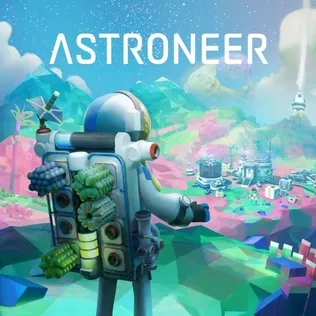
Discover new worlds in ASTRONEER PC. Explore colorful planets, gather resources, craft tools, and build bases in this creative open-world space exploration and survival adventure.
ASTRONEER PC takes players on an extraordinary journey across colorful planets where creativity and survival go hand in hand. Developed by System Era Softworks, the game has earned global recognition for its relaxing yet adventurous approach to space exploration. Unlike typical survival games, ASTRONEER encourages players to reshape alien terrains, craft unique bases, and unlock the mysteries of the universe at their own pace.
Since its release, the game has become a favorite among both casual and dedicated gamers, thanks to its cooperative multiplayer mode and limitless sandbox possibilities. The ability to work with friends to mine resources, build rovers, and set up bases makes every session feel different. Its unique terraforming tool also sets it apart, allowing players to dig tunnels, sculpt landscapes, or construct paths that enhance both gameplay and creativity. With an active community and constant updates, ASTRONEER continues to thrive as one of the most innovative indie space games available today.
Playing ASTRONEER on PC delivers the most immersive experience. PC gamers benefit from sharper graphics, smoother frame rates, and the precision of keyboard and mouse controls. The larger display enhances the visual beauty of alien landscapes, while multitasking features let players manage the game alongside other applications with ease. For those ready to embark on their interstellar adventure, the PC version is the best choice. Scroll down and use the download ASTRONEER for PC button provided here to safely install the game and start exploring your own universe.
Gameplay Overview
ASTRONEER PC is a sandbox survival game that lets players shape alien planets and carve out their own path of discovery. You begin as an Astroneer equipped with a terrain tool, a unique device that allows you to dig, build, and sculpt the environment however you like. The freedom to terraform the world is what makes ASTRONEER stand out—every planet you land on is a canvas waiting for your creativity. From mining underground caves to building oxygen networks, your journey is all about exploration and ingenuity.
The gameplay loop revolves around gathering resources, crafting essential items, and expanding your base to sustain survival. As you progress, you’ll unlock advanced technologies, build rovers to traverse vast landscapes, and even launch shuttles to explore new planets. The ASTRONEER PC version also supports multiplayer co-op, enabling up to four friends to team up and share the adventure. With no strict missions or linear objectives, the game encourages experimentation, teamwork, and discovery at your own pace, making each playthrough truly unique.
Key Features
1. Immersive Space Exploration
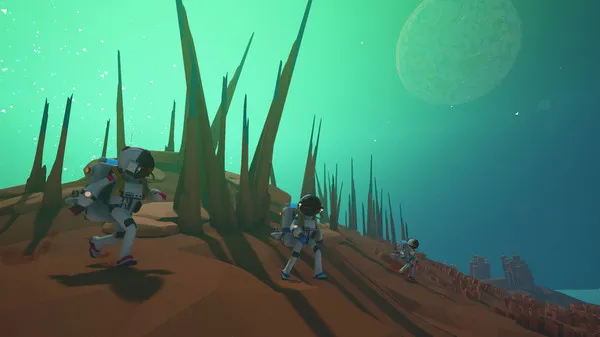
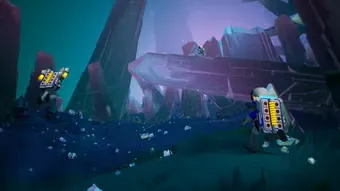
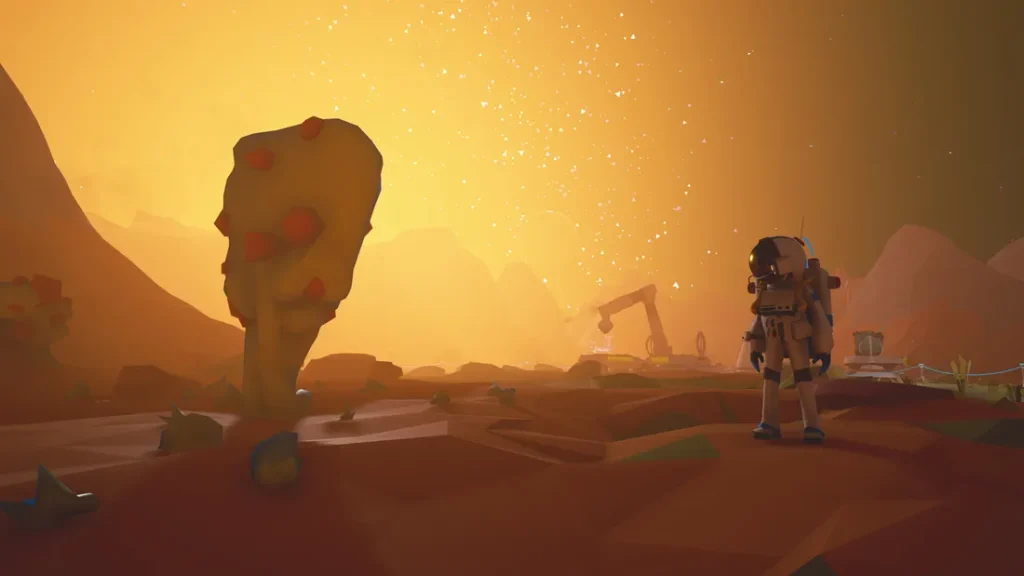
ASTRONEER takes players on an unforgettable journey through procedurally generated planets. Each world is filled with unique landscapes, from lush forests to barren deserts and dangerous cave systems. On ASTRONEER PC, these environments feel more vivid thanks to enhanced graphics and smooth performance, allowing players to fully immerse themselves in the beauty of outer space.
2. Terraforming and World Shaping
One of the most innovative aspects of ASTRONEER is its terrain tool. Unlike traditional survival games, here you can completely reshape the land around you. Dig tunnels, carve mountains, or flatten areas to create perfect bases. The ability to sculpt the environment gives players unmatched freedom and makes every planet feel customizable.
3. Resource Gathering and Crafting
Survival depends on how well you gather and manage resources. From common compounds to rare minerals hidden deep underground, resources are the backbone of your progress. On ASTRONEER PC version, players can craft essential tools, build shelters, and create vehicles that expand exploration possibilities. Crafting feels rewarding and keeps the gameplay loop engaging.
4. Base Building and Customization
Building bases is at the core of ASTRONEER. Using platforms and modules, you can design efficient hubs for research, power, and crafting. Bases aren’t just functional—they can also reflect your creativity. The ASTRONEER PC platform makes base-building smoother with precise mouse controls, allowing for cleaner designs and complex setups.
5. Cooperative Multiplayer
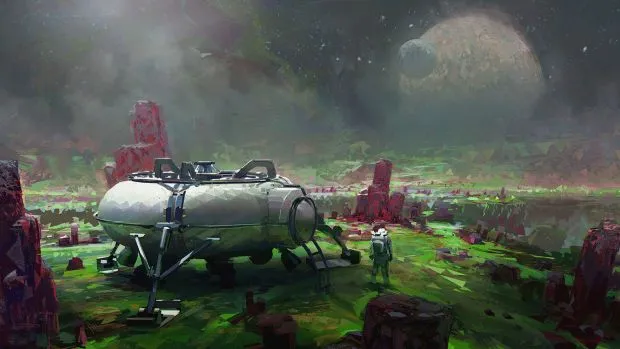
ASTRONEER shines brightest when played with friends. The game supports up to four-player co-op, enabling players to share resources, divide tasks, and explore vast planets together. Whether you’re digging for resources, setting up oxygen tethers, or building a fleet of rovers, teamwork creates endless fun and unique adventures.
6. Cross-Platform Progress Syncing
For gamers who enjoy flexibility, ASTRONEER offers cross-platform progress syncing. This means you can continue your saved worlds across different devices. However, the PC version of ASTRONEER ensures the best performance and stability, making it the preferred choice for long play sessions.
7. Stunning Visuals and Relaxing Atmosphere
Unlike many survival games that focus on stress and danger, ASTRONEER is known for its colorful art style and calming soundtrack. Exploring alien planets feels inspiring rather than intimidating. On PC, the combination of high-resolution graphics and smooth gameplay creates a relaxing environment where creativity thrives.
Why Play ASTRONEER on PC?
Playing ASTRONEER on PC offers a level of performance and immersion that no other platform can match. With the power of modern PCs, players enjoy higher frame rates, sharper textures, and smoother gameplay across expansive alien landscapes. The larger display enhances the game’s stunning visuals, while advanced settings allow you to customize graphics and performance to suit your hardware. Whether you’re terraforming mountains or driving rovers across planets, the experience feels more fluid and visually captivating on a computer.
Beyond visuals, PC also provides practical benefits for gamers. Keyboard and mouse controls make building, crafting, and navigating menus more precise. Unlike consoles or mobile devices, there’s no risk of battery drain, letting you enjoy long sessions without interruptions. Add in cross-platform progress syncing and community mods, and it’s clear that the ASTRONEER PC version delivers the most complete, flexible, and rewarding way to explore the universe.
How to Download ASTRONEER on PC
Here is a step by step guide to download ASTRONEER on PC;
- Find the button: Scroll to the “Download ASTRONEER for PC” button on this page.
- Start the safe download: Click the button to begin the safe download from this page. When prompted, choose Save (not Open) and pick a familiar folder (e.g., Downloads).
- Locate the file: When the download finishes, open your Downloads folder and find the .zip (or .rar) archive.
- Extract the game: Right-click the archive → Extract All… (or use 7-Zip/WinRAR) → choose a destination folder.
- Open the folder: Go to the extracted folder and look for ASTRONEER PC.exe.
- Launch the game: Double-click the .exe to start. If Windows SmartScreen appears, select More info → Run anyway (only if you downloaded from the button on this page).
- Set up controls & video: In the Options/Settings menu, choose your resolution/fullscreen, adjust audio latency, and confirm keyboard bindings (← → ↑ ↓).
- Create a shortcut (optional): Right-click ASTRONEER PC.exe → Send to → Desktop (create shortcut) for quick access.
- Play & enjoy: Start Story Mode or Free Play, and you’re good to go!
How to Play ASTRONEER on PC
Playing ASTRONEER on PC is intuitive and enjoyable. Once installed, launch the game and start a new world. Use your terrain tool to dig, collect resources, and reshape the planet. Early on, focus on crafting oxygen tethers to explore safely without running out of air.
As you progress, expand your base with modules like smelters and research chambers, which help unlock advanced technology. Vehicles such as rovers and shuttles enable interplanetary travel, taking your adventure beyond a single world. Whether you’re exploring solo or with friends, the gameplay rewards creativity, experimentation, and teamwork.
System Requirements
Minimum Requirements:
- OS: Windows 7/8/10 (64-bit)
- Processor: Intel Dual Core 2.0 GHz
- Memory: 4 GB RAM
- Graphics: Intel HD Graphics 4000 or better
- Storage: 2 GB available space
Recommended Requirements:
- OS: Windows 10 (64-bit)
- Processor: Intel i5 or AMD equivalent
- Memory: 8 GB RAM
- Graphics: NVIDIA GTX 970 / AMD R9 390 or better
- Storage: 4 GB available space
FAQs
Is ASTRONEER free to play on PC?
No, ASTRONEER PC is not free-to-play. It is a premium survival sandbox game that you can purchase from trusted platforms like Steam, Microsoft Store, or directly from the developer’s official site. While there may be occasional discounts during seasonal sales, you’ll need to buy the game to enjoy its full features.
Can I play ASTRONEER on PC offline?
Yes, ASTRONEER offers a single-player offline mode. Once the game is installed on your computer, you can explore planets, gather resources, and build bases without requiring an active internet connection. However, you’ll need internet access if you want to join multiplayer sessions or download updates.
Does ASTRONEER PC support mods?
Yes, the PC version is popular among the modding community. Players can add custom tools, vehicles, and gameplay tweaks through mods, enhancing creativity and replay value. Mods are available through community hubs like Steam Workshop, making it easy to personalize your game.
How many players can join co-op in ASTRONEER PC?
ASTRONEER supports up to four players in a cooperative multiplayer session. You and your friends can team up to explore planets, divide tasks like mining or base building, and make discoveries together. The multiplayer system is stable and adds a layer of fun and teamwork.
Can I transfer my progress between PC and console?
Yes, thanks to cross-platform progress syncing, your game saves can be continued across supported devices. This feature allows you to switch from PC to console without losing your progress, although the PC version still provides the best overall performance.
Is ASTRONEER PC suitable for low-end computers?
The game can run on lower-spec PCs, as its minimum requirements are relatively modest. However, for the best experience—including smoother frame rates and richer graphics—it’s recommended to have a system that meets or exceeds the recommended specs.
Where can I safely download ASTRONEER for PC?
You can safely download ASTRONEER PC through official platforms like Steam and the Microsoft Store. On this page, there’s also a Download Button provided for secure installation. Avoid downloading from unofficial websites to protect your PC from malware or unauthorized copies.
Alternatives to ASTRONEER on PC
If you enjoy ASTRONEER, you might also love:
- No Man’s Sky – An expansive space exploration game with infinite planets, crafting, and survival.
- Subnautica – Explore an alien ocean world filled with mysteries, survival challenges, and base building.
- Minecraft – The ultimate sandbox game where creativity, survival, and crafting blend seamlessly.
- Space Engineers – A more technical building game focused on engineering, space stations, and physics.
- Terraria – A 2D sandbox adventure with exploration, crafting, and combat across unique biomes.
Conclusion
ASTRONEER PC is more than just a survival game—it’s a creative journey through colorful alien worlds where exploration and imagination never end. With its terraforming mechanics, resource gathering, and cooperative multiplayer, the game delivers a unique mix of relaxation and adventure. Playing on PC enhances the experience with smoother performance, sharper visuals, and precise controls, making it the best way to enjoy this space sandbox. Don’t wait—click the Download ASTRONEER for PC button on this page and start your interstellar adventure today.