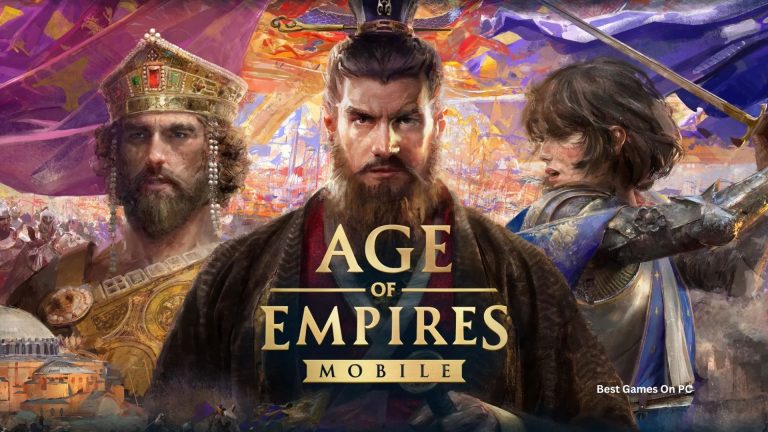
Age of Empires 3 PC
Build empires, command armies, and relive history with Age of Empires 3 PC. Experience epic strategy, enhanced graphics, and immersive campaigns.
When it comes to real-time strategy games, few titles stand out as prominently as Age of Empires 3 PC. Developed by Ensemble Studios and published by Microsoft Game Studios, this legendary entry in the franchise was first released in 2005 and later enhanced in the Definitive Edition. Set during the Age of Discovery and Colonization era, the game immerses players in the global conflicts of European powers, Native American alliances, and trading empires vying for dominance.
The Age of Empires 3 PC version continues to be a fan-favorite because of its stunning graphics, unique mechanics like Home City shipments, and a blend of traditional strategy gameplay with historical authenticity. Over the years, it has attracted millions of players worldwide who enjoy building empires, commanding armies, and shaping history on their computers.
One of the main reasons gamers prefer to play Age of Empires 3 on PC is the platform’s versatility—better graphics, precise controls, and enhanced performance. On PC, players can multitask, enjoy mods, and explore large-scale battles without the constraints of mobile devices or consoles. If you’re ready to dive into one of the most iconic RTS games, this guide will help you download Age of Empires 3 for PC and enjoy it at its full potential.
Gameplay Overview
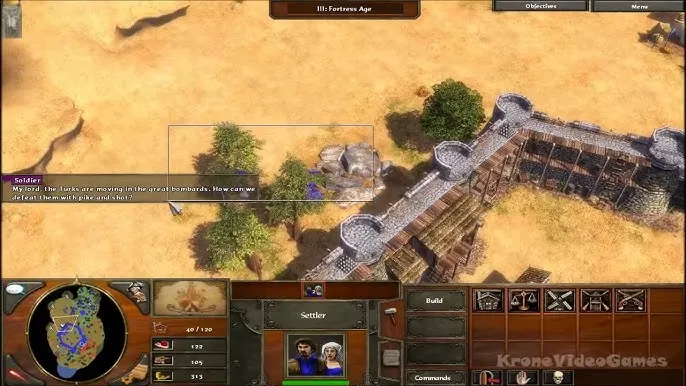
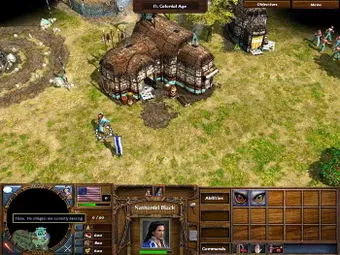
Age of Empires 3 PC brings players into the fascinating world of colonization, where resource management, military strategy, and diplomacy are key to victory. The core loop revolves around gathering resources, building settlements, training armies, and expanding territories while engaging with rival factions.
What makes the game unique is the Home City mechanic, allowing you to send reinforcements, resources, and upgrades from your empire’s homeland. Alongside this, trading posts, alliances with Native American tribes, and dynamic battlefields create endless replayability. Whether you prefer aggressive conquests or calculated defenses, the PC version of Age of Empires 3 offers a deep and rewarding strategy experience.
Key Features
1. Immersive Historical Setting
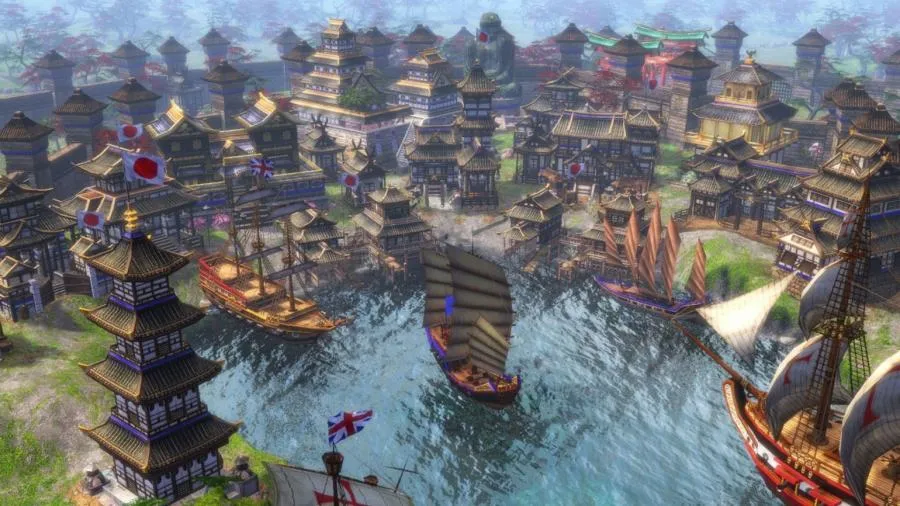
Age of Empires 3 PC takes players into the Age of Exploration and Colonization, spanning the 15th to 19th centuries. You’ll witness battles between European powers, Native American tribes, and Asian empires. The game’s realistic landscapes and historical authenticity give players a chance to relive pivotal moments in world history while building their own empires.
2. Diverse Civilizations
Players can choose from a wide range of civilizations, each with unique units, bonuses, and playstyles. Whether you prefer the economic might of the British, the cavalry strength of the Spanish, or the tactical diversity of Native American tribes, every faction offers a fresh strategic approach. This diversity ensures replayability and encourages players to experiment.
3. Home City Shipments
One of the standout features of Age of Empires 3 is the Home City mechanic. Instead of just relying on in-game resources, you can call shipments of troops, supplies, or upgrades from your empire’s homeland. This adds a layer of strategy, as players must decide when and how to use shipments for maximum advantage during battles.
4. Realistic Physics and Combat
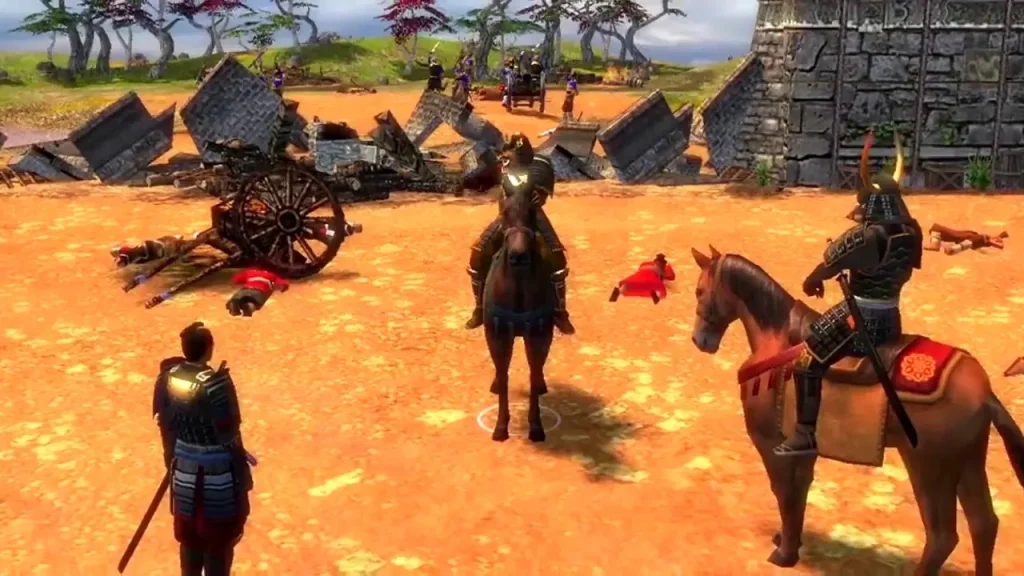
Age of Empires 3 PC introduced cutting-edge physics at the time of release. Battles feel more immersive as cannonballs bounce realistically, buildings collapse dynamically, and units interact with the environment. These details create a cinematic experience, making every battle look and feel intense.
5. Story-Driven Campaigns
For single-player fans, the game offers rich campaigns that follow the Black family across three generations. These storylines blend fictional characters with historical events, providing both entertainment and a sense of progression. The campaigns serve as a great entry point for new players learning the mechanics.
6. Enhanced Multiplayer Experience
The game’s multiplayer mode allows you to battle friends or strangers online. With ranked matches, cooperative modes, and custom lobbies, multiplayer provides endless challenges. The Definitive Edition keeps the online community active with regular patches, balance changes, and seasonal events.
7. Definitive Edition Improvements
The Age of Empires 3: Definitive Edition enhances the experience with 4K graphics, modernized UI, quality-of-life improvements, and additional civilizations. For players new to the franchise, this edition is the ultimate way to enjoy the game with modern polish while retaining its original charm.
Why Play Age of Empires 3 on PC?
Playing Age of Empires 3 on PC provides unmatched advantages. The platform allows enhanced graphics, smoother gameplay, and precise keyboard and mouse controls, ensuring strategic accuracy in every battle.
Additionally, unlike mobile devices, the PC version doesn’t suffer from battery drain or limited screen size. With cross-platform progress syncing in the Definitive Edition, you can also continue your campaigns across devices seamlessly.
How to Download Age of Empires 3 on PC
Here is a step by step guide to download Age of Empires 3 PC;
- Find the button: Scroll to the “Download Age of Empires 3 PC” button on this page.
- Start the safe download: Click the button to begin the safe download from this page. When prompted, choose Save (not Open) and pick a familiar folder (e.g., Downloads).
- Locate the file: When the download finishes, open your Downloads folder and find the .zip (or .rar) archive.
- Extract the game: Right-click the archive → Extract All… (or use 7-Zip/WinRAR) → choose a destination folder.
- Open the folder: Go to the extracted folder and look for Age of Empires 3 PC.exe.
- Launch the game: Double-click the .exe to start. If Windows SmartScreen appears, select More info → Run anyway (only if you downloaded from the button on this page).
- Set up controls & video: In the Options/Settings menu, choose your resolution/fullscreen, adjust audio latency, and confirm keyboard bindings (← → ↑ ↓).
- Create a shortcut (optional): Right-click Age of Empires 3 PC.exe → Send to → Desktop (create shortcut) for quick access.
- Play & enjoy: Start Story Mode or Free Play, and you’re good to go!
How to Play Age of Empires 3 on PC
Once installed, launch the game from your desktop or Steam library. Start by selecting a tutorial or campaign mode to get familiar with the basics—resource gathering, unit training, and building settlements.
As you progress, experiment with different civilizations and strategies. Utilize the Home City shipments wisely, form alliances, and upgrade technologies. In multiplayer, coordinate with teammates and master diverse tactics to dominate opponents.
System Requirements
Minimum Requirements:
- Storage: 42 GB
- OS: Windows 10 (64-bit)
- Processor: Intel i3 / AMD equivalent
- Memory: 8 GB RAM
- Graphics: Intel HD Graphics 4000 or equivalent
Recommended Requirements:
- Storage: 42 GB SSD
- OS: Windows 10/11 (64-bit)
- Processor: Intel i5 / AMD Ryzen 5 or better
- Memory: 16 GB RAM
- Graphics: NVIDIA GTX 770 / AMD RX 470 or higher
FAQs
Is Age of Empires 3 PC still worth playing in 2025?
Yes, Age of Empires 3 PC is absolutely worth playing in 2025, especially with the Definitive Edition that offers modern enhancements like 4K graphics, new civilizations, and regular balance updates. The game’s strong community and active multiplayer servers ensure there’s always content and competition available for both new and returning players.
How do I download Age of Empires 3 on PC?
You can download Age of Empires 3 PC directly through Steam, Xbox Game Pass, or by clicking the download button on this page. After purchasing or accessing via subscription, install the game and follow the on-screen setup instructions. The Definitive Edition includes all expansions and updated features for the best experience.
What civilizations are available in Age of Empires 3 PC?
The game features a wide range of civilizations including classic European powers like Britain, France, and Spain, as well as Native American tribes such as the Iroquois and Sioux. The Definitive Edition also introduced additional civilizations like the Inca, Ethiopians, and Swedes, each offering unique units, technologies, and strategies.
Can I play Age of Empires 3 PC offline?
Yes, you can play offline in single-player modes, including the story-driven campaigns and skirmish battles against AI opponents. However, for online multiplayer and ranked matches, you’ll need an active internet connection.
What are the system requirements for Age of Empires 3 PC?
At minimum, you need a Windows 10 64-bit PC with an Intel i3 processor, 8 GB RAM, and Intel HD Graphics 4000. For the best performance, a modern system with 16 GB RAM, a dedicated GPU like NVIDIA GTX 770 or better, and SSD storage is recommended. Full specs are listed above in this article.
Does Age of Empires 3 PC support mods?
Yes, the PC version supports mods through Steam Workshop and community platforms. Players can create and install custom maps, scenarios, and gameplay tweaks, extending the game’s replay value far beyond its original campaigns.
How is Age of Empires 3 different from Age of Empires 2?
While Age of Empires 2 focuses on the medieval period with traditional resource management, Age of Empires 3 shifts to the colonial era with unique mechanics like the Home City shipment system, advanced physics, and more diverse trade and alliance options. It’s considered a more experimental entry but offers a fresh twist for RTS fans.
Alternatives to Age of Empires 3 PC
- Age of Empires 2: Definitive Edition – A classic medieval RTS with refined mechanics.
- Rise of Nations – Blends turn-based and real-time strategy with expansive timelines.
- Empire Earth – Offers epic battles across multiple historical eras.
- Stronghold Crusader – Focuses on castle building and siege warfare.
- Total War: Shogun 2 – Combines grand strategy with real-time tactical battles.
Conclusion
Age of Empires 3 PC delivers an exceptional real-time strategy experience with stunning visuals, diverse civilizations, and the unique Home City system. Whether you enjoy historical campaigns or competitive multiplayer, this game offers endless opportunities for strategy and empire-building. Playing on PC ensures smoother performance, better controls, and enhanced graphics, making it the ultimate way to experience the game. If you’re ready to step into the age of discovery and lead your empire to glory, don’t wait any longer—click the download button on this page and start building your legacy today!