Terraria PC
Explore, build, craft, and battle in Terraria PC. Download now and enjoy the ultimate sandbox adventure with enhanced graphics, controls, and endless creativity.
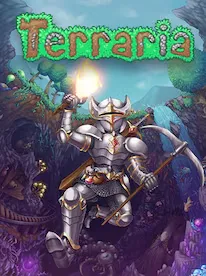
Few games in history have achieved the legendary status of Terraria, the iconic 2D action-adventure sandbox created by Re-Logic. Released over a decade ago, Terraria still dominates charts, with over 45 million copies sold globally, making it one of the best-selling PC games of all time. Its combination of survival, crafting, combat, and endless creativity has kept players hooked for years. The world of Terraria is vast, alive, unpredictable, and designed to give you complete freedom over how you explore, build, and conquer it.
The Terraria PC version remains the most popular and feature-rich way to play the game. PC players receive updates first, experience faster performance, and enjoy the highest flexibility for customization, modding, and multiplayer hosting. Whether you want to fight massive bosses, design breathtaking structures, or dig to the deepest layers of the world, the PC platform offers the definitive experience. From sharper visuals to smoother controls using keyboard and mouse, playing Terraria on PC enhances every aspect of the adventure.
If you’re here to download Terraria PC, you’re already one step closer to beginning your journey. With a simple installation process, high compatibility, and support for nearly every Windows machine, Terraria is incredibly easy to set up and start playing. This guide breaks down everything you need from gameplay basics and features to system requirements and alternatives. Ready to jump into the world of biomes, magic, monsters, treasure, and infinite creativity? Scroll down and hit the download button on this page to begin your adventure.
Gameplay Overview
Terraria’s gameplay blends exploration, combat, crafting, and building into a seamless sandbox experience. You start with nothing but basic tools in a procedurally generated world, where every block can be mined, collected, and used to build structures. From chopping trees and mining ores to crafting weapons and armor, the game continually rewards progress. Players explore biomes ranging from peaceful forests to dangerous dungeons and eerie underground caverns filled with monsters, traps, and hidden treasures.
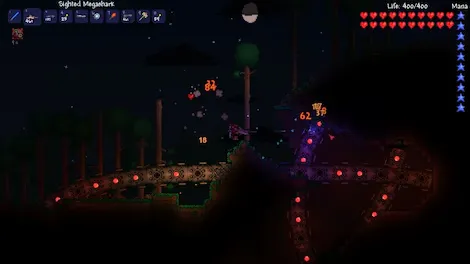
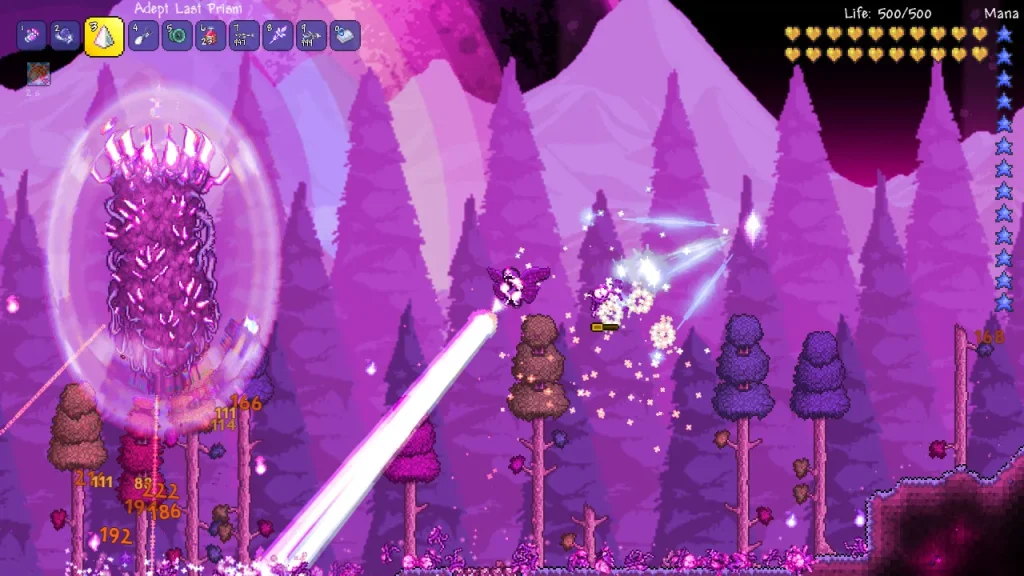
Combat is fast-paced and deeply customizable. You can use swords, guns, bows, magic staves, summoning whips, explosives, and hundreds of unique weapons. As you grow stronger, you’ll challenge bosses like the Eye of Cthulhu, Queen Bee, Skeletron, and the Wall of Flesh, which transitions the world into Hardmode, introducing tougher enemies, new ores, and advanced challenges. Whether you enjoy building villages, fighting demons, discovering rare loot, or shaping the world to your imagination, Terraria on PC offers endless gameplay variety.
Key Features
1. Vast, Procedurally Generated Worlds
One of Terraria’s most defining features is its endlessly varied world generation. Every time you create a new world, the game produces a unique landscape filled with different cave networks, floating islands, underground biomes, and rare structures. This ensures that no two playthroughs are ever alike. New players will constantly discover fresh environments, hidden chests, and unexpected surprises. The variety of biomes including forests, deserts, oceans, snow fields, jungles, and corruption zones keeps exploration exciting from start to finish. Whether you prefer digging underground or building sky-high bases, the world always feels alive with opportunities.
2. Deep Crafting and Resource Management
Terraria PC offers an advanced crafting system with thousands of items to create. Players collect materials such as ores, plants, wood, monster drops, and gems, which can be combined to craft tools, armor sets, potions, furniture, weapons, and more. Crafting encourages experimentation and progression unlocking better gear allows you to explore more dangerous areas and fight tougher enemies. For beginners, mastering the crafting system is key to survival, especially in early-game stages when you must improve your weapons and build a safe shelter before night falls.
3. Engaging Combat Mechanics and Weapon Variety
Combat in Terraria PC is fast-paced, strategic, and highly customizable. Players can choose from melee swords, ranged bows, guns, magic weapons, whips, summoning staffs, and even explosive devices. As you advance, you’ll encounter harder enemies and massive bosses that require preparation, skill, and proper equipment. Each class melee, ranged, magic, and summoner offers a different gameplay style. New players can experiment with all classes until they find one that suits their combat preference. Boss fights such as Eye of Cthulhu, Queen Bee, and Skeletron help players learn mechanics and reward them with powerful loot.
4. Dynamic Biomes and Exploration Depth
Terraria’s world is divided into dozens of distinct biomes, each with unique treasures, enemies, and environments. Exploring these biomes is not only fun but necessary for progression. The Jungle contains powerful gear, the Dungeon hides rare magic items, and the Underworld leads to the dramatic Hardmode transition after defeating the Wall of Flesh. New players will quickly learn that every biome offers risks and rewards, making exploration one of the most exciting aspects of the game.
5. Extensive Building and Creativity Tools
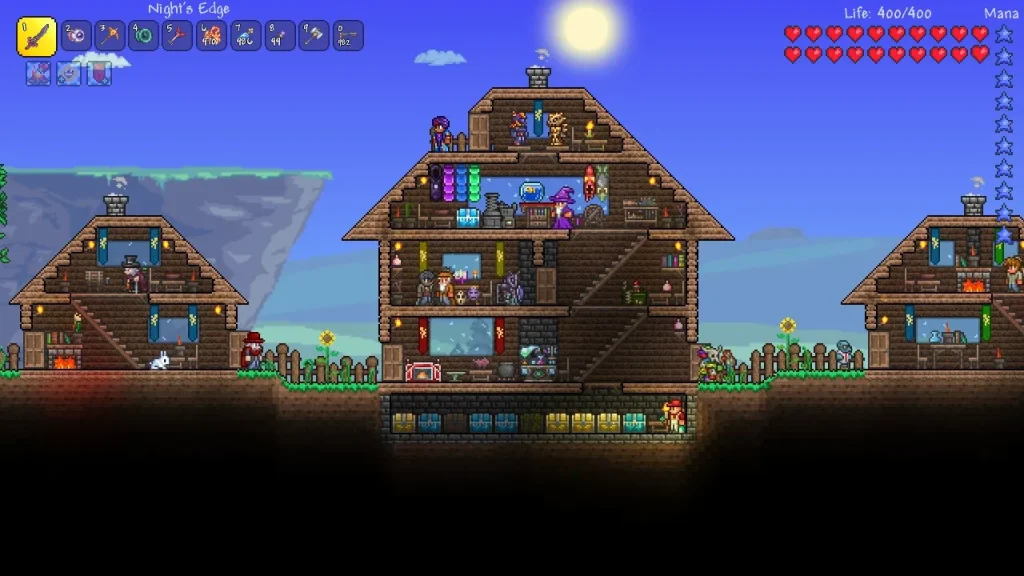
Building is where Terraria truly shines. With pixel-perfect control and a vast catalog of materials, players can design anything from simple wooden shelters to massive fortresses, themed towns, elevators, farms, and automated traps. Decorative items, lighting options, and furniture sets let players fully customize their creations. Many players spend hundreds of hours just building and designing. For beginners, building a secure base also attracts NPCs that provide helpful services like healing, item sales, and crafting upgrades.
6. Rich Progression System and Hardmode Transformation
Progression in Terraria PC follows a smooth curve where players continuously upgrade their gear and unlock tougher challenges. Once you defeat the Wall of Flesh, the world shifts into Hardmode, adding stronger enemies, new ores, advanced boss fights, and rare loot. This progression system keeps the game engaging for both newcomers and veterans.
7. Multiplayer Modes and Mod Support
Terraria PC offers seamless multiplayer, allowing players to explore worlds together, fight bosses as a team, or compete in PvP. PC also supports mods through tModLoader, adding new bosses, biomes, items, and features extending replayability far beyond the base game.
Why Play Terraria on PC?
Playing Terraria PC offers the most polished, feature-rich, and customizable version of the game. The PC platform provides superior performance, smoother frame rates, and higher resolution settings that make the game’s pixel-art style look crisp and vibrant. With keyboard and mouse controls, players enjoy precise building, quicker inventory management, and accurate aiming things that are harder to achieve on touchscreen or console setups. PC also receives updates earlier than other platforms, meaning players get access to new content, balancing changes, and events first. Additionally, the ability to multitask, use overlays, adjust key bindings, and manage mods makes the overall experience far more convenient and enjoyable.
Another major advantage of the Terraria PC version is its accessibility and flexibility. Unlike mobile devices, you won’t face battery drain, overheating, or screen size limitations. You can expand the window, play at full resolution, or use multiple monitors for improved gameplay. PC players can host dedicated servers for friends, run mods, and explore massive worlds without performance drops. For gamers who love long sessions of mining, crafting, or boss hunting, the PC environment offers smoother stability and far more customization options. Whether you’re a casual builder or a hardcore adventurer, Terraria on PC is the ultimate way to experience everything the game has to offer.
How to Download Terraria on PC
Here is a step by step guide to download Terraria on PC;
- Find the button: Scroll to the “Download Terraria for PC” button on this page.
- Start the safe download: Click the button to begin the safe download from this page. When prompted, choose Save (not Open) and pick a familiar folder (e.g., Downloads).
- Locate the file: When the download finishes, open your Downloads folder and find the .zip (or .rar) archive.
- Extract the game: Right-click the archive → Extract All… (or use 7-Zip/WinRAR) → choose a destination folder.
- Open the folder: Go to the extracted folder and look for Terraria .exe
- Launch the game: Double-click the .exe to start. If Windows SmartScreen appears, select More info → Run anyway (only if you downloaded from the button on this page).
- Set up controls & video: In the Options/Settings menu, choose your resolution/fullscreen, adjust audio latency, and confirm keyboard bindings (← → ↑ ↓).
- Create a shortcut (optional): Right-click Terraria .exe → Send to → Desktop (create shortcut) for quick access.
- Play & enjoy: Start Story Mode or Free Play, and you’re good to go!
How to Play Terraria on PC
Learning how to play Terraria on PC is simple, even if you’re completely new to the game. Once you launch the game, start by creating your character and choosing your preferred difficulty mode (Journey, Classic, Expert, or Master). Beginners usually start with Classic as it offers balanced challenge and progression. After selecting world size small for shorter sessions, large for long-term exploration you’ll spawn with basic tools like a copper sword, pickaxe, and axe. The first steps include cutting trees for wood, crafting a shelter, and gathering resources to protect yourself from nighttime monsters. As the game progresses, you’ll mine deeper underground to collect materials like copper, iron, gold, and gemstones used for crafting better gear.
Terraria’s PC controls make building, combat, and exploring incredibly smooth. Hotkeys let you quickly switch between weapons, use torches, or activate healing items. Aiming with a mouse is precise, which is especially helpful during boss fights. As you grow stronger, you’ll explore various biomes, discover valuable loot, and encounter NPCs that can move into your home once you build suitable housing. Later in the game, you’ll fight major bosses that unlock Hardmode, an advanced phase with tougher enemies, rarer items, and new world challenges. The PC version also supports multiplayer, so you can team up with friends to explore, build bases, or defeat bosses together. With mods available through tModLoader, Terraria on PC offers nearly endless gameplay possibilities, making it the ultimate platform for both new and returning players.
System Requirements
Minimum Requirements
- OS: Windows 7/8/10
- Processor: Intel Core 2 Duo or equivalent
- RAM: 4 GB
- Graphics: Intel HD Graphics 3000 or equivalent
- Storage: 1 GB available space
Recommended Requirements
- OS: Windows 10/11
- Processor: Intel i5 or better
- RAM: 8 GB
- Graphics: Dedicated GPU (NVIDIA / AMD)
- Storage: 1 GB SSD
FAQs
What is Terraria on PC and how is it different from the console or mobile versions?
Terraria on PC is the most complete and frequently updated version of the game. It includes the latest major content updates such as Journey’s End (1.4), Master Mode, new bosses, more items, advanced settings, and quality-of-life features that are not fully available on console or mobile yet. The PC version also supports Steam Workshop mods, higher graphical performance, keyboard-mouse controls, and wider multiplayer options. This makes the PC edition the preferred choice for players who want maximum content, flexibility, and customization.
Can Terraria run on low-end PCs and what are the minimum system requirements?
Yes, Terraria is known for being lightweight and can run smoothly on most low-end PCs and even older laptops. The minimum requirements include Windows 7 or higher, 2.5 GHz CPU, 2 GB RAM, DirectX 9.0c, and 200 MB storage. Since it uses 2D pixel graphics, the game does not demand a dedicated graphics card; integrated GPUs work fine. However, for large mod packs or high-resolution display settings, a stronger CPU and more RAM can improve performance significantly.
Does Terraria PC support mods and how can players install them?
Terraria PC fully supports mods through tModLoader, which is available free on Steam as an official add-on. Players can install it, browse mod packs, and enable features such as new biomes, bosses, items, quests, visual enhancements, or complete game overhauls. Popular mods include Calamity, Thorium, and Fargo’s Soul Mod. Installing is simple: download tModLoader from Steam → open it → browse mods → click “Download.” Mods are automatically updated and managed through the interface.
How does multiplayer work in Terraria PC and can you play with friends online?
Terraria PC has full online multiplayer support through Steam. Players can host or join friends’ worlds directly using Steam invites, dedicated servers, or LAN connection. You can play co-op, PvP, or boss-fighting sessions with up to 8 players at a time. Hosting a world allows custom settings, password protection, and server rules. Dedicated servers offer better performance for large worlds and big mod packs. Cross-play is limited and works only between certain versions, but fully integrated PC-to-console crossplay is not available yet.
How long does it take to beat Terraria on PC and what affects total gameplay time?
Beating Terraria typically takes 50–100 hours for most players, depending on experience level, exploration habits, and difficulty mode. Completing the main progression path from Eye of Cthulhu to Moon Lord requires resource gathering, building, crafting, and boss strategies that can significantly extend playtime. Mods, building projects, or exploration of biomes like the Underground Jungle, Dungeon, and Hardmode events can add hundreds of extra hours. Terraria is known for having near-infinite replay value.
Is Terraria PC free to play and where can you buy it safely?
No, Terraria PC is not free, but it is inexpensive and often goes on sale during Steam events. You can buy it safely from the official Steam Store, GOG, or the Microsoft Store for a small one-time price with no microtransactions. Steam also offers cloud saves, achievements, and the ability to integrate mods via tModLoader. Avoid third-party key resellers, as they may sell invalid or risky activation keys.
Why do people still play Terraria on PC in 2025?
Players continue to enjoy Terraria because it offers a massive open-world sandbox experience with endless creativity, exploration, and progression. The game receives ongoing performance patches, quality-of-life updates, and strong modding support that keeps the content fresh. Its deep building mechanics, replayability, challenging boss fights, and active community make it a timeless experience. New players discover it every year through Steam sales, YouTube content, mod packs, and its reputation as one of the best 2D sandbox games ever made.
Alternatives to Terraria on PC
1. Stardew Valley
A relaxing farming, crafting, and exploration game with dungeons, NPCs, and endless creativity.
2. Starbound
A space-themed sandbox game where you explore planets, craft gear, and complete quests.
3. Minecraft
The most popular sandbox building game with full 3D exploration, survival, and endless creativity.
4. Don’t Starve Together
A dark survival game with crafting, base-building, and unique characters.
5. Core Keeper
A mining and survival adventure set in underground biomes filled with bosses and treasures.
Conclusion
Terraria continues to be one of the greatest sandbox adventure games ever made, offering limitless creativity, intense combat, unique biomes, and endless replayability. The Terraria PC version delivers the ultimate experience with better controls, enhanced graphics, mod support, multiplayer stability, and fast performance. If you’re ready to explore worlds filled with magic, monsters, treasures, and crafting possibilities, now is the perfect time to jump in. Click the download Terraria for PC button on this page and begin your adventure today. Build, fight, explore, and shape your world your journey awaits!