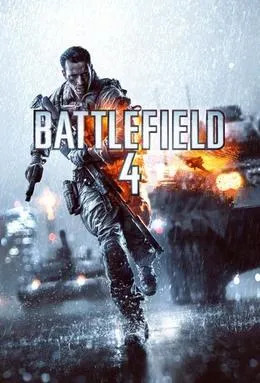
Battlefield 4 PC
Lead your squad in Battlefield 4 PC. Experience all-out modern warfare with explosive missions, realistic combat, and massive multiplayer battles across land, air, and sea.
Battlefield 4 PC is one of the most iconic first-person shooter games ever released, developed by EA DICE and published by Electronic Arts (EA). Powered by the advanced Frostbite 3 engine, the game brought groundbreaking visuals, realistic destruction, and massive multiplayer battles to the FPS genre. Since its launch, Battlefield 4 has been praised for its mix of tactical combat, cinematic storytelling, and intense online warfare that continues to captivate gamers worldwide.
The game’s popularity skyrocketed because of its ability to blend cinematic single-player missions with large-scale 64-player multiplayer battles. Players can choose from different combat roles, operate tanks, helicopters, jets, and ships, and fight across expansive maps that change dynamically through “Levolution” events. Whether you prefer strategic squad-based gameplay or all-out chaos, Battlefield 4 delivers an experience that appeals to every kind of shooter fan.
For PC gamers, the experience is even more rewarding. Playing Battlefield 4 on PC means enjoying sharper graphics, smoother performance, and precise mouse-and-keyboard controls that elevate gameplay to the next level. A larger screen and customizable settings enhance immersion, while PC-exclusive features like mod support and better frame rates make it the definitive platform to enjoy the game. If you’re looking to download Battlefield 4 for PC, this guide will provide everything you need to know to get started.
Gameplay Overview
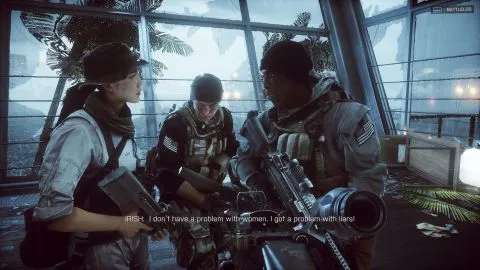
The Battlefield 4 PC version offers a mix of cinematic storytelling and massive multiplayer warfare. The single-player campaign puts players in the shoes of Sergeant Daniel Recker, a member of the elite Tombstone squad, as he navigates through political conflicts and high-stakes missions around the globe. With explosive set pieces, dramatic choices, and immersive environments powered by the Frostbite 3 engine, the campaign delivers a blockbuster-like experience that keeps you engaged from start to finish.
Where Battlefield 4 truly shines, however, is in its multiplayer mode. Up to 64 players can face off on sprawling maps, featuring dynamic environments that change mid-battle through the innovative Levolution system. Buildings collapse, floods reshape terrain, and weather events alter strategies, ensuring no two matches are the same. Players can choose from different classes—Assault, Engineer, Support, and Recon—and make use of an arsenal of weapons, gadgets, and vehicles, from tanks and helicopters to fighter jets and naval ships. The combination of teamwork, strategy, and large-scale combat makes playing Battlefield 4 on computer one of the most thrilling FPS experiences available today.
Key Features
1. Massive 64-Player Online Battles
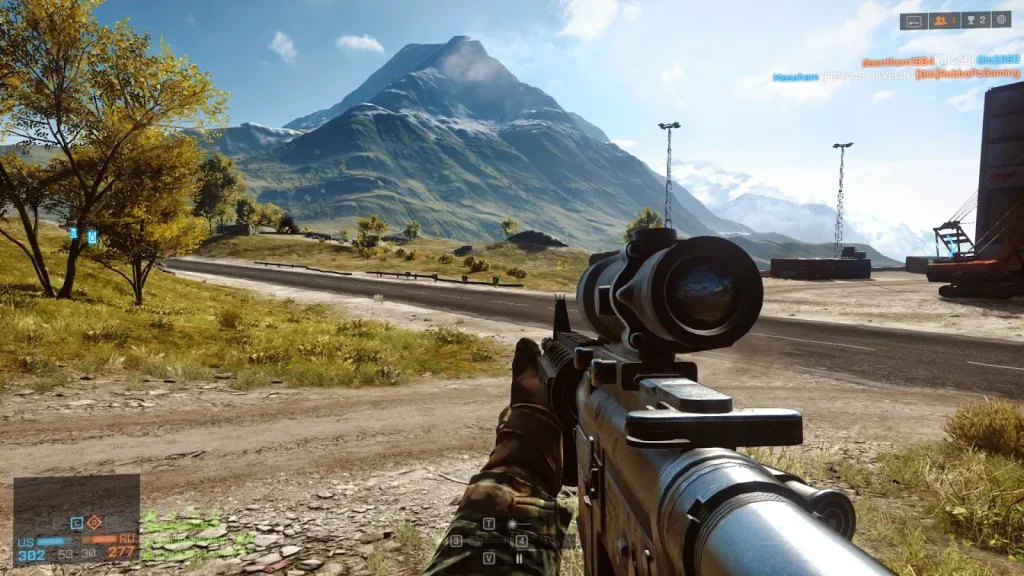
The Battlefield 4 PC version supports up to 64 players in a single match, making each battle feel like an authentic warzone. These large-scale matches emphasize teamwork, strategy, and coordination, with squads working together to secure objectives. The PC’s hardware ensures smooth gameplay even during the most chaotic firefights, allowing players to fully experience the scale of modern warfare.
2. Frostbite 3 Engine and Next-Level Visuals
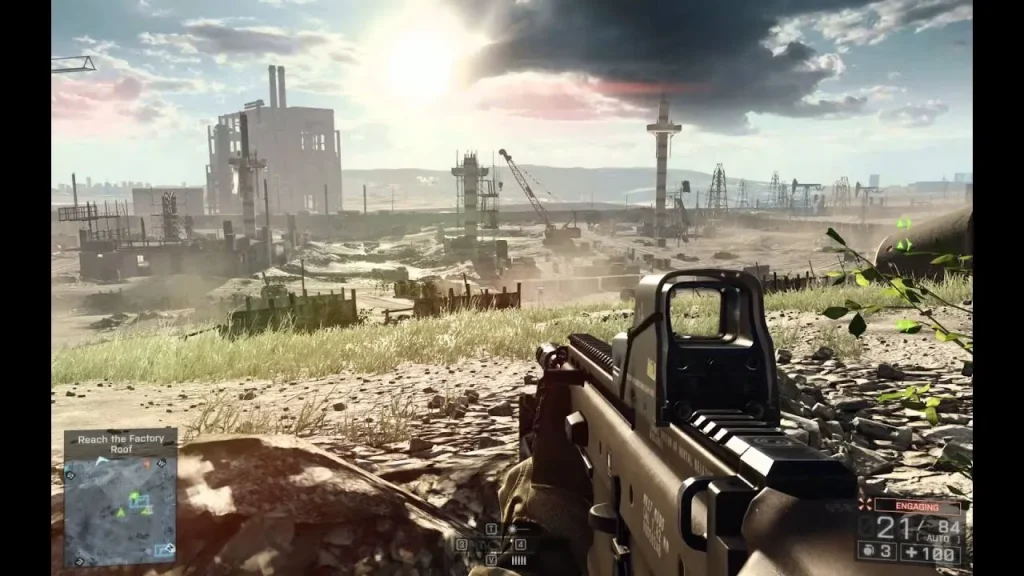
Powered by the Frostbite 3 engine, Battlefield 4 delivers stunningly realistic graphics. From the smallest details, like bullet impacts on walls, to massive explosions and weather effects, the visuals on PC create a truly immersive battlefield. High frame rates, crisp textures, and ultra settings take advantage of PC hardware, making the experience far superior compared to consoles.
3. Levolution – Dynamic and Destructive Environments
One of Battlefield 4’s most innovative features is Levolution, where the environment changes dynamically mid-match. A skyscraper can collapse, bridges can explode, or floods can alter the terrain, forcing players to change strategies on the fly. This system ensures that no two matches are ever identical, keeping the game fresh and unpredictable.
4. All-Out Vehicle Warfare
Unlike many FPS titles, Battlefield 4 on PC includes a wide range of vehicles. Players can command tanks, fighter jets, helicopters, naval ships, and armored transports in addition to traditional infantry combat. Mastering these vehicles adds another layer of depth to the game, and large maps ensure that both ground and air combat feel balanced and exciting.
5. Four Unique Soldier Classes
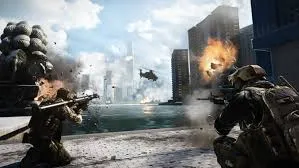
The multiplayer system revolves around four distinct classes: Assault, Engineer, Support, and Recon. Each class has unique weapons and gadgets, encouraging different playstyles. Assault focuses on medkits and frontline combat, Engineers handle anti-vehicle weaponry, Support provides heavy firepower and ammo, while Recon specializes in sniping and reconnaissance. Squad coordination between these roles is vital for victory.
6. Deep Weapon and Loadout Customization
Battlefield 4 offers an extensive weapon and equipment customization system. Players can unlock scopes, grips, suppressors, and skins for their firearms, tailoring loadouts to personal preferences. Whether you prefer stealthy sniping or aggressive close-range combat, the customization options let you fine-tune your approach to the battlefield.
7. Engaging Single-Player Campaign
While multiplayer is the heart of the game, the single-player campaign should not be overlooked. It combines Hollywood-style action sequences with emotional storytelling. Following the Tombstone squad, the campaign presents missions across diverse global locations and gives players meaningful decisions that shape the story’s outcome.
Why Play Battlefield 4 on PC?
Playing Battlefield 4 on PC offers advantages that simply can’t be matched on consoles. With the power of modern hardware, gamers can experience higher resolutions, ultra graphics settings, faster frame rates, and more immersive details that make every explosion, vehicle chase, and firefight feel lifelike. The precision of a mouse and keyboard setup gives players tighter control during combat, especially in competitive multiplayer where reaction time and accuracy matter most.
Beyond visuals and controls, the Battlefield 4 PC version provides smoother performance, quicker loading times, and the ability to customize gameplay settings to your liking. Unlike consoles, you don’t have to worry about battery drains or limited hardware upgrades—PC gaming ensures stability and longevity. Plus, cloud saving and progress syncing make it easier to pick up the game from different systems. For players who want the definitive Battlefield 4 experience, PC is the ultimate platform.
How to Download Battlefield 4 on PC
Here is a step by step guide to download Battlefield 4 on PC;
- Find the button: Scroll to the “Download Battlefield 4 PC” button on this page.
- Start the safe download: Click the button to begin the safe download from this page. When prompted, choose Save (not Open) and pick a familiar folder (e.g., Downloads).
- Locate the file: When the download finishes, open your Downloads folder and find the .zip (or .rar) archive.
- Extract the game: Right-click the archive → Extract All… (or use 7-Zip/WinRAR) → choose a destination folder.
- Open the folder: Go to the extracted folder and look for Battlefield 4 PC.exe.
- Launch the game: Double-click the .exe to start. If Windows SmartScreen appears, select More info → Run anyway (only if you downloaded from the button on this page).
- Set up controls & video: In the Options/Settings menu, choose your resolution/fullscreen, adjust audio latency, and confirm keyboard bindings (← → ↑ ↓).
- Create a shortcut (optional): Right-click Battlefield 4 PC.exe → Send to → Desktop (create shortcut) for quick access.
- Play & enjoy: Start Story Mode or Free Play, and you’re good to go!
How to Play Battlefield 4 on PC
Once you download Battlefield 4 for PC and complete the installation, the first step is to get comfortable with the controls and settings. Start with the single-player campaign, where you’ll play as Sergeant Daniel Recker of the Tombstone squad. This mode is perfect for new players because it introduces weapons, vehicles, and combat mechanics at a steady pace. Adjust your graphics, sound, and keybindings in the settings menu to ensure smooth performance and comfort. Using a mouse and keyboard provides precise aiming and movement, but you can also connect a controller if preferred.
After learning the basics, step into the multiplayer mode, which is the heart of the Battlefield 4 PC version. Here, you can join matches with up to 64 players across massive maps. Select a class—Assault, Engineer, Support, or Recon—based on your playstyle. Communication with your squad is vital, as teamwork often determines victory. Make use of vehicles like tanks, jets, and helicopters to support your team or control key objectives. The more you play, the more weapons, gadgets, and upgrades you’ll unlock, allowing you to customize your loadout and refine your strategy. With practice and coordination, you’ll master the battlefield.
System Requirements
Minimum Requirements:
- OS: Windows 7 64-bit
- CPU: Intel Core 2 Duo 2.4 GHz or AMD Athlon X2 2.8 GHz
- RAM: 4 GB
- GPU: AMD Radeon HD 3870 / NVIDIA GeForce 8800 GT
- Storage: 30 GB available space
Recommended Requirements:
- OS: Windows 10 64-bit
- CPU: Intel Quad-Core / AMD Six-Core
- RAM: 8 GB or higher
- GPU: NVIDIA GTX 660 / AMD Radeon HD 7870
- Storage: 30 GB SSD for faster load times
FAQs
Is Battlefield 4 PC still worth playing today?
Yes, absolutely. Despite being released years ago, Battlefield 4 on PC continues to attract thousands of active players daily. The combination of large-scale multiplayer, dynamic maps, and tactical gameplay ensures it still feels fresh and exciting.
Can I play Battlefield 4 on computer without the internet?
Yes, you can enjoy the single-player campaign offline. However, to access multiplayer battles, updates, and online features, you will need a stable internet connection.
Where can I safely download Battlefield 4 for PC?
The safest way is through the official EA platform (Origin or EA App). For convenience, you can also click the Download button on this page, which redirects you to a secure source to install the game.
Does Battlefield 4 PC support mods?
While EA did not officially release modding tools, the PC community has created mods that improve graphics, add maps, and tweak gameplay. These mods can enhance your experience if you prefer extra variety.
What makes the Battlefield 4 PC version better than consoles?
On PC, you can enjoy higher resolutions, smoother frame rates, customizable graphics, and 64-player matches, which are often limited on consoles. The mouse and keyboard setup also gives better precision for competitive play.
Do I need a high-end computer to play Battlefield 4?
Not necessarily. Battlefield 4 is optimized to run on mid-range PCs, though higher-end hardware provides the best experience. Checking the system requirements before installing is recommended.
Does Battlefield 4 PC allow cross-platform play?
No, the game does not support cross-play between PC and consoles. You can only play with other PC users in the Battlefield 4 PC version.
Alternatives to Battlefield 4 on PC
- Call of Duty: Modern Warfare (2019) – A fast-paced FPS with cinematic storytelling and competitive multiplayer.
- Arma 3 – A military simulator with hyper-realistic combat and tactical gameplay.
- Rainbow Six Siege – Focused on team-based tactical shooting with destructible environments.
- Squad – Large-scale battles with realistic communication and squad coordination.
- Halo: The Master Chief Collection – A mix of classic Halo campaigns and multiplayer modes remastered for PC.
Conclusion
Battlefield 4 PC remains one of the most thrilling first-person shooters, combining massive multiplayer battles, cinematic storytelling, and stunning visuals powered by the Frostbite 3 engine. With dynamic environments, diverse vehicles, and tactical squad gameplay, it continues to offer an experience that few FPS titles can match. Playing on PC unlocks the best version of the game—smooth performance, high-end graphics, and precise controls. If you’re ready to jump into action, click the Download button on this page to safely install the Battlefield 4 PC version and dominate the battlefield today.