Bloons TD 6 PC
Pop waves of balloons in Bloons TD 6 PC. Build powerful monkey towers, use upgrades, and strategize to defend against endless bloon invasions in this fun tower defense game.
Bloons TD 6 PC is one of the most popular and addictive tower defense games in the world, developed by the renowned studio Ninja Kiwi. Since its release, the game has captivated millions of players with its colorful design, strategic gameplay, and endless replayability. Its mix of fun visuals and challenging levels has made it a top choice for both casual gamers and strategy enthusiasts alike.
The game builds on the legacy of the Bloons franchise by introducing 3D graphics, new monkey towers, hero units, and regular updates that keep the action fresh. Whether you enjoy planning the perfect defense or experimenting with creative strategies, Bloons TD 6 offers limitless opportunities to test your skills. With single-player, co-op multiplayer, and offline play, it adapts to every playstyle, making it a must-try title in the tower defense genre.
While the game is available on mobile, many players prefer the Bloons TD 6 PC version for its superior experience. Playing on a computer means larger visuals, precise mouse controls, smoother performance, and the convenience of multitasking without draining your device’s battery. It’s the perfect way to enjoy longer sessions and compete at higher levels. If you’re ready to elevate your gameplay, scroll down and download Bloons TD 6 for PC directly from this page and start building your ultimate monkey defense today.
Gameplay Overview
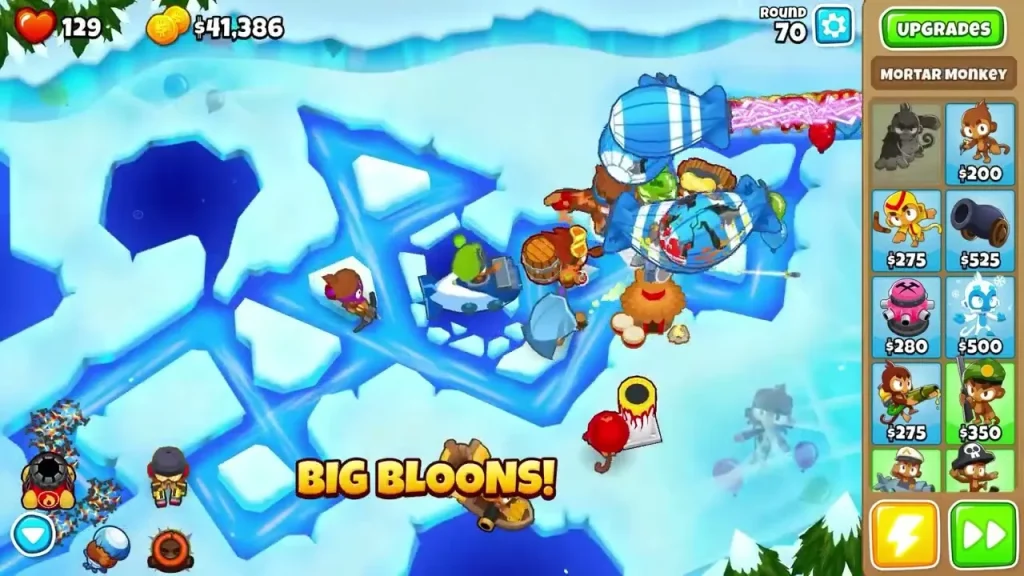
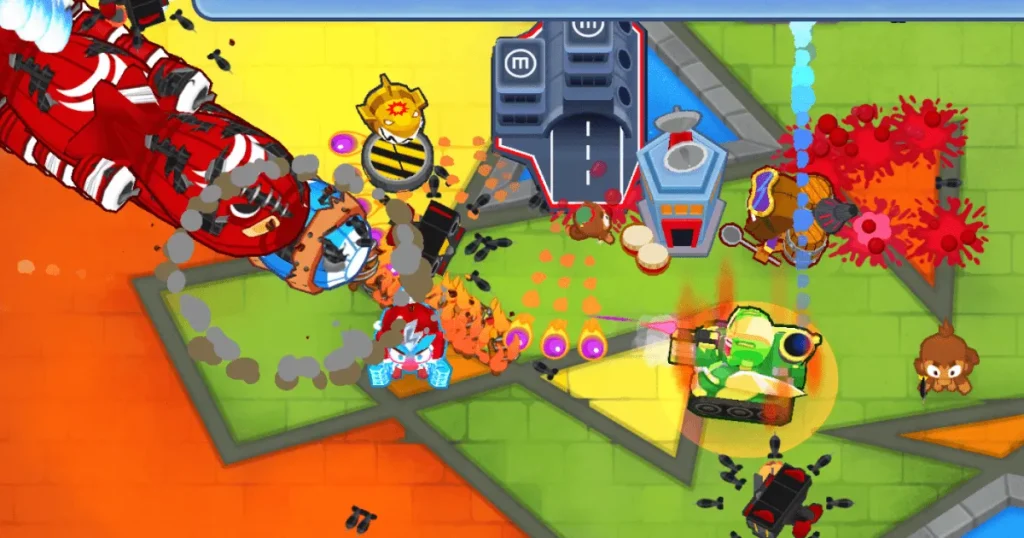
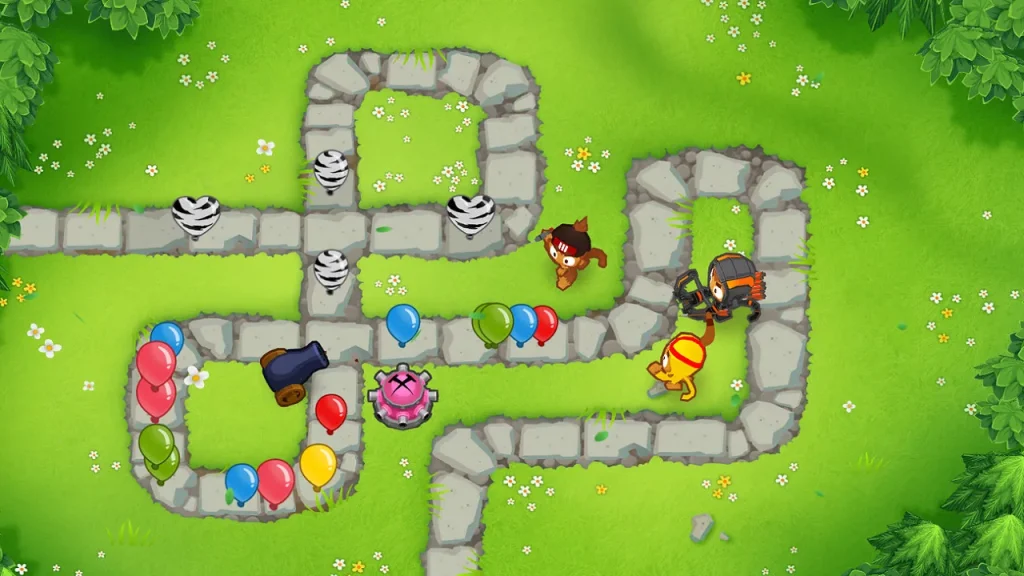
Bloons TD 6 PC is a strategic tower defense experience where players deploy a variety of monkey towers to stop waves of colorful Bloons from reaching the end of the path. Each tower has its own unique strengths, abilities, and upgrade paths, allowing you to customize your strategy to suit different maps and challenges. As the rounds progress, Bloons evolve with new types, such as camo or fortified Bloons, which require sharper tactics and smarter tower placement to overcome.
The game goes beyond traditional tower defense by introducing hero monkeys—special units with powerful abilities that can turn the tide of battle. Combined with co-op multiplayer, endless rounds, and diverse game modes, the gameplay stays fresh and exciting for both beginners and veterans. Playing on PC enhances this experience further, giving you precision with mouse controls and the ability to manage your defenses more efficiently. The balance between planning, quick decision-making, and adapting to tougher waves is what makes Bloons TD 6 PC endlessly replayable and one of the best strategy games to enjoy on computer.
Key Features
1. Vibrant 3D Graphics
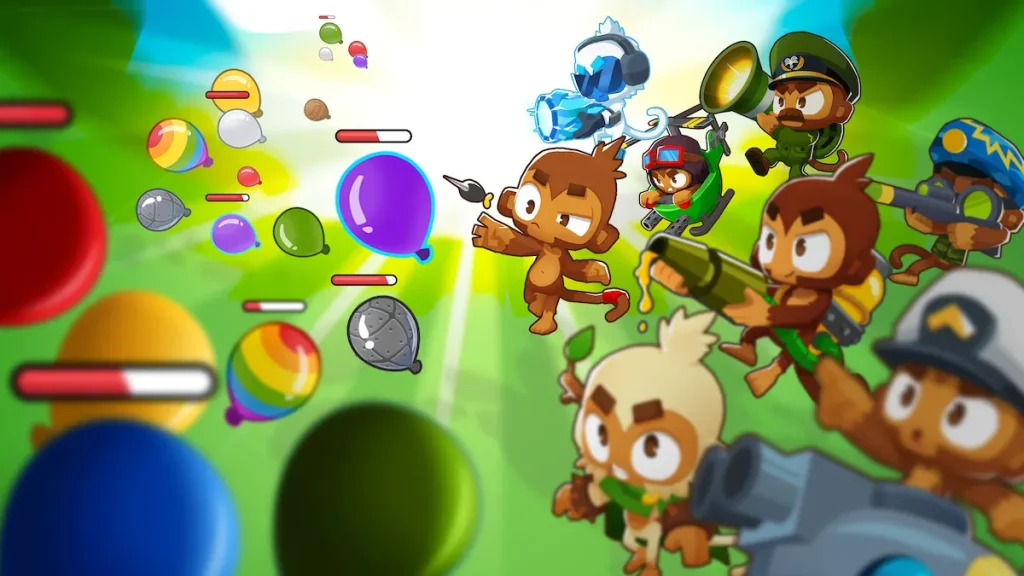
Bloons TD 6 takes the series into a fully 3D environment, adding depth and polish to the gameplay. Every tower, hero, and Bloon has a lively design, making the action visually engaging while still maintaining the charm of the classic series.
2. Wide Range of Monkey Towers
With 22 unique monkey towers, each offering different upgrade paths, the game gives players a wealth of strategic options. You can specialize in explosive damage, long-range sniping, magic-based attacks, or crowd-control tactics, tailoring your defense to each map and challenge.
3. Powerful Hero Monkeys
Hero monkeys are game-changers in Bloons TD 6 PC. Each hero comes with unique skills and upgrades that evolve as rounds progress. From Quincy’s precise archery to Adora’s devastating magic, choosing the right hero can completely alter your strategy.
4. Co-Op Multiplayer Mode
For those who love teamwork, Bloons TD 6 includes a 4-player co-op mode. You and your friends can combine strategies, divide responsibilities, and tackle tougher maps together, creating a fun and social gameplay experience.
5. Constant Content Updates
The developers at Ninja Kiwi consistently release updates that bring new towers, heroes, maps, and balance adjustments. This ongoing support ensures the game never feels stale, keeping long-time players engaged with fresh content.
6. Multiple Game Modes
Beyond the standard mode, Bloons TD 6 PC offers various difficulty levels and challenges such as Impoppable Mode, CHIMPS Mode, and Endless Play. These modes test even the most experienced players, making the game rewarding for both newcomers and veterans.
7. Offline and Cross-Platform Play
One of the most convenient features is the ability to play offline. Even without an internet connection, you can enjoy the full game. Additionally, progress syncing allows you to switch between PC and mobile effortlessly, so you never lose your hard-earned progress.
Why Play Bloons TD 6 on PC?
Playing Bloons TD 6 PC enhances the entire tower defense experience in ways mobile simply can’t match. The larger screen makes it easier to track waves of Bloons, place towers with precision, and manage upgrades without missing a beat. With smooth performance and improved visuals, the PC version brings out every detail of the vibrant 3D graphics, letting you fully enjoy the colorful chaos of popping Bloons.
Beyond visuals, PC gaming offers practical advantages. Mouse and keyboard controls allow for faster, more accurate inputs compared to touchscreen taps. You won’t have to worry about battery drain or background apps slowing your progress, making longer sessions more enjoyable. Plus, with cross-platform syncing, you can easily switch between mobile and PC without losing progress. For gamers who want the most reliable and immersive way to play, the Bloons TD 6 PC version is the ultimate choice.
How to Download Bloons TD 6 on PC
Here is a step by step guide to download Bloons TD 6 on PC;
- Find the button: Scroll to the “Download Bloons TD 6 for PC” button on this page.
- Start the safe download: Click the button to begin the safe download from this page. When prompted, choose Save (not Open) and pick a familiar folder (e.g., Downloads).
- Locate the file: When the download finishes, open your Downloads folder and find the .zip (or .rar) archive.
- Extract the game: Right-click the archive → Extract All… (or use 7-Zip/WinRAR) → choose a destination folder.
- Open the folder: Go to the extracted folder and look for Bloons TD 6.exe.
- Launch the game: Double-click the .exe to start. If Windows SmartScreen appears, select More info → Run anyway (only if you downloaded from the button on this page).
- Set up controls & video: In the Options/Settings menu, choose your resolution/fullscreen, adjust audio latency, and confirm keyboard bindings (← → ↑ ↓).
- Create a shortcut (optional): Right-click Bloons TD 6.exe → Send to → Desktop (create shortcut) for quick access.
- Play & enjoy: Start Story Mode or Free Play, and you’re good to go!
How to Play Bloons TD 6 on PC
Starting your journey in Bloons TD 6 PC is simple and rewarding. Once the game is installed, you’ll begin by selecting a map and difficulty level. Your goal is to stop waves of Bloons from reaching the end of the path by strategically placing monkey towers. Early rounds introduce basic Bloons that are easy to pop, but as the game progresses, you’ll encounter faster and tougher variations, including camo and fortified Bloons. This gradual increase in difficulty keeps the gameplay engaging and challenges you to adapt your strategies.
As you earn in-game currency, you can unlock upgrades for your towers, deploy hero monkeys, and experiment with different tower combinations. Playing on PC makes this process smoother thanks to precise mouse clicks and faster navigation through menus. The larger screen also helps track multiple Bloon paths at once, giving you better control over complex maps. With practice, you’ll learn how to balance offense and defense, manage resources, and use hero abilities at the perfect time. Whether you prefer casual sessions or long strategic battles, playing Bloons TD 6 on computer delivers the most comfortable and immersive experience possible.
System Requirements
Minimum Requirements
- OS: Windows 7 (64-bit)
- Processor: 2 GHz dual-core
- RAM: 4 GB
- Graphics: OpenGL 2.0 compatible
- Storage: 2 GB free space
Recommended Requirements
- OS: Windows 10/11 (64-bit)
- Processor: Intel i5 or higher
- RAM: 8 GB
- Graphics: Dedicated GPU with 2 GB VRAM
- Storage: 4 GB free space
FAQs
Can I play Bloons TD 6 on PC without the internet?
Yes, Bloons TD 6 supports offline play, meaning you can enjoy the full game even without an active internet connection. This makes it perfect for travel or areas with limited connectivity.
Is Bloons TD 6 free to download for PC?
No, Bloons TD 6 is a premium game. It’s available on Steam and other trusted platforms at a one-time purchase price. You can also download it safely using the download button provided in this guide.
Does Bloons TD 6 PC include multiplayer?
Yes. The PC version features a co-op multiplayer mode where up to 4 players can team up online, share strategies, and defend against challenging waves together.
Can I sync my progress between mobile and PC?
Absolutely. Bloons TD 6 allows cross-platform progress syncing when you log into your Ninja Kiwi or Steam account, ensuring you never lose your progress.
How often does Ninja Kiwi update Bloons TD 6?
The developers regularly release updates, adding new heroes, maps, balance adjustments, and features to keep the game fresh and engaging for all players.
What are the advantages of playing Bloons TD 6 on PC instead of mobile?
On PC, you get a larger screen, smoother graphics, precise mouse controls, and no battery drain, making it more comfortable for extended play sessions.
Is Bloons TD 6 suitable for kids?
Yes, the game is family-friendly and safe for all ages. While it challenges players with strategy and problem-solving, it avoids inappropriate content, making it great for children and adults alike.
Alternatives to Bloons TD 6 on PC
1. Plants vs. Zombies
One of the most iconic tower defense games, Plants vs. Zombies pits your quirky plants against waves of zombies trying to invade your garden. Its mix of humor, strategy, and casual gameplay makes it a timeless alternative for Bloons fans.
2. Kingdom Rush Series
The Kingdom Rush franchise is known for its fantasy-themed tower defense battles. With hero units, magical towers, and epic boss fights, it challenges players to think creatively while offering a polished, story-driven experience.
3. Defense Grid: The Awakening
This sci-fi tower defense title focuses heavily on tactical depth. Players must protect power cores from alien waves using futuristic towers. It’s ideal for strategy lovers who want a more technical and immersive alternative to Bloons TD 6.
4. Dungeon Defenders II
A hybrid between tower defense and action RPG, Dungeon Defenders II allows players to build defenses and also fight enemies directly. Its co-op multiplayer system makes it a perfect choice for gamers who enjoy team-based strategy.
5. Orcs Must Die! 2
Combining fast-paced action with tower defense mechanics, Orcs Must Die! 2 lets you set deadly traps and unleash weapons against hordes of orcs. It’s a fun, chaotic option for players who enjoy both strategy and direct combat.
Conclusion
Bloons TD 6 PC delivers one of the most enjoyable and strategic tower defense experiences available today. With its colorful 3D graphics, powerful hero monkeys, and endless gameplay modes, it keeps players entertained for hours. Playing on PC enhances the experience with smoother controls, a larger screen, and the ability to enjoy long sessions without battery concerns. Whether you’re a casual gamer or a strategy enthusiast, this version ensures maximum fun and performance. Don’t wait—click the Download Button on this page to get Bloons TD 6 for PC and start building your ultimate monkey defense now!