Football Manager 26 PC
Football Manager 26 PC lets you control tactics, transfers, and club strategy with unmatched realism. Build your legacy and dominate modern football.
Football management games have always held a special place among strategy and simulation fans, and Football Manager 26 continues that legacy with even greater depth, realism, and control. Developed by Sports Interactive and published by SEGA, this latest entry builds on decades of refinement to deliver the most authentic football management experience to date. The Football Manager franchise is trusted by millions of players worldwide, professional analysts, and even real-life clubs, thanks to its massive databases, realistic simulations, and attention to tactical detail. With each annual release, the series evolves to reflect modern football trends, and this edition is no exception.
Playing Football Manager 26 on PC gives players the ultimate sandbox to live out their dream of becoming a world-class football manager. From managing training sessions and negotiating contracts to shaping tactical systems and handling media pressure, every decision matters. The PC platform enhances this experience with a larger screen, precise keyboard and mouse controls, and the ability to multitask effortlessly whether you are analyzing player stats, browsing tactics, or managing multiple competitions at once. Compared to console or mobile versions, the PC version feels deeper, faster, and far more customizable.
Another major reason players are excited about this release is how it pushes realism further than ever before. Building on systems introduced in Football Manager 2025, the game introduces smarter AI managers, more realistic player development, refined match engine animations, and improved data analysis tools. Whether you are a veteran manager with thousands of in-game hours or a newcomer curious about tactical football, this title offers something for everyone. Scroll down and use the download button available on this page to safely get the PC version and begin your journey toward football greatness.
Gameplay Overview
At its core, Football Manager 26 is about decision-making, long-term planning, and understanding football beyond just goals and trophies. Players take on the role of a manager responsible for every aspect of a football club, from first-team tactics to youth development and financial sustainability. You choose your club, set objectives with the board, and begin shaping a squad capable of competing at the highest level. The gameplay loop is deep but rewarding, encouraging patience, analysis, and strategic thinking rather than quick reflexes.
Matches unfold through a detailed simulation engine where your tactical instructions directly influence what happens on the pitch. Formation choices, pressing intensity, defensive lines, and player roles all interact dynamically. Off the pitch, you’ll spend time scouting talent, negotiating transfers, handling player morale, and responding to media questions that can affect team confidence. The PC version shines here, allowing you to quickly navigate menus, compare data, and manage complex systems without feeling restricted.

Key Features
1. Deep Tactical Customization
One of the biggest strengths of Football Manager 26 is its advanced tactical system, designed to educate new players while still satisfying veterans. You can choose from preset tactical styles or build your own formation from scratch. Every player role, duty, and instruction can be adjusted to match your football philosophy. From high-pressing systems to defensive low blocks, the game clearly explains how each tactical choice impacts performance, making it easier for beginners to learn modern football concepts step by step.
2. Realistic Transfer & Contract Negotiations
The transfer system in Football Manager 26 mirrors real-world football more closely than ever. Clubs behave intelligently based on finances, reputation, and squad depth. As a manager, you must negotiate transfer fees, bonuses, sell-on clauses, and wages carefully. For new players, the game provides helpful hints during negotiations, teaching how to balance budgets while building a competitive squad without risking financial trouble.
3. Comprehensive Scouting Network
Scouting plays a vital role in long-term success. Football Manager 26 introduces a detailed scouting system where you assign scouts to regions, leagues, or specific player profiles. Reports highlight strengths, weaknesses, and potential, helping new managers understand how to identify talent. This feature teaches patience and planning, as discovering future stars often takes time and strategic investment.
4. Improved Match Engine & Visual Feedback
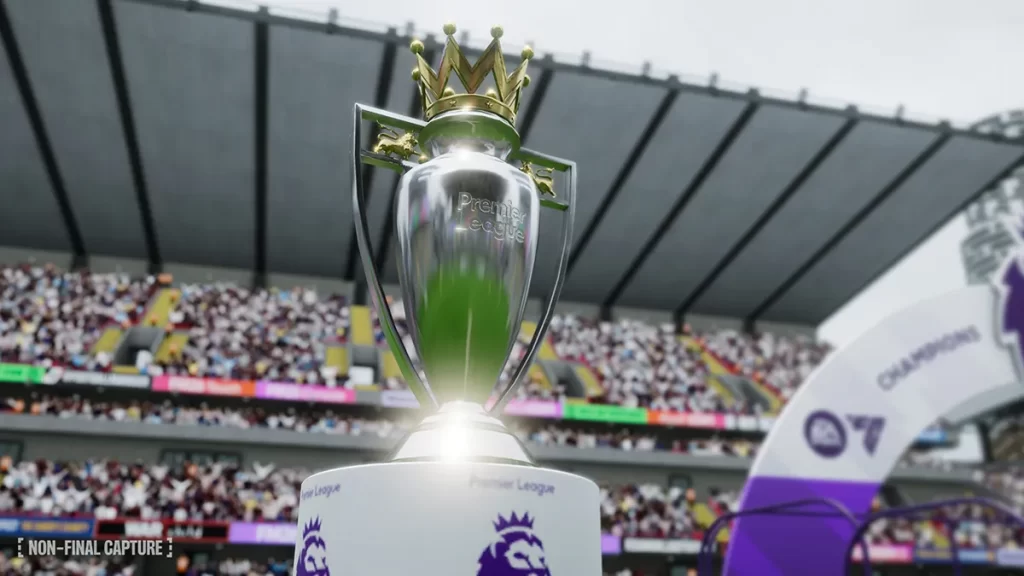
Matches feel more immersive thanks to improvements in the match engine. Player movement, positioning, and decision-making are clearer, helping new players understand why goals are scored or conceded. Tactical changes during matches have visible effects, making it easier to learn through experimentation. This clarity turns matches into learning opportunities rather than confusing simulations.
5. Player Development & Training System
Training in Football Manager 26 is more intuitive and educational for newcomers. You can create training schedules, focus on individual player development, and monitor progress through detailed feedback. Young players develop based on game time, coaching quality, and morale, teaching managers how to nurture talent over multiple seasons instead of expecting instant results.
6. Club Management Beyond the Pitch
Football Manager 26 goes beyond tactics and matches by introducing realistic club management systems. You handle budgets, staff appointments, facilities upgrades, and board expectations. For new players, this feature explains how off-field decisions affect long-term success, reinforcing the idea that managing a club is about more than just winning matches.
7. PC-Specific Tools & Mod Support
The PC version offers features that enhance learning and replayability. Keyboard and mouse controls make navigation fast and precise, while community mods allow players to customize databases, graphics, and gameplay. For new players, mods and custom setups can simplify learning or add realism, making the PC version the most flexible way to experience the game.
Why Play Football Manager 26 on PC?
Playing Football Manager 26 on PC offers the most complete, powerful, and comfortable way to experience football management. The first major advantage is the larger screen and enhanced interface, which makes managing complex data far easier. From analyzing player attributes and match statistics to comparing scouting reports and tactical setups, everything feels clearer and more accessible on a PC display. Keyboard and mouse controls allow faster navigation through menus, quick tactical tweaks, and smoother multitasking between screens such as squad depth, finances, and training schedules. This precision is especially important in a game where small decisions can shape an entire season. Unlike consoles or mobile devices, PC gameplay also allows longer sessions without battery concerns, making it ideal for players who enjoy deep, immersive management careers that span many in-game years.
Another strong reason to play on PC is flexibility and long-term value. The PC version supports cross-platform progress syncing, allowing you to continue your managerial career across supported devices without losing progress. It also benefits from a massive community that creates mods, custom databases, skins, and real-world updates that extend replayability far beyond the base game. Whether you want updated squads, additional leagues, realistic match visuals, or simplified interfaces for learning, PC mods give you full control over how you play. Performance is another key factor, as PCs handle large databases and long simulations more smoothly, especially on higher-end systems. For players who want realism, depth, customization, and total control over every footballing decision, the PC version is unquestionably the best platform to enjoy Football Manager 26 at its full potential.

How to Download Football Manager 26 on PC
Here is a step by step guide to download Football Manager 26 on PC;
- Find the button: Scroll to the “Download Football Manager 26 for PC” button on this page.
- Start the safe download: Click the button to begin the safe download from this page. When prompted, choose Save (not Open) and pick a familiar folder (e.g., Downloads).
- Locate the file: When the download finishes, open your Downloads folder and find the .zip (or .rar) archive.
- Extract the game: Right-click the archive → Extract All… (or use 7-Zip/WinRAR) → choose a destination folder
- Open the folder: Go to the extracted folder and look for Football Manager 26.exe
- Launch the game: Double-click the .exe to start. If Windows SmartScreen appears, select More info → Run anyway (only if you downloaded from the button on this page).
- Set up controls & video: In the Options/Settings menu, choose your resolution/fullscreen, adjust audio latency, and confirm keyboard bindings (← → ↑ ↓).
- Create a shortcut (optional): Right-click Football Manager 26 .exe → Send to → Desktop (create shortcut) for quick access.
- Play & enjoy: Start Story Mode or Free Play, and you’re good to go!
How to Play Football Manager 26 on PC
Playing Football Manager 26 on PC starts with setting up your managerial profile and choosing how deep you want the experience to be. After launching the game, you’ll select your manager details, preferred playing style, and experience level, which helps tailor guidance and challenges. Next, choose a club that matches your skill level beginners may prefer teams with strong finances and expectations, while experienced players can start in lower leagues. Once in charge, your first tasks include reviewing the squad, meeting board objectives, hiring backroom staff, and setting up tactics. On PC, the keyboard and mouse interface makes navigating detailed menus smooth, allowing you to quickly switch between tactics, training, scouting, and finances. Take time to familiarize yourself with player roles, team instructions, and formation presets, as these systems form the foundation of success throughout the season.
As the season progresses, effective gameplay comes from analysis and adaptation. Before each match, study opposition reports, adjust tactics, and select players based on form, fitness, and morale. During matches, you can pause, change instructions, and make substitutions to respond to what’s happening on the pitch. Off the field, focus on training schedules, individual player development, and long-term squad planning through scouting and transfers. The PC version excels here, as multitasking between data-heavy screens feels fast and intuitive. Over multiple seasons, you’ll learn how to balance short-term results with long-term growth by developing youth players, managing wages, and upgrading club facilities. Success in Football Manager 26 on PC isn’t about rushing it’s about learning from results, refining your strategy, and gradually building a club that reflects your football philosophy and managerial vision.
System Requirements
Minimum Requirements
- OS: Windows 10 (64-bit)
- Processor: Intel Core i5 or equivalent
- RAM: 8 GB
- Graphics: Integrated or DirectX-compatible GPU
- Storage: 7 GB available space
Recommended Requirements
- OS: Windows 11 (64-bit)
- Processor: Intel Core i7 or better
- RAM: 16 GB
- Graphics: Dedicated GPU
- Storage: SSD with 7+ GB free space
FAQ
Is Football Manager 26 PC suitable for beginners?
Yes, Football Manager 26 is very beginner-friendly despite its depth. New players can choose an experience level at the start, which enables tutorials, hints, and guided assistance throughout the game. The interface explains tactical choices, transfers, and training decisions clearly, helping newcomers learn football management concepts step by step. Over time, players can gradually disable assistance as they gain confidence.
Can I play Football Manager 26 on PC offline?
Yes, once the game is downloaded and installed, you can play Football Manager 26 on PC completely offline. An internet connection is only required for the initial download, updates, or online features such as cloud saves and community content. Offline play is ideal for long career sessions without interruptions, making it perfect for players who enjoy deep, single-player management experiences.
How realistic is Football Manager 26 compared to real football?
Football Manager 26 is widely regarded as one of the most realistic football simulations available. The game uses extensive databases covering thousands of real players, clubs, and leagues worldwide. Player attributes, match outcomes, transfers, and injuries are influenced by real-world football logic. Tactical systems and AI behavior are designed to mirror modern football trends, making every decision feel meaningful and authentic.
Does the PC version support mods and custom content?
Yes, the PC version fully supports mods and community-created content. Players can install custom databases, updated squads, real logos, kits, face packs, and interface skins. Mods allow you to tailor the game to your preferences, add new challenges, or improve realism. This flexibility significantly extends replay value and makes the PC version the most customizable way to play.
Can I manage lower-league or lesser-known clubs?
Absolutely. Football Manager 26 allows you to manage clubs from top-tier leagues or start your journey in lower divisions with limited resources. Managing smaller clubs offers a rewarding challenge, requiring smart scouting, budget control, and long-term planning. Many players enjoy rising through the leagues, turning underdogs into champions over multiple seasons.
How long does a career mode last in Football Manager 26?
Career mode in Football Manager 26 has no fixed end point. You can continue managing for decades of in-game seasons if you choose. This long-term structure allows players to build dynasties, develop youth academies, and leave a lasting legacy at multiple clubs. Progression feels organic, with evolving squads, staff, and football trends over time.
What makes Football Manager 26 PC better than console or mobile versions?
The PC version offers superior control, performance, and depth. Keyboard and mouse controls make managing complex systems faster and more precise. PCs handle large databases and long simulations more smoothly, especially during late-game seasons. Combined with mod support, larger displays, and multitasking capabilities, the PC version delivers the most complete Football Manager experience available.
Alternatives to Football Manager 26 on PC
- FIFA Manager – Focuses on both club and personal manager lifestyle elements.
- Top Eleven – A lighter, online-focused management experience.
- Pro Cycling Manager – Strategy-heavy management outside football.
- Motorsport Manager – Deep team and strategy management in motorsport.
- Soccer Manager Series – Simplified football management with a faster pace.
Conclusion
Football Manager 26 PC delivers the most detailed and immersive football management experience available today. With its deep tactical systems, realistic transfers, intelligent AI, and powerful PC-exclusive features, it’s perfect for both newcomers and veteran managers. If you love strategy, football analysis, and long-term progression, this game offers endless replay value. Scroll down, click the download button in this article, and start building your legacy as a world-class football manager.